3 checking the heating element and the hygrostat – SMA SC 500CP-10-JP Maintenance Manual User Manual
Page 30
6 Maintenance under Voltage-Free Conditions
SMA Solar Technology AG
30
SCCP-JP-WA-A4-en-12
Maintenance Manual
Procedure:
1. Switch the inverter to Stop.
2. Open the doors of the interface cabinet.
3. Switch on the circuit breaker of the external voltage supply.
☑ The fans start to run for a few moments.
✖ The fans do not start?
• Contact the SMA Service Line.
4. Close the inverter doors.
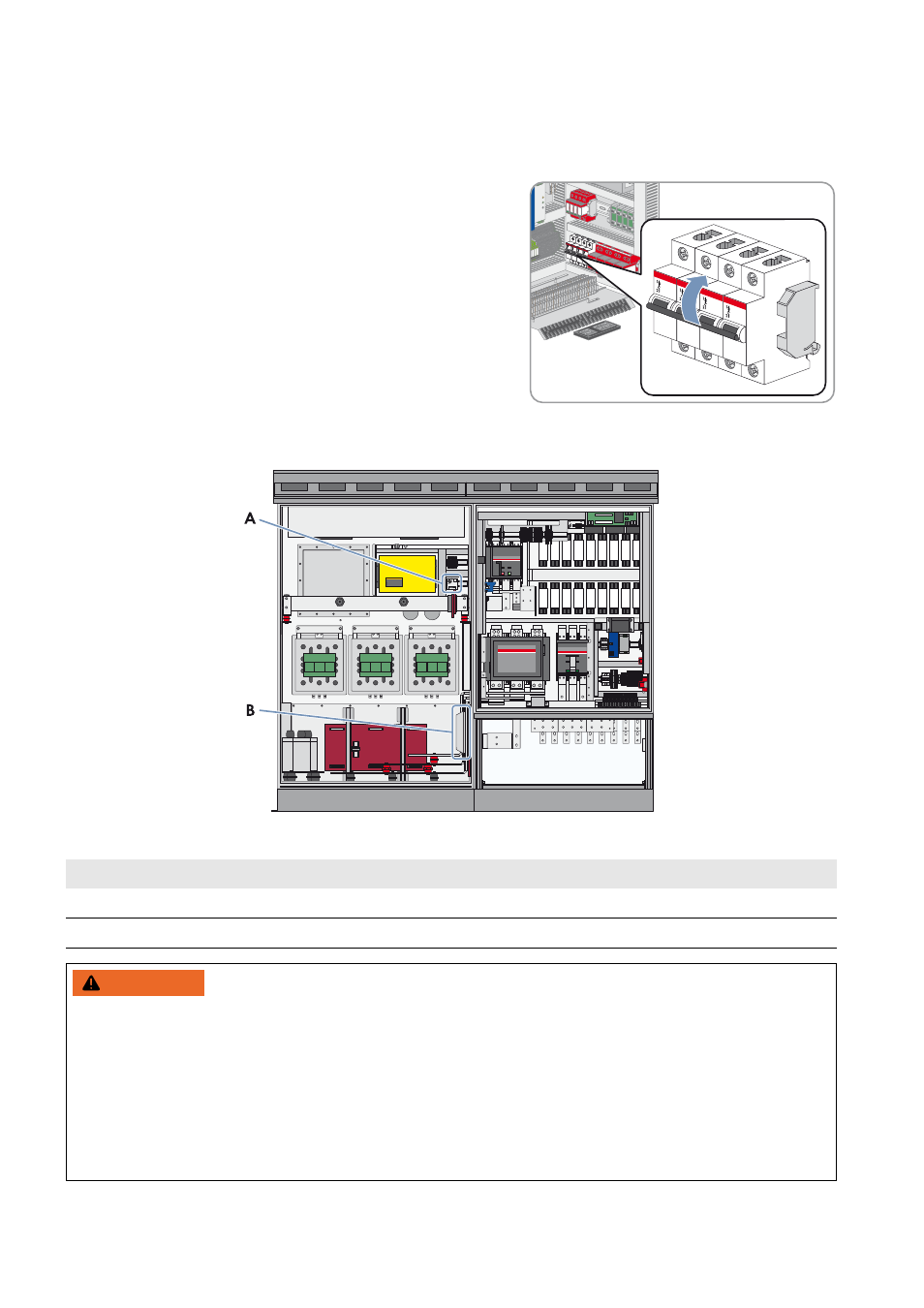
6.7.3 Checking the Heating Element and the Hygrostat
Figure 8: Position of the heating element and the hygrostat
Position
Designation
A
Hygrostat
B
Heating element
:$51,1*
Danger to life from electric shock due to live voltage
High voltages are present in the conductive components of the inverter. Touching live components results in death or
serious injury due to electric shock.
• Wear suitable personal protective equipment for all work on the device.
• Do not touch any live components.
• Observe all warning messages on the product and in the documentation.
• Observe all safety precautions of the module manufacturer.