User action menu, Computer response menu – Contour Design Shuttle-Xpress NLE Multimedia Controller (Black) User Manual
Page 13
2.3.3
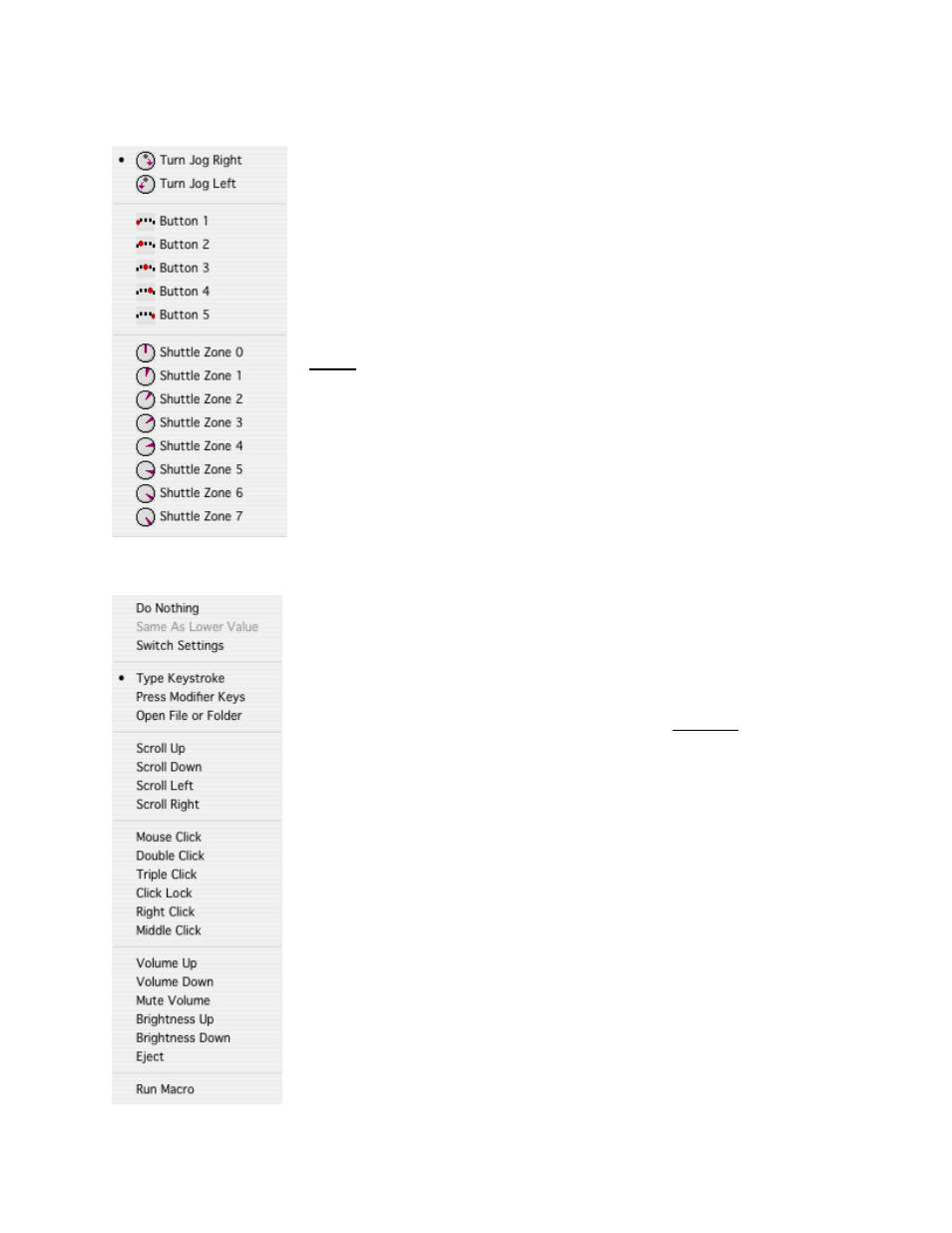
User Action Menu
This menu allows you to choose which button(s) or feature(s) you
wish to program. You can select any of the buttons, Jog right or left,
Shuttle positions and transitions.
Shuttle positions are points set in intervals along the right and left
(clockwise and counterclockwise) sides of the Shuttle Knob. The
Shuttle ring has seven (7) distinct zones in each direction and a rest
zone.
Shuttle transitions are points in between Shuttle positions.
Note:
The primary buttons, Jog directions and Shuttle positions can
be accessed more easily by simply clicking the desired button or
moving the Jog or Shuttle on the device itself. This will automatically
bring its option up in the User Action Menu. In order to access the
Shuttle transitions, you MUST use the pull-down menu.
2.3.4
Computer Response Menu
The Computer Response Menu allows you to pick a function that you
want a button or other feature to perform:
•
Do Nothing
does what the name implies – selection of this
option means that the button or other feature will do nothing.
•
Same as Lower Value
will perform the same function as the
immediately previous command on the shuttle knob. This
command is
only
allowed on the Shuttle positions.
•
Switch settings
allows you to define any of the Shuttle
components to perform as a toggle in cases where an
application has more than one application setting defined. This
Computer Response will be described in chapter 4.
•
Type Keystroke
on the menu allows you to type a keyboard
shortcut in the Keystroke field. The text associated with
Keystroke field (Comment field) provides additional guidance.
•
Press Modifier Keys
This option allows you to place one or
more Modifier keys in a given target button. The Modifier keys
are the Control, Option, Command, Shift and Lock keys.
•
Open File or Folder
allows you to open any file or
application.
•
Scroll Up, Down, Left, Right
will allow you to associate a
scrolling.
•
Mouse Click, Double Click, Triple Click, Click Lock, Right
Click, Middle Click
will allow you to associate one of the
click.
•
Volume Up, Volume Down, Mute Volume
will allow you to
Contour Shuttle Multimedia Controllers
7