Frequency menu, Type keystroke – Contour Design Shuttle-Xpress NLE Multimedia Controller (Black) User Manual
Page 14
adjust the volume through a Shuttle component.
•
Brightness Up, Brightness Down
will allow you to adjust the brightness through a
Shuttle component.
•
Eject
allows you to define any of the Shuttle components to eject a CD or a DVD.
•
Run Macro
(ShuttlePRO v2
only
) allows you to associate one of the available macros
to a Shuttle component or to create your own macro.
In the following paragraphs, a detailed description of the Computer Response functions is
given.
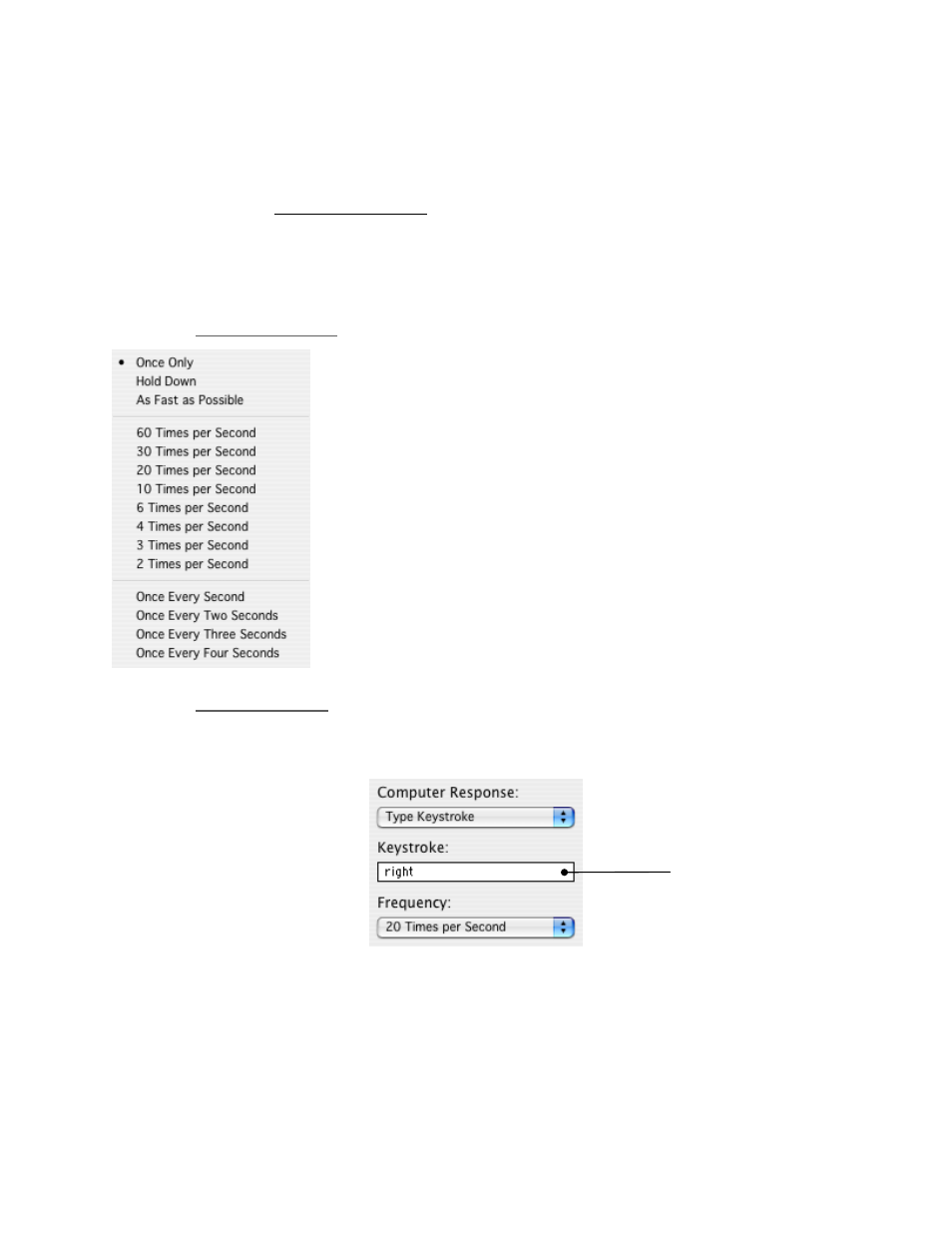
2.3.4.1 Frequency
Menu
The Frequency Menu allows you to specify how many times you
want a command to occur. It allows the event to occur once, as
fast as possible, or a specified number of times per second, or at
slower speeds measured by the number of seconds between
occurrences.
Once Only simulates a keystroke pressure immediately followed by
its release, while Hold Down simulates a keystroke pressure until
the associated Shuttle component is released.
The Frequency Menu is only available if you have selected a Jog
direction or a Shuttle position amongst the User Actions AND you
have selected one of the following Computer Response:
•
Type Keystroke
•
Press Modifier Keys
•
or any scrolling option
2.3.4.2 Type
Keystroke
Choosing this action allows you to type into the Keystroke Field the keyboard shortcuts that you
want a button or Jog Wheel or Shuttle position or transition to perform.
Keystroke Field
Contour Shuttle Multimedia Controllers
8