Programming your shuttle device, Create new settings, Create new settings from existing settings – Contour Design Shuttle-Xpress NLE Multimedia Controller (Black) User Manual
Page 22
5
5.1.1
Programming your Shuttle device
This section will analyze in detail the operations you can perform on settings from the
Application Setting Menu. Please note that each of these operations has
effect on the
application settings for all Shuttle devices
and that any changes you perform will
take
effect immediately
.
Before going through the contents of this section,
open the Control Panel
(refer to
paragraph 2.2 for guidance on how to accomplish this).
5.1 Create New Settings
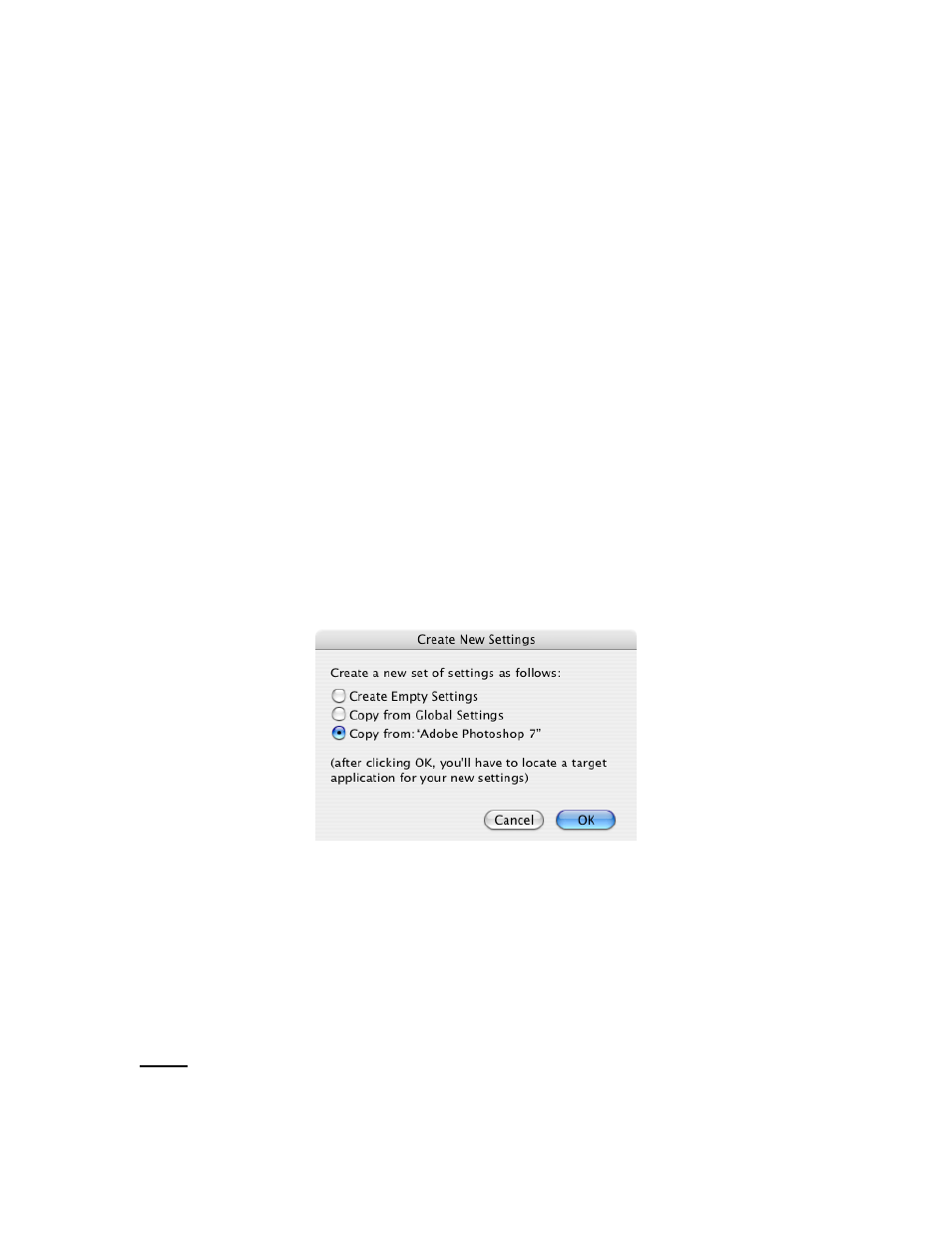
Create New Settings from Existing Settings
This function allows you to create new settings by copying them from existing settings.
1. Click on the Application Setting Menu and select the application setting you would like to
copy. (After so doing, you should now see this setting name in the Application Setting
Menu).
2. Click on the Application Setting Menu again and select
Create new settings
.
3. Select
either
the second item
Copy from Global Settings
or
the third
Copy from:
name of the setting selected in step 1.
4. A dialog box will prompt you to locate the target application. Select the application you want
the new settings to be associated with and click
Choose
in the right hand of the dialog box.
5. Choose a name for the new setting then click
OK
. The name of the application will now
appear in the Application Setting Menu. Refer to paragraph 5.2 to change the application
setting name. All the Shuttle components are set the same as the setting in which you
copied them from. Refer to paragraph 3.3 for guidance on how to modify their function.
6. Once you have completed the desired changes, close the Shuttle device Control Panel. You
are ready to use the setting(s) within the selected application of your choice.
Note:
you will create the application settings for
all
Shuttle devices.
Contour Shuttle Multimedia Controllers
16