Device events control section, User action menu, Computer response menu – Contour Design Shuttle-Xpress NLE Multimedia Controller (Black) User Manual
Page 10
•
Remove settings
allows you to remove the selected setting from the Target
Application Menu. This command is
not
allowed on Global Settings.
•
Import settings
allows you to add a new setting created by Contour, or another
Shuttle user, to the existing settings list.
•
Export settings
allows you to export the setting selected in the Target Application
Menu, in order to share it with other users, or back it up for security. The file that will be
created will have the .pref extension and will be located in the folder of your choice.
•
Export settings info
will create an html file that will contain an image of the Shuttle
device with bubble descriptions (the contents of the Comment field) of the actions
associated to each of the Shuttle components.
•
Rebuild the whole settings file
resets the settings collection of all Shuttle devices to
the factory provided one. With this operation all user-made and customized settings will
be lost.
2.3.2
2.3.2.1
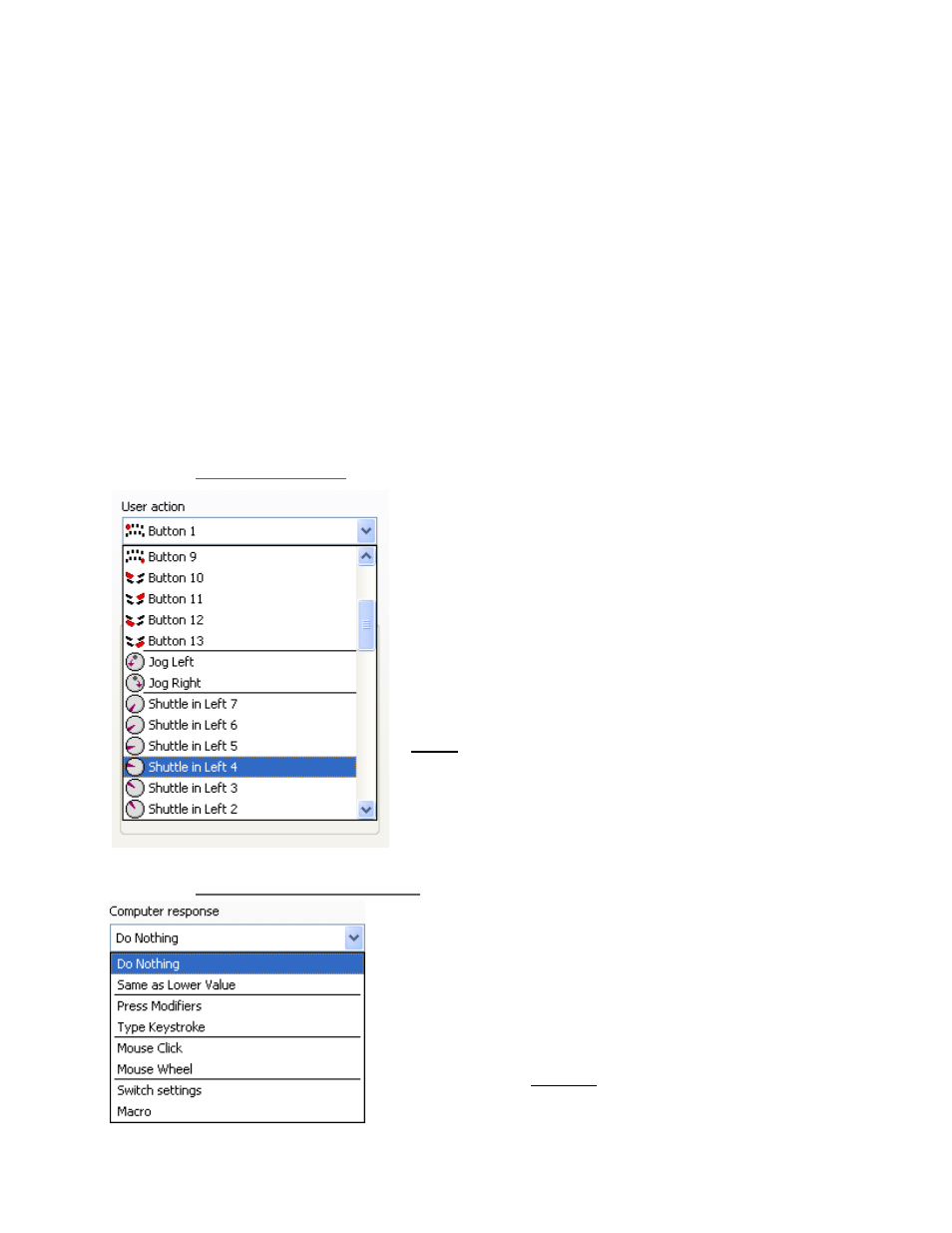
Device Events Control Section
User Action Menu
This menu allows you to choose which button(s) or
feature(s) you wish to program. You can select any of
the buttons, Jog right or left, Shuttle positions and
transitions.
Shuttle positions are points set in intervals along the
right and left (clockwise and counterclockwise) sides of
the Shuttle Knob. The Shuttle ring has seven (7) distinct
zones in each direction and a rest zone.
Shuttle transitions are points in between Shuttle
positions.
Note:
The primary buttons, Jog directions and Shuttle
positions can be accessed more easily by simply clicking
the desired button or moving the Jog or Shuttle on the
device itself. This will automatically bring its option up in
the User Action Menu. Shuttle transitions are only
accessible through the pull-down menu.
Computer Response Menu
2.3.2.2
The Computer Response Menu allows you to pick a function
that you want a button or other feature to perform:
•
Do Nothing
does what the name implies –
selection of this option means that the button or
other feature will do nothing.
•
Same as Lower Value
will perform the same
function as the immediately previous command on
the shuttle knob. This command is
only
allowed on
the Shuttle positions.
Contour Shuttle Multimedia Controllers
7