Frequency menu, Type keystroke – Contour Design Shuttle-Xpress NLE Multimedia Controller (Black) User Manual
Page 12
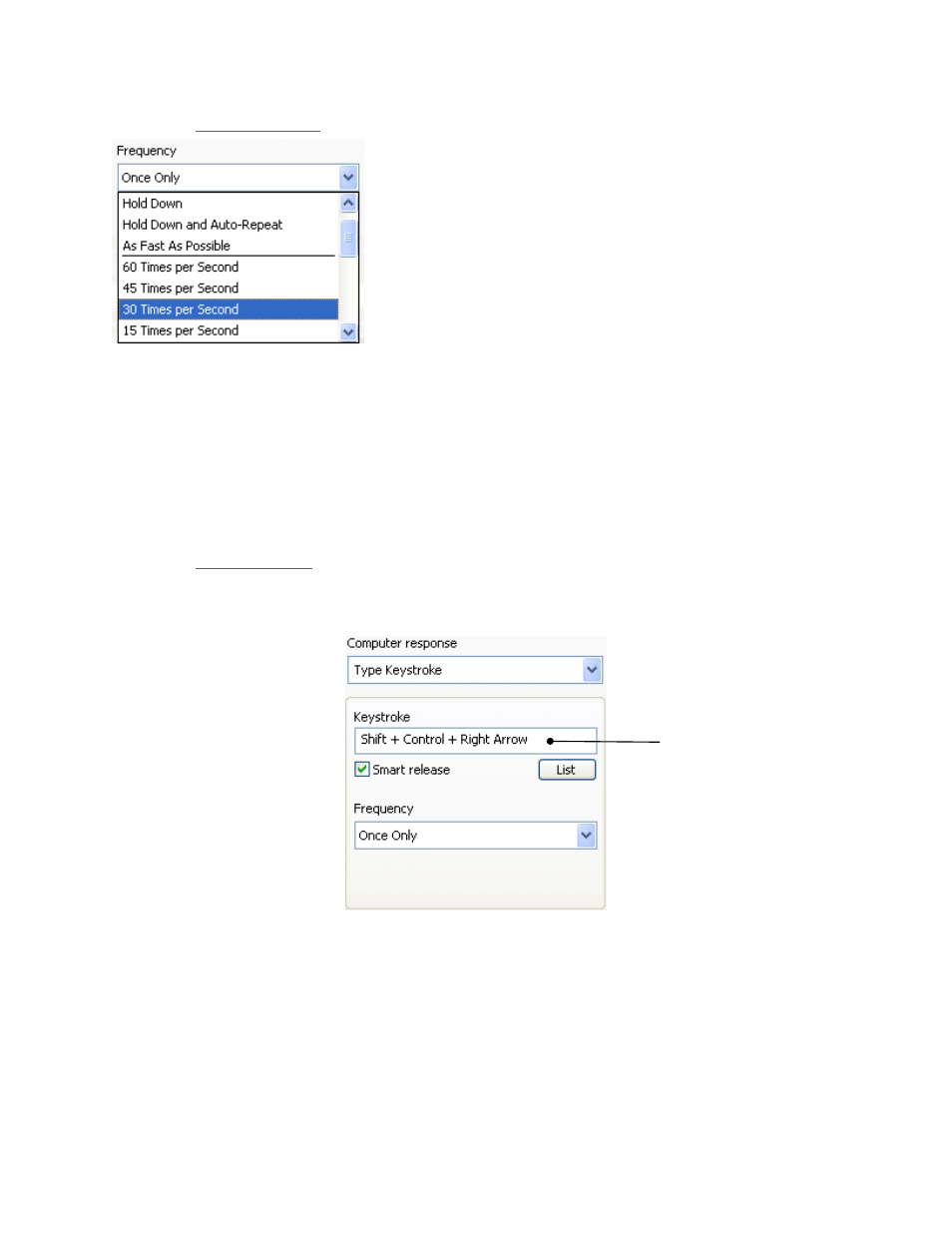
2.3.2.2.3 Frequency
Menu
The Frequency Menu allows you to specify how many times
you want a command to occur. It allows the event to occur
once, as fast as possible, or a specified number of times
per second, or at slower speeds measured by the number
of seconds between occurrences.
Let’s point out the difference between Once Only, Hold
Down and Hold Down and Auto-Repeat:
•
Once Only simulates a keystroke pressure
immediately followed by its release.
•
Hold Down simulates a keystroke pressure until the associated Shuttle component is
released.
•
Hold Down and Auto-Repeat simulates many time-spaced keystroke pressures until the
associated Shuttle component is released.
The Frequency Menu is available for the following Computer Response actions:
•
Type Keystroke
•
Mouse Click
•
Mouse Wheel
2.3.2.2.4 Type
Keystroke
Choosing this action allows you to type into the Keystroke Field the keyboard shortcuts that you
want a button or Jog Wheel or Shuttle Knob position to perform.
Keystroke Field
Instead of typing special keystrokes on the keyboard, you can select them from the
List
Button,
by clicking on the corresponding right side icon:
Contour Shuttle Multimedia Controllers
9