Create empty settings – Contour Design Shuttle-Xpress NLE Multimedia Controller (Black) User Manual
Page 22
5.1.2
Create Empty Settings
This function allows you to create new settings for any application on your computer. This
application you wish to use a Shuttle device with should meet one of the following criteria:
−
allow keyboard shortcuts to various functions within the application,
−
support scrolling and/or moving along time lines or frames.
Before analyzing the procedure itself, here are a couple of tips that can be useful when you
want to create new settings from scratch.
For the buttons:
1. create a list of all the keyboard shortcuts available for your application.
2. identify the ones you use most frequently.
3. associate the keyboard shortcuts to the buttons in the way that is most comfortable and
efficient for you.
Jog and Shuttle are very useful for scrolling and/or moving along a time line or time frame.
The Shuttle positions are usually associated with the same Computer response, but the related
frequencies will differ.
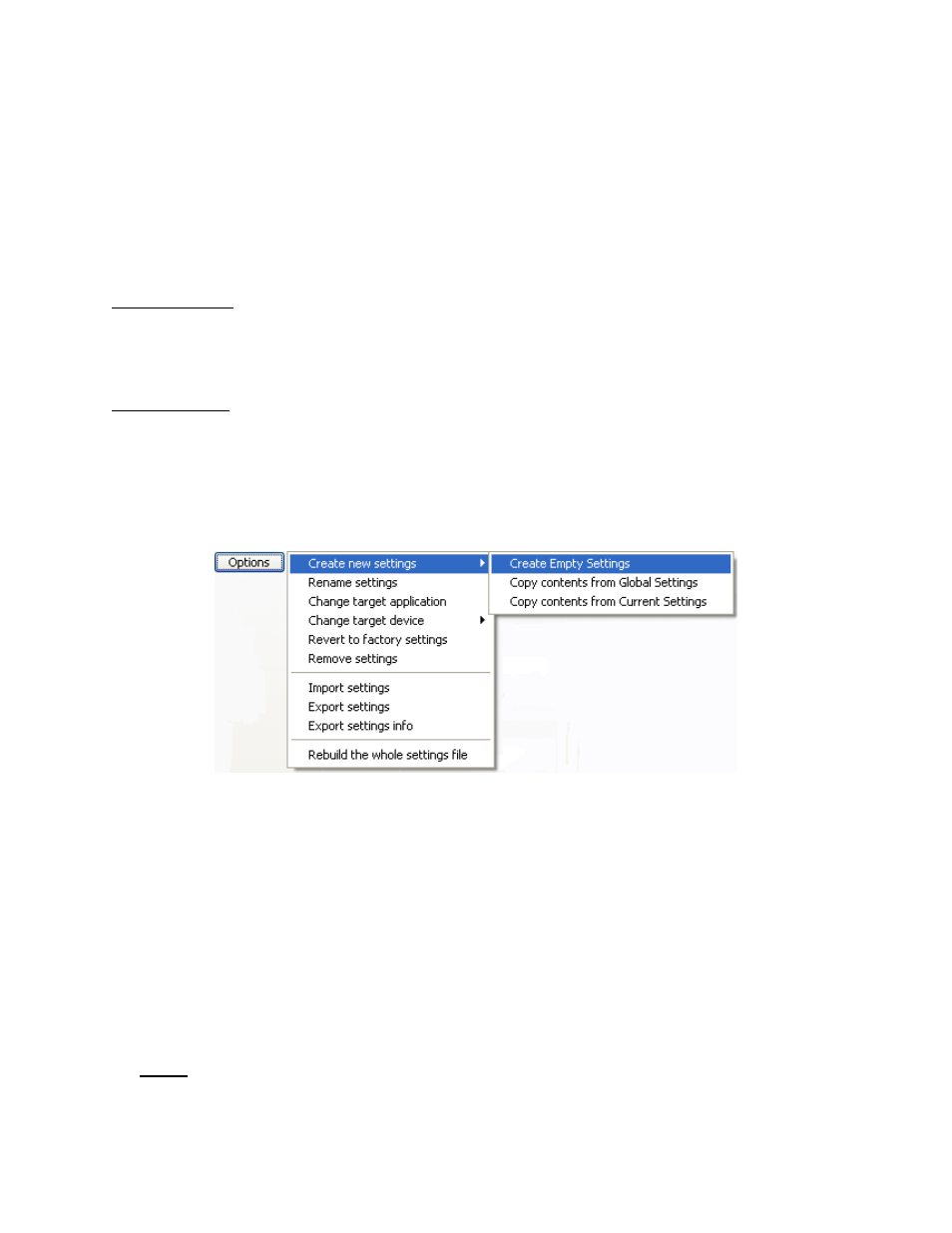
In order to create new settings:
1. Click on the Options button in the Settings Management section and select
Create new
settings
.
2. Click on the first item
Create Empty Settings
.
3. A dialog box will prompt you to locate the Target Application. Select the application you
want to target and click
Open
in the right hand of the dialog box. The file you should select
is normally the executable file (.exe) for the application. (In some cases the target is a .mod
file as in the case of Pinnacle Edition.)
4. The name of the application will now appear in the Target Application Menu. Refer to
paragraph 5.2 to change the setting name. All the Shuttle components are set by default to
Do Nothing. Refer to paragraph 3.3 for guidance on how to modify their function.
5. Repeat step 4 for each Shuttle component you would like to modify. If you have finished the
desired changes, click the
Apply
button.
6. Close the Shuttle device Control Panel and use the setting(s) within the selected application
of your choice.
Note:
It is strongly recommended that you set up
all of the Shuttle positions
. If you do
not want a Shuttle Knob position to perform a function, then set that position to
Do
Nothing
or
Same as Lower Value
.
Contour Shuttle Multimedia Controllers
19