Rename settings, Change target application, Change target device – Contour Design Shuttle-Xpress NLE Multimedia Controller (Black) User Manual
Page 23
5.2 Rename
Settings
If you want to rename an application setting:
1. Click on the Target Application Menu and select the application setting you would like to
rename. (You should now see this setting name in the Target Application Menu).
2. Click on the Options button in the Settings Management section. The setting you selected in
step 1 should be highlighted. Select
Rename Settings
from the pull-down menu.
3. Enter a name of your choice (up to 31 characters) in the Target Application field. You MUST
use a different name for each setting.
4. Press
Enter
on your keyboard to save the new name.
5. Click
Apply
to validate the change.
5.3 Change Target Application
If you want to change the target application (the executable file to which the setting is related):
1. Click on the Target Application Menu and select the application setting that you would like
to associate to another application. (After so doing, you should now see this setting name
highlighted in the Target Application Menu).
2. Click on the Options button in the Settings Management section. Select
Change target
application
from the pull-down menu.
3. A dialog box will prompt you to locate the target application. Select the application you want
and click
Open
in the right hand of the dialog box.
4. Click
Apply
to validate the change.
5.4 Change Target Device
By default all settings are targeted to all devices.
For multiple-mode applications that have more than one setting, you can tag settings either to
be primary-device specific or secondary-device specific, so that they will be used only by the
corresponding device.
1. Click on the Target Application Menu and select the application setting you would like to
tag. You should now see this setting name highlighted in the Target Application Menu.
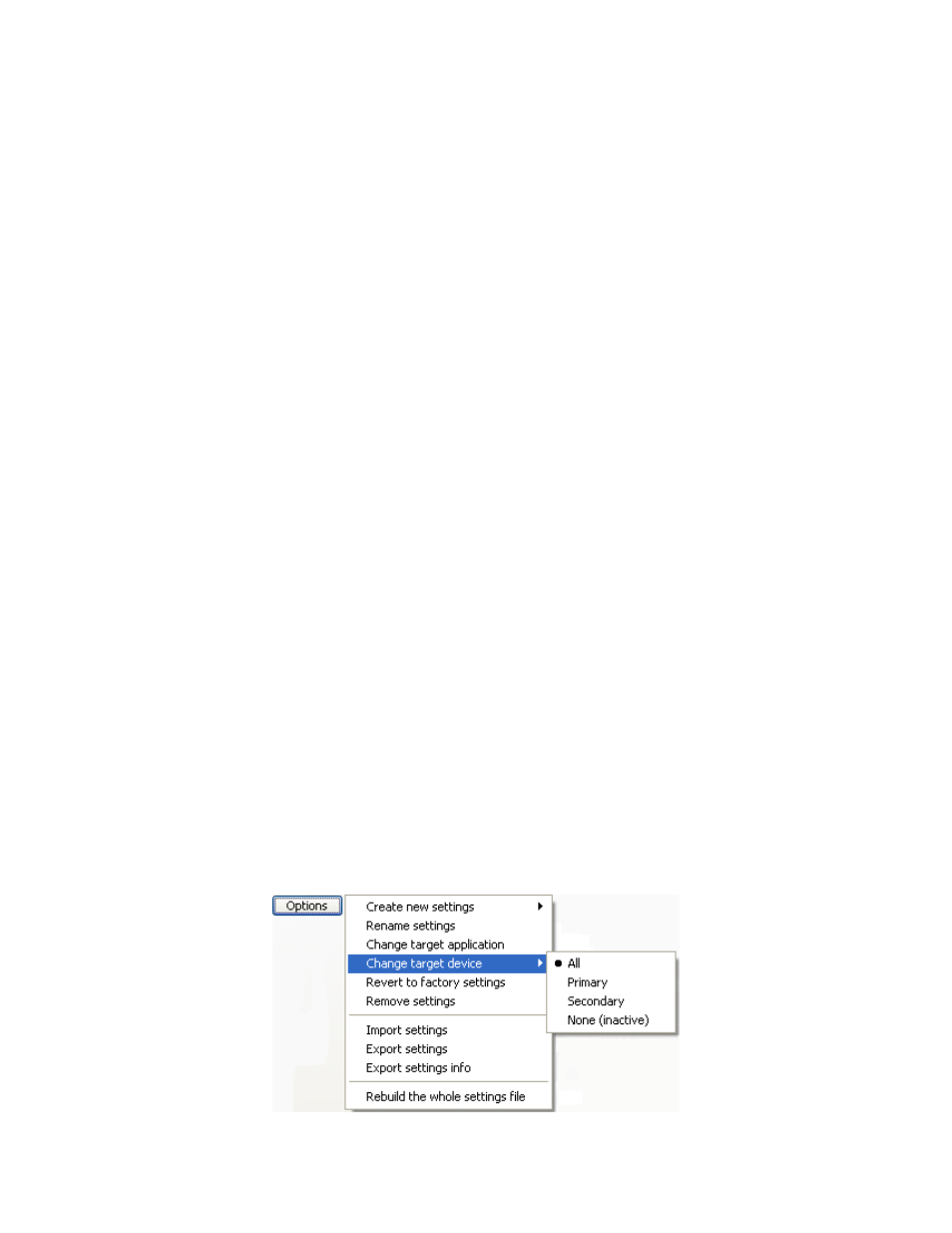
2. Click on the Options button in the Settings Management section. Select
Change target
device
from the pull-down menu.
Contour Shuttle Multimedia Controllers
20