Programming macros with key composer™ \(shuttlep – Contour Design Shuttle-Xpress NLE Multimedia Controller (Black) User Manual
Page 26
6
Programming macros with Key Composer™ (ShuttlePRO v2
only)
This section will analyze in detail how to create new macros for your ShuttlePRO v2 in the Key
Composer tab.
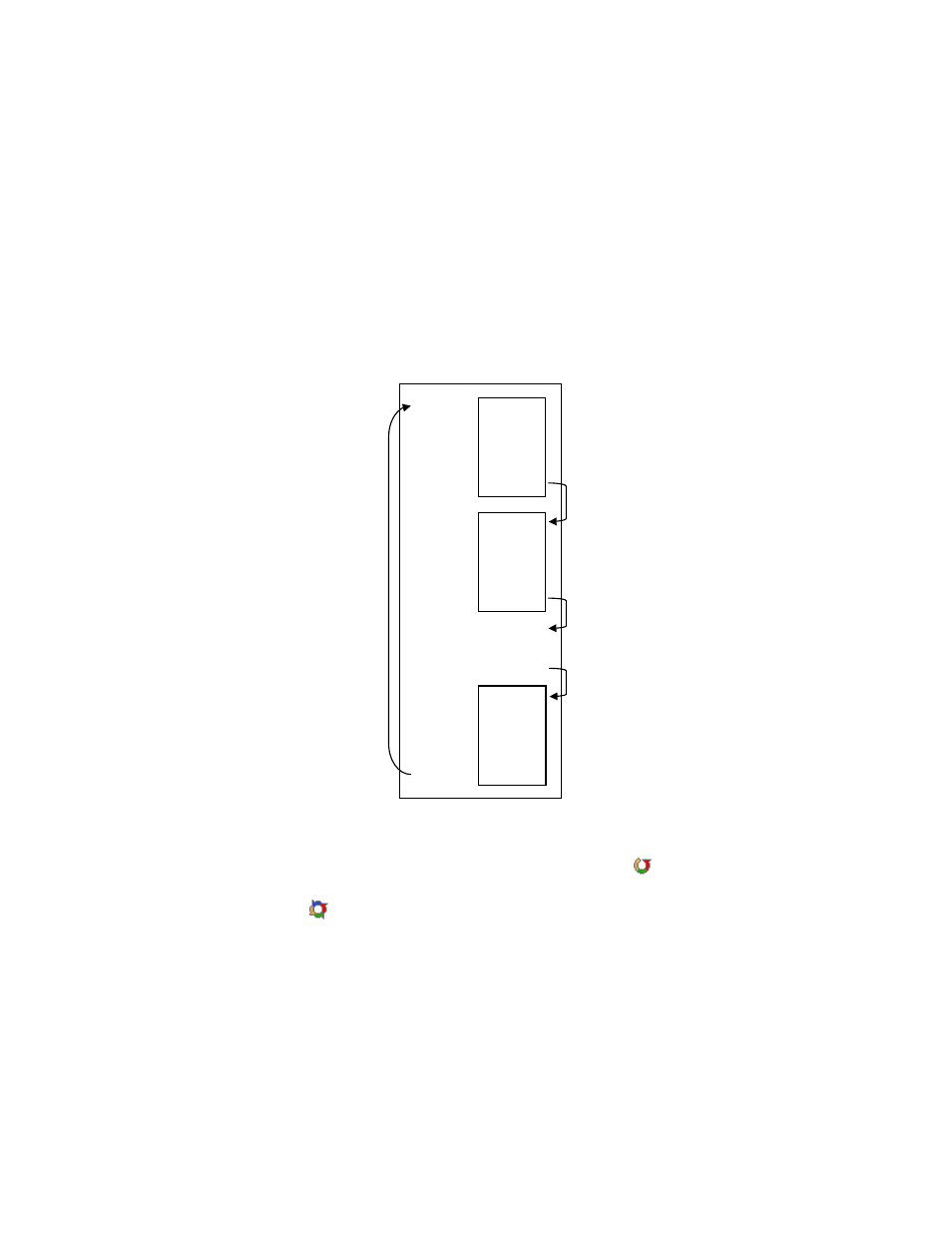
A macro is an automated sequence of actions (divided in one or more groups) that can be
stored and then recalled with a single Shuttle component. By action we mean: keystroke
combinations, keystroke sequences (text) or pause events. An event on the Shuttle component
associated to a macro corresponds to the execution of
one single
group of action(s).
Macro
Group n action 1
action 2
|
|
|
Group 2
Group 1
|
|
|
action 1
action 2
|
|
|
action 1
action 2
|
|
|
1 event on the
Shuttle component
1 event on the
Shuttle component
1 event on the
Shuttle component
1 event on the
Shuttle component
This definition leads to two different kinds of macros:
−
macros composed by one group of actions, identified by the icon .
−
macros composed by two (2) or more groups of actions, also called step-by-step macros,
identified by the icon . Step-by-step macros are very useful to switch views or to toggle
between tools.
Before going through the contents of this section,
open the Control Panel
(refer to
paragraph 2.2 for guidance on how to accomplish this) and select the
Key Composer
tab.
To create a new macro:
1. Click on
New
in the Macro selection window.
2. A macro called ‘Untitled’ will be automatically created. Type the name of your new macro
then type Enter.
Contour Shuttle Multimedia Controllers
23