Settings management section, Target application menu, Options button – Contour Design Shuttle-Xpress NLE Multimedia Controller (Black) User Manual
Page 9
2.3.1
2.3.1.1
Settings Management Section
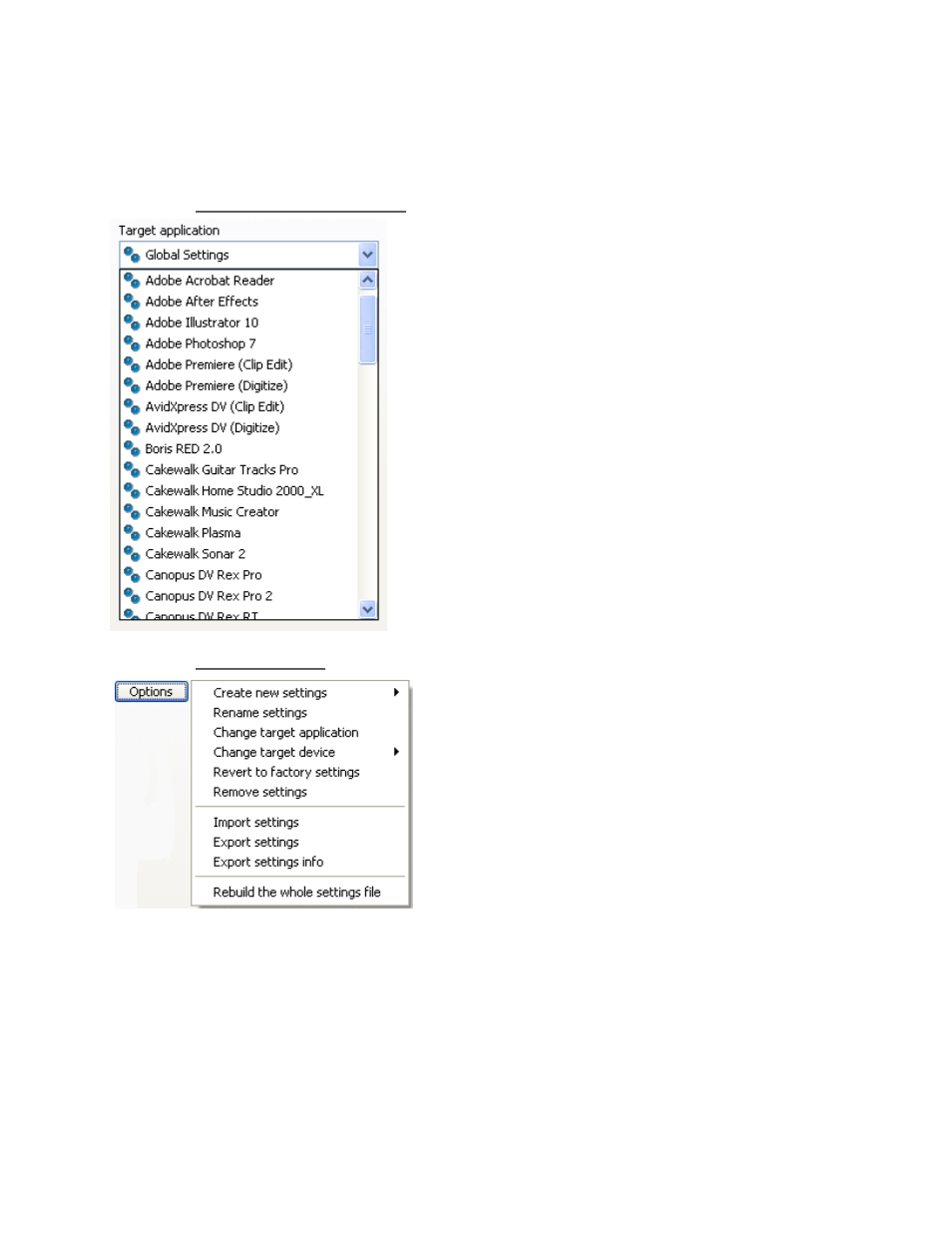
Target Application Menu
This menu stores all of the currently installed application
settings. In order to view or customize an application
setting you will have to first select it through this menu.
This menu contains a Global Settings selection, which is
a setting that is active when the current application
doesn’t have any specific settings assigned (the
application is not targeted).
Let’s explain this through an example: in the installation
package, Notepad doesn’t appear in the Target
Application Menu, meaning there are no specific settings
for Notepad. Therefore, whenever you use the Notepad
program, your Shuttle device is configured according to
the Global Settings. Please refer to paragraph 3.5 for
more information about Global Settings.
Adobe Premiere, on the other hand, would use the
Adobe Premiere specific settings and NOT Global
Settings.
2.3.1.2 Options
Button
This button allows you to select functions to work on
settings. These functions include:
•
Create new settings
does what the name
implies – selection of this option allow you to
create new settings, either from empty
settings, or copying from Global settings or
the current application selected in the Target
Application Menu.
•
Rename settings
allows you to change the
selected setting name. This command is
not
allowed on Global Settings.
•
Change target application
This option allows you locate a different executable file for
the application corresponding to the selected setting. This option is useful when a new
version of a program changes the name of the executable file itself.
•
Change target device
If you have two Shuttle devices, this option allows you to
specify which device, primary or secondary, the selected setting will respond to. Global
Settings are always active for all devices.
•
Revert to factory settings
allows you to restore a setting that you may have
modified, by reloading the original setting.
Contour Shuttle Multimedia Controllers
6