Creating new or updated settings, Windows driver outline, Mac os driver outline – Contour Design Shuttle-Xpress NLE Multimedia Controller (Black) User Manual
Page 3: Computer response, Shuttle pro v2 and xpress
Creating New or Updated Settings
There are two main ways to create settings:
1. Create settings based on other settings. For example, if your media player has the same keystroke shortcuts as another
program but doesn’t have settings for the other program, new settings can be created off of the existing settings. This method
can also be used to update settings to an application/program that has recently been updated.
2. New custom settings can also be created from scratch.
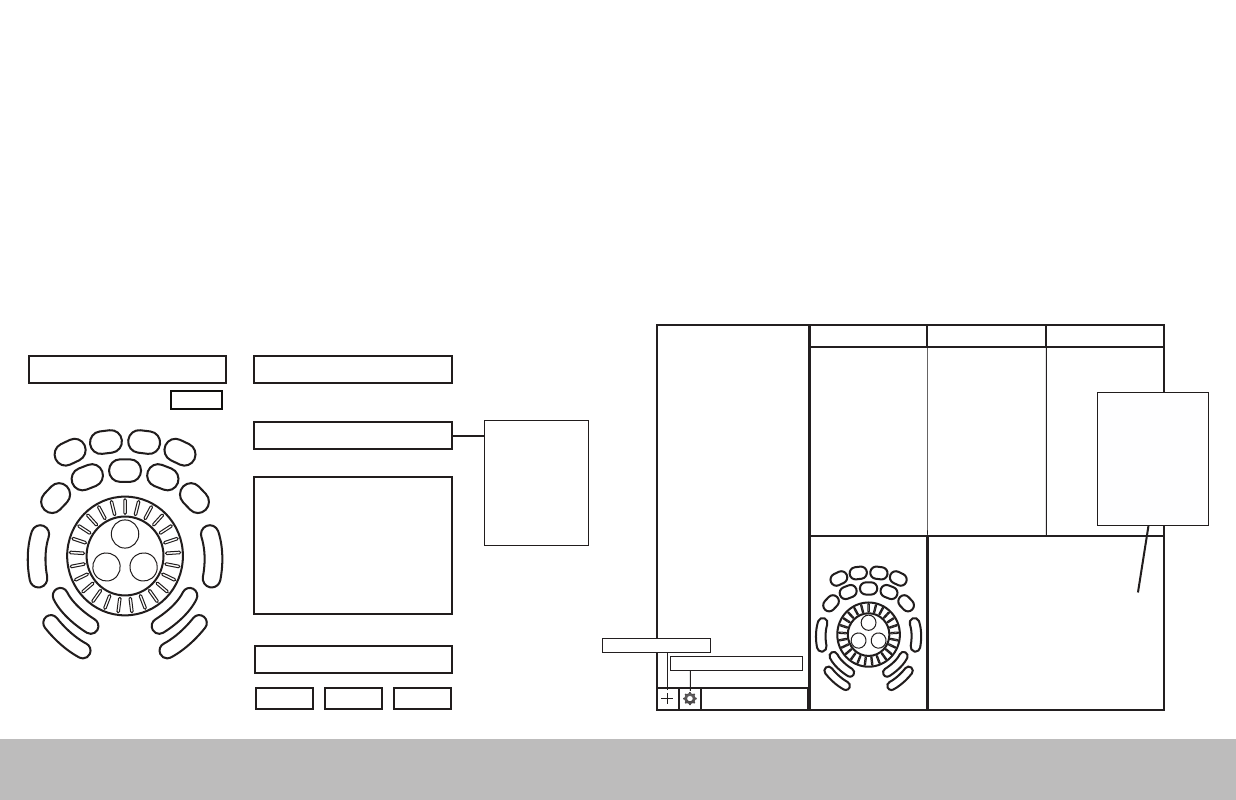
Windows Driver Outline
Application Settings
Options
User Action
Computer Response
(Available computer responses)
- Do nothing
- Same as Lower
- Type Keystroke
- Mouse Click
- Mouse Wheel
- Switch Settings
- Macro
- Press Modifiers
(Choose button or wheel to modify)
(Choose application to customize)
OK
Cancel
Apply
Depending on the “Computer
response” selected, different
options will be available in this
dialogue box.
Comment
Application search bar
Settings management tools
Mac OS Driver Outline
Create New Settings
Application Settings
List
Button
Action
Comment
Computer Response
- Do nothing
- Same as Lower
- Type Keystroke
- Mouse Click
- Mouse Wheel
- Switch Settings
- Macro
- Press Modifiers
(Choose application to customize)
Depending on the “Computer
response” selected, different
options will be available in this
dialogue box.
Shuttle PRO v2 and Xpress
/2