Contour Design Shuttle-Xpress NLE Multimedia Controller (Black) User Manual
Page 6
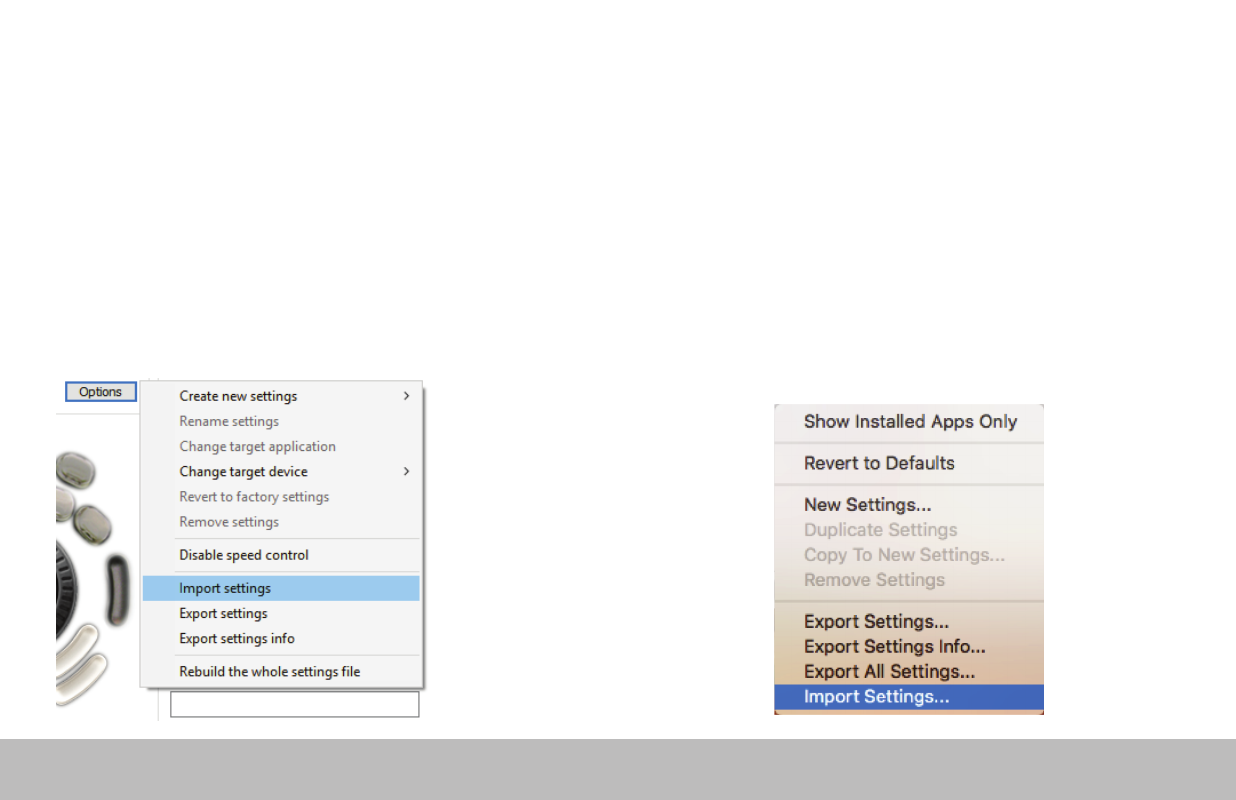
Importing Settings (Windows)
Importing Settings (Mac)
1. Download the file
2. Unzip the file and take note of the location
3. Open the Contour Shuttle Control Panel and click the
Options button
4. Choose Import Settings
5. Navigate to the location noted in Step 2
6. Choose the settings file
7. Click the Open button on the screen
8. Click the Apply button on the screen (very important)
1. Download the file
2. Unzip the file and take note of the location
3. Open the Contour Shuttle app and click the Settings
Management Tools button
(Bottom-left corner of Shuttle App window)
4. Choose Import Settings
5. Navigate to the location noted in Step 2
6. Choose the settings file (settings file will have the
.shuttleSettings tag, for example Final Cut Pro X.shuttleSettings).
7. Click the Open button on the screen
Shuttle PRO v2 and Xpress
/5