Making your own patterns, Recording your performance as a pattern – Yamaha DTX-Multi12 Multi-Pad Electronic Percussion Instrument User Manual
Page 21
Quic
k Guide
Owner’s Manual
21
Making Your Own Patterns
Using the DTX-MULTI 12, you can also create User patterns by recording your own performances. And in the
same way as Preset patterns, these User patterns can then be freely assigned to pads and played back.
Recording Your Performance as a
Pattern
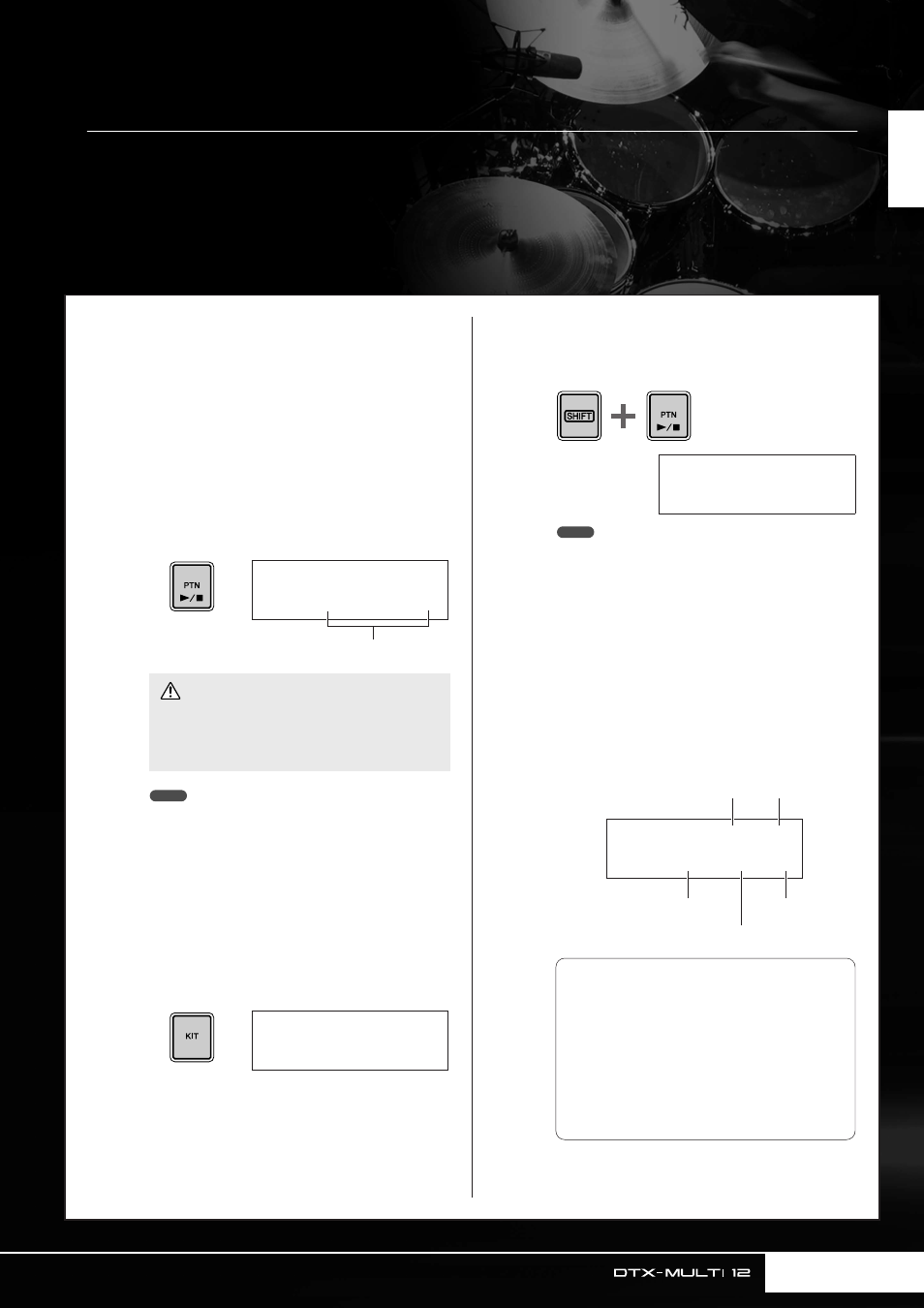
Following the steps below, let’s create a User pattern by record-
ing a performance and then assign that pattern to Pad 6.
1
Press the [PTN] button to access the Pat-
tern setting area, and select an empty User
pattern using the [-/DEC] and [+/INC] but-
tons.
Empty User patterns are named “Empty Ptn”.
• If you select a User pattern already containing data for
recording, you can add additional performance data to that
pattern as you record.
• Two existing patterns can be merged to create a new User
pattern (see page 79).
2
Press the [KIT] button to open the Select
Kit page, and using the [-/DEC] and [+/INC]
buttons, select the drum kit you want to
use for recording your pattern.
3
Hold down the [SHIFT] button and press
the [PTN] button to activate Record Mode.
The [PTN] button will turn red.
• If a Preset pattern is selected when you activate Record
Mode, your performance will be recorded to an empty User
pattern.
4
Set the required recording conditions.
On the Record Mode screen (REC), you can set the
tempo and time signature of the click track to be
played when recording, the length of the pattern in
measures (or bars), and a number of other important
parameters. Move the flashing cursor to the required
parameter using the [
B
], [
D
], and [
C
] buttons, and
change the setting using the [-/DEC] and [+/INC] but-
tons.
• If you select a User pattern already containing data,
your performance will be added to that data as a
result of recording. If you want to avoid this, be sure
to select an empty User pattern for recording.
PTN1≥≥≥ƒ=120≥4/4
©U003:Empty≥Ptn
Pattern name
CAUTION
NOTE
KIT1
P001:PercsMaster
REC≥≥≥≥ƒ=120≥4/4
Meas=004≥Q=©≥≥-“
NOTE
REC≥≥≥≥ƒ=120≥4/4
Meas=004≥Q=©≥≥-“
t
Playback mode
e
Length
r
Quantize
q
Tempo
w
Time signature
q
Tempo
: The speed of the pattern in beats
per second.
w
Time signature
: The time signature of the
pattern to be recorded.
e
Length
: The length of the pattern in mea-
sures.
r
Quantize
: The precision of timing correc-
tion for the recorded pattern.
t
Playback mode
: The type of pattern to be
recorded – i.e., one-shot or loop.