Voice setting area (vce), Makeup of voice setting area, Voice setting area – Yamaha DTX-Multi12 Multi-Pad Electronic Percussion Instrument User Manual
Page 55: Vce)
TRIGGER
Ref
erence
KIT
MIDI
V
OICE
UTILITY
W
A
VE
PA
TTERN
Owner’s Manual
55
VOICE Setting Area
(VCE)
This section describes the VOICE setting area, which can be accessed using the [VOICE] button. In this area, you can
select and edit the voices (i.e., preset voices, waves, and patterns) assigned to individual pads. For more information
on voices and how they work, see page 31.
Makeup of VOICE Setting Area
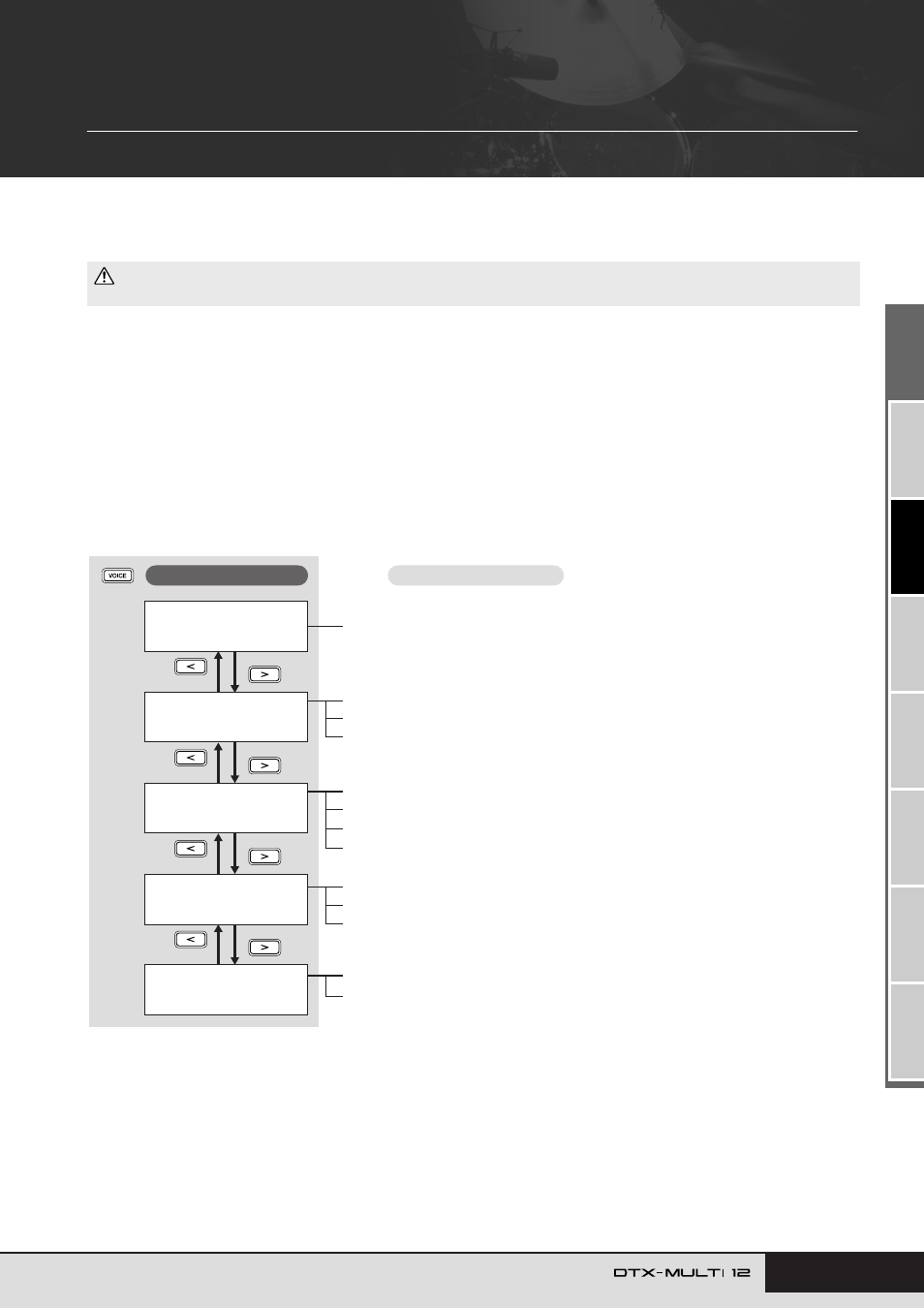
The VOICE setting area is subdivided into five different sections (VCE1 to VCE5). Use the [
B
]/[
C
] buttons to navigate between these
sections. If a section contains parameter-setting pages, the [ENTER] button will light up. Press the [ENTER] button to access these pages.
You can press the [EXIT] button to move back towards the top of the setting area.
Changes made in the VOICE setting area affect the voices assigned to pads from the currently selected kit. You should, therefore, always
select the drum kit you want to configure within the KIT setting area before entering the VOICE setting area. The top-most page within the
VOICE setting area is the Select Voice page (VCE1), and here you can assign voices (i.e., preset voices, waves, and patterns) to individual
pads and layers. On each of the parameter-setting pages within this area, furthermore, you can select the pad and/or layer to be modified.
Please note that when you store changes made to parameters within the VOICE setting area, the entire drum kit is stored.
• Be sure to store any settings that you have edited before turning off the instrument or selecting a new kit. (See page 45.)
CAUTION
VCE1≥-¡£Ω¡-≥≥≥≥ç
Sn001:OakCustom
VCE2≥≥≥≥≥≥≥≥≥≥≥≥
≥≥≥TUNE/OUTPUT≥
VCE3
≥≥≥≥≥≥TONE
VCE4
≥≥EFFECT≥SEND
VCE5
≥≥≥≥≥OTHER
Select Voice..................................................................................................... Page 56
VCE4-1 Variation Send page .......................................................................... Page 59
VCE4-2 Chorus Send page ............................................................................ Page 59
VCE4-3 Reverb Send page............................................................................. Page 59
VCE2-1 Voice Tuning page.............................................................................. Page 57
VCE2-2 Voice Volume page ............................................................................ Page 57
VCE2-3 Voice Pan page.................................................................................. Page 57
VCE3-1 Attack Time page............................................................................... Page 58
VCE3-2 Decay Time page............................................................................... Page 58
VCE3-3 Release Time page............................................................................ Page 58
VCE3-4 Filter page.......................................................................................... Page 58
VCE5-1 Mono/Poly page................................................................................. Page 60
VCE5-2 Alternate Group page ........................................................................ Page 60
Sections
Parameter-setting pages