Other midi settings, Midi3 other midi settings, Transmit page – Yamaha DTX-Multi12 Multi-Pad Electronic Percussion Instrument User Manual
Page 67: Volume page, Pan page, Program change page, Midi3 ≥≥≥≥≥other midi3-1≥≥≥≥≥ch≥1 ≥≥transmit=all, Midi3-3≥≥≥≥≥ch≥1 ≥≥≥≥pan=≥c
TRIGGER
Ref
erence
KIT
MIDI
V
OICE
UTILITY
W
A
VE
PA
TTERN
MIDI Setting Area (MIDI)
Owner’s Manual
67
Other MIDI Settings
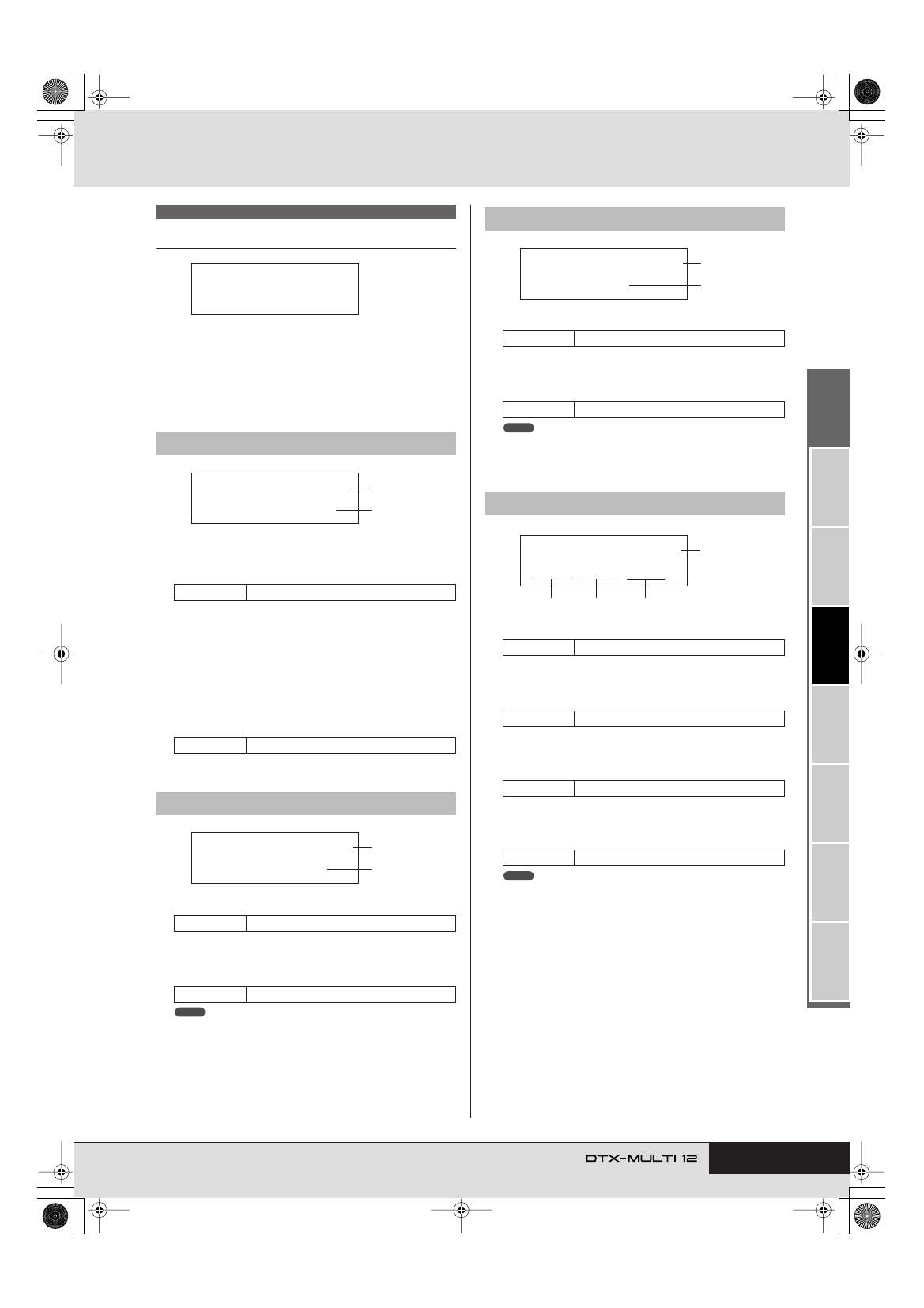
In the OTHER section, you can set various MIDI messages to be
sent whenever the current kit is selected. With the OTHER page
(MIDI3) displayed, press the [ENTER] button to access its eight
parameter-setting pages (MIDI3-1 through MIDI3-8). You can
use the [
B
]/[
C
] buttons to navigate between these pages.
1
MIDI channel (Ch)
Use this parameter to select the MIDI channel (1 to 16) to be
set.
B
Transmit
Use this parameter to indicate which MIDI messages are to be
sent whenever the current kit is selected.
• off ............. No MIDI messages will be sent.
• all ............. All applicable MIDI messages will be sent. (See
the following parameter-setting page descrip-
tions for more details.)
• PC............. Only program change messages and bank-select
MSB/LSB messages will be sent.
1
MIDI channel (Ch)
B
Volume
Use this parameter to set a volume value to be sent whenever
the current kit is selected.
• If “off” or “PC” has been selected on the Transmit page (MIDI3-1), this
setting will be displayed as “---” and modification will not be possible.
1
MIDI channel (Ch)
B
Pan
Use this parameter to set the pan value to be sent whenever
the current kit is selected.
• If “off” or “PC” has been selected on the Transmit page (MIDI3-1), this
setting will be displayed as “---” and modification will not be possible.
1
MIDI channel (Ch)
B
Bank select MSB (M)
Use this parameter to set a bank-select MSB value to be sent
whenever the current kit is selected.
C
Bank select LSB (L)
Use this parameter to set a bank-select LSB value to be sent
whenever the current kit is selected.
D
Program change (PC)
Use this parameter to set a program-change number to be sent
whenever the current kit is selected.
• If “off” has been selected on the Transmit page (MIDI3-1), these set-
tings will be displayed as “---” and modification will not be possible.
MIDI3 OTHER
MIDI3-1
Transmit page
Settings
1 to 16
Settings
off, all, or PC
MIDI3-2
Volume page
Settings
1 to 16
Settings
0 to 127
MIDI3
≥≥≥≥≥OTHER
MIDI3-1≥≥≥≥≥Ch≥1
≥≥Transmit=all
1
2
MIDI3-2≥≥≥≥≥Ch≥1
≥≥≥Volume=100
1
2
NOTE
MIDI3-3
Pan page
Settings
1 to 16
Settings
L63 to C to R63
MIDI3-4
Program Change page
Settings
1 to 16
Settings
000 to 127
Settings
000 to 127
Settings
001 to 128
MIDI3-3≥≥≥≥≥Ch≥1
≥≥≥≥Pan=≥C
1
2
NOTE
MIDI3-4≥≥≥≥≥Ch≥1
M000/L000/PC001
1
3
2
4
NOTE