Wave setting area (wave), Makeup of wave setting area, Wave setting area – Yamaha DTX-Multi12 Multi-Pad Electronic Percussion Instrument User Manual
Page 69: Wave)
TRIGGER
Ref
erence
KIT
MIDI
V
OICE
UTILITY
WA
V
E
PA
TTERN
Owner’s Manual
69
WAVE Setting Area
(WAVE)
This section describes the WAVE setting area, which can be accessed using the [WAVE] button. Your DTX-MULTI 12
can be used to import AIF and WAV audio files from a wide range of sources. These files (referred to as “waves”) can
then be used in the same way as the instrument’s preset voices and patterns. The WAVE setting area is used to import
and edit waves.
Makeup of WAVE Setting Area
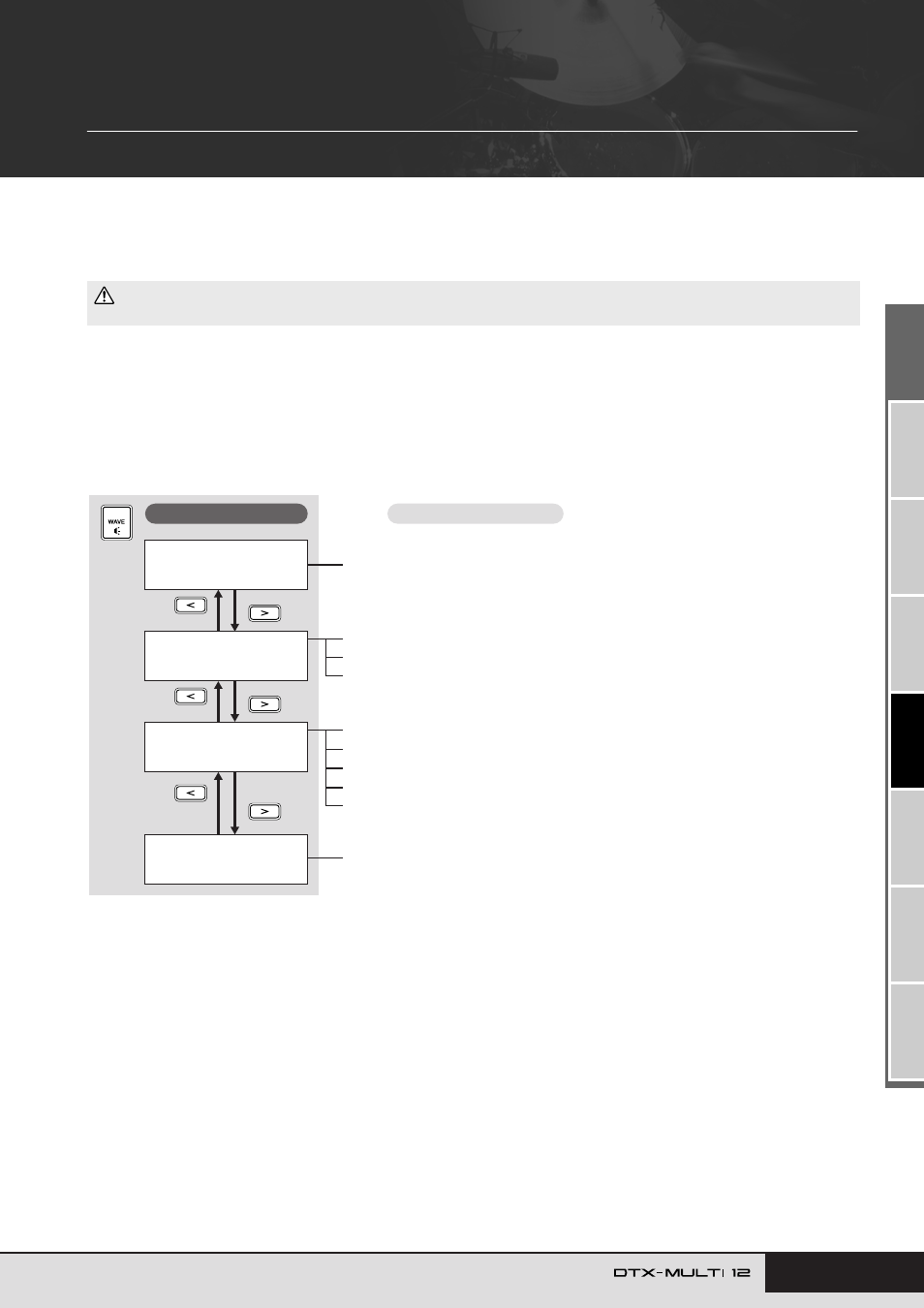
The following four sections (WAVE1 to WAVE4) make up the WAVE setting area. Use the [
B
]/[
C
] buttons to navigate between these
sections. If a section contains parameter-setting pages, the [ENTER] button will light up. Press the [ENTER] button to access these pages.
In certain cases, a number of additional pages may be accessed from a parameter setting page, also using the lit [ENTER] button. Further-
more, you can press the [EXIT] button to move back towards the top of the setting area.
• Be sure to store any imported waves or settings that you have edited before turning off the instrument or selecting a new wave. (See page 45.)
CAUTION
WAVE1
WV001:EmptyWave
WAVE2
≥≥≥≥≥COMMON
WAVE3
≥≥≥≥≥≥JOB
WAVE4
≥≥MEMORY≥INFO
WAVE4-1 Memory Info page........................................................................... Page 73
WAVE2-1 Wave Playback Mode page............................................................. Page 70
WAVE2-2 Trimming page ................................................................................ Page 71
WAVE2-3 Wave Name page ........................................................................... Page 71
WAVE3-1 Import All page ............................................................................... Page 72
WAVE3-2 Normalize page............................................................................... Page 73
WAVE3-3 Delete page .................................................................................... Page 73
WAVE3-4 Delete All page ............................................................................... Page 73
WAVE3-5 Optimize Memory page................................................................... Page 73
Sections
Parameter-setting pages