Wave selection & playback, Playback mode, trim points & name, Wave playback mode page – Yamaha DTX-Multi12 Multi-Pad Electronic Percussion Instrument User Manual
Page 70: Wave1 wv001:my≥wave, Wave2 ≥≥≥≥≥common, Wave2-1≥<common> playmode=oneshot
70
Owner’s Manual
WAVE Setting Area (WAVE)
Wave Selection & Playback
You can use the Select Wave page (WAVE1) to select and play
waves. Only waves that have been saved in the DTX-MULTI 12’s
internal memory by importing (see page 72) will be available for
selection on this page. In other words, audio files stored on a USB
memory device are not immediately made available for selection
simply by plugging in the device.
On the Select Wave page, you can preview the currently selected
wave by pressing and holding the [WAVE] button. Release the
button to stop playback.
A
Wave number: Wave name
Playback Mode, Trim Points & Name
In the COMMON section, you can choose a playback mode for
the currently selected wave and perform other related operations
such as trimming and naming. With the COMMON page
(WAVE2) displayed, press the [ENTER] button to access its three
parameter-setting pages (WAVE2-1 to WAVE2-3). You can use
the [
B
]/[
C
] buttons to navigate between these pages.
• If the selected wave contains no data, the [ENTER] button will not open
parameter-setting pages.
1
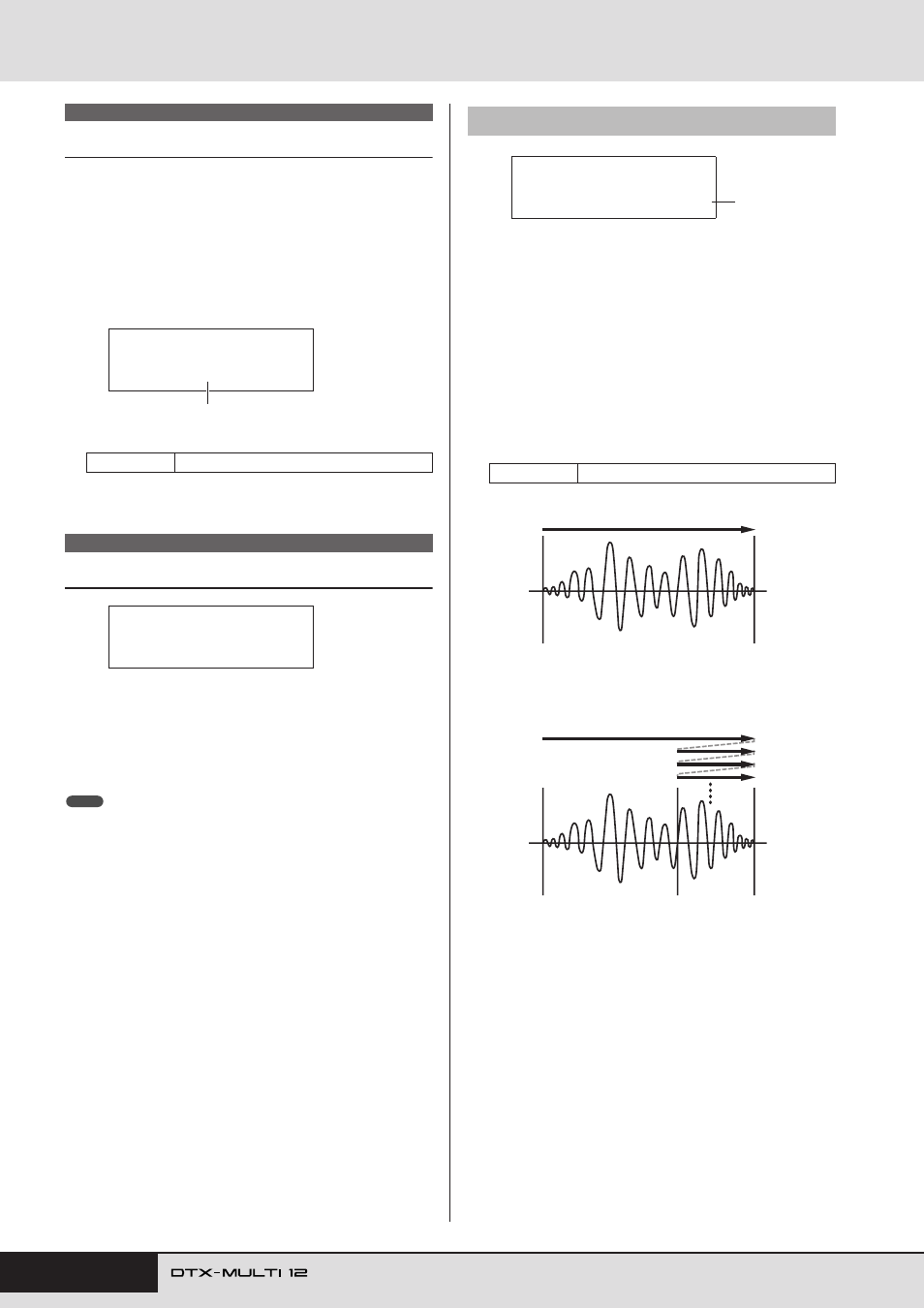
Playback mode (PlayMode)
Use this parameter to set the way in which the selected wave
will be played when assigned to a pad. For details on editing
start, end, and loop points, see the description of the Trim-
ming page (WAVE2-2) below.
• oneshot ..... The wave will be played once only from the start
point to the end point. This mode is normally
selected for drums, special effects, and other
non-looped sounds.
• loop .......... The wave will be played continuously, first from
the start point to the end point, and then repeat-
edly from the loop point to the end point.
WAVE1
Settings
WV001 to WV500
WAVE2
WAVE1
WV001:My≥Wave
1
WAVE2
≥≥≥≥≥COMMON
NOTE
WAVE2-1
Wave Playback Mode page
Settings
oneshot or loop
WAVE2-1≥<COMMON>
PlayMode=oneshot
1
Start point
End point
One-shot playback
Start point
End point
Looped playback
Loop point