Merge pattern page, Clear pattern page, Clear all patterns page – Yamaha DTX-Multi12 Multi-Pad Electronic Percussion Instrument User Manual
Page 79: Copy pattern page, Ptn4-3≥≥≥≥≥<job> ≥≥≥≥≥clear
TRIGGER
Ref
erence
KIT
MIDI
V
OICE
UTILITY
W
A
VE
PA
TTERN
PATTERN Setting Area (PTN)
Owner’s Manual
79
From the Merge Pattern page, you can merge two patterns and
store the result as a User pattern. To start, select a User pattern to
hold the merged pattern on the Select Pattern page (PTN1). Then,
navigate to the Merge Pattern page and press the [ENTER] button
to open the Merge Pattern Settings page.
PTN4-2-1
Merge Pattern Settings page
1
Merge pattern 1
B
Merge pattern 2
Use the above two parameters to specify the patterns that are
to be merged as one.
• If the User pattern selected before opening the Merge Pattern page
already contains data, it will be overwritten with the merged pattern.
• The tempo and time signature of Merge pattern 1 are set as the tempo
and time signature of the merged pattern. If Merge pattern 1 is empty,
however, the tempo and time signature of Merge pattern 2 are used.
• The channel-specific MIDI settings of Merge pattern 1 are set as those
of the merged pattern. In the case, however, of MIDI channels for
which Merge pattern 1 contains no settings, any applicable settings
from Merge pattern 2 will be applied.
• Generally speaking, only patterns with similar tempos, time signatures,
and MIDI voice settings should be merged.
• Demo patterns cannot be selected for merging.
From the Clear Pattern page, you can delete all data from the cur-
rently selected User pattern. To do so, press the [ENTER] button
with the Clear Pattern page displayed, and when asked to confirm
that you wish to proceed, press the [ENTER] button once again.
From the Clear All Patterns page, you can delete data from all
User patterns. To do so, press the [ENTER] button with the Clear
All Patterns page displayed, and when asked to confirm that you
wish to proceed, press the [ENTER] button once again.
From the Copy Pattern page, you can copy a pattern to the cur-
rently selected User pattern. With the Copy Pattern page dis-
played, press the [ENTER] button to open the Copy Pattern
Setting page.
PTN4-2
Merge Pattern page
Settings
P004 to
P128 or
U001 to
U050
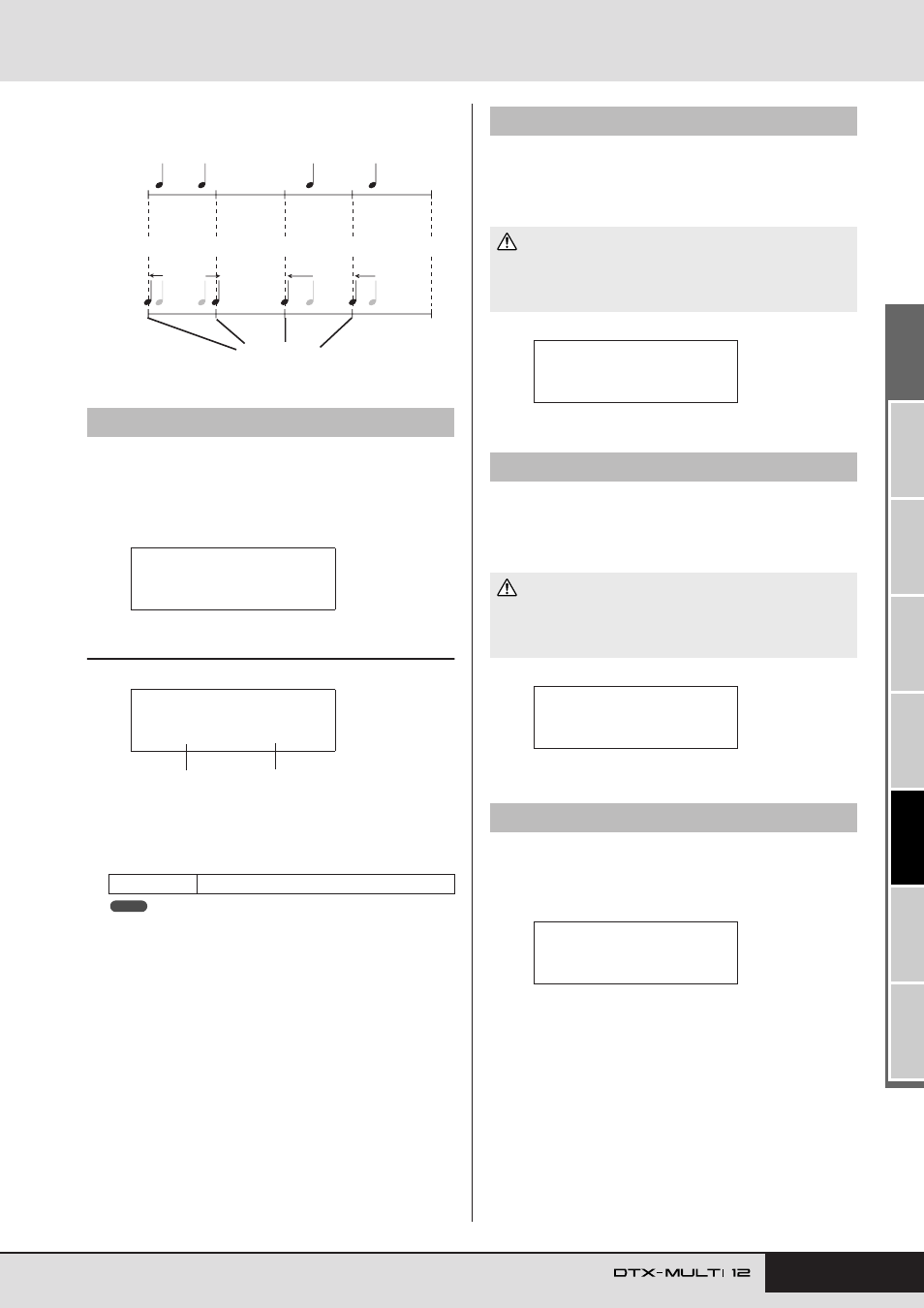
Example of how quantizing works
These recorded notes were not played exactly in time.
Notes moved closer to the correct position through quantizing.
Exact position
PTN4-2≥≥≥≥≥<JOB>
≥≥≥≥≥Merge
PTN4-2-1≥<Merge>
≥©P004≥+≥©P005
1
2
NOTE
PTN4-3
Clear Pattern page
• When a User pattern is cleared as described above, its data is com-
pletely erased from the instrument’s pattern memory. Be sure, there-
fore, to always save important data on a USB memory device or the
like before deleting.
PTN4-4
Clear All Patterns page
• When User patterns are cleared as described above, their data is
completely erased from the instrument’s pattern memory. Be sure,
therefore, to always save important data on a USB memory device
or the like before deleting.
PTN4-5
Copy Pattern page
CAUTION
PTN4-3≥≥≥≥≥<JOB>
≥≥≥≥≥Clear
CAUTION
PTN4-4≥≥≥≥≥<JOB>
≥≥≥Clear≥All
PTN4-5≥≥≥≥≥<JOB>
≥≥≥≥≥≥Copy