Utility setting area (util), Makeup of utility setting area, Utility setting area – Yamaha DTX-Multi12 Multi-Pad Electronic Percussion Instrument User Manual
Page 82: Util)
82
Owner’s Manual
UTILITY Setting Area
(UTIL)
This section describes the UTILITY setting area, which can be accessed using the [UTILITY] button. In this area, you
can set parameters affecting the entire instrument and perform a range of file management operations.
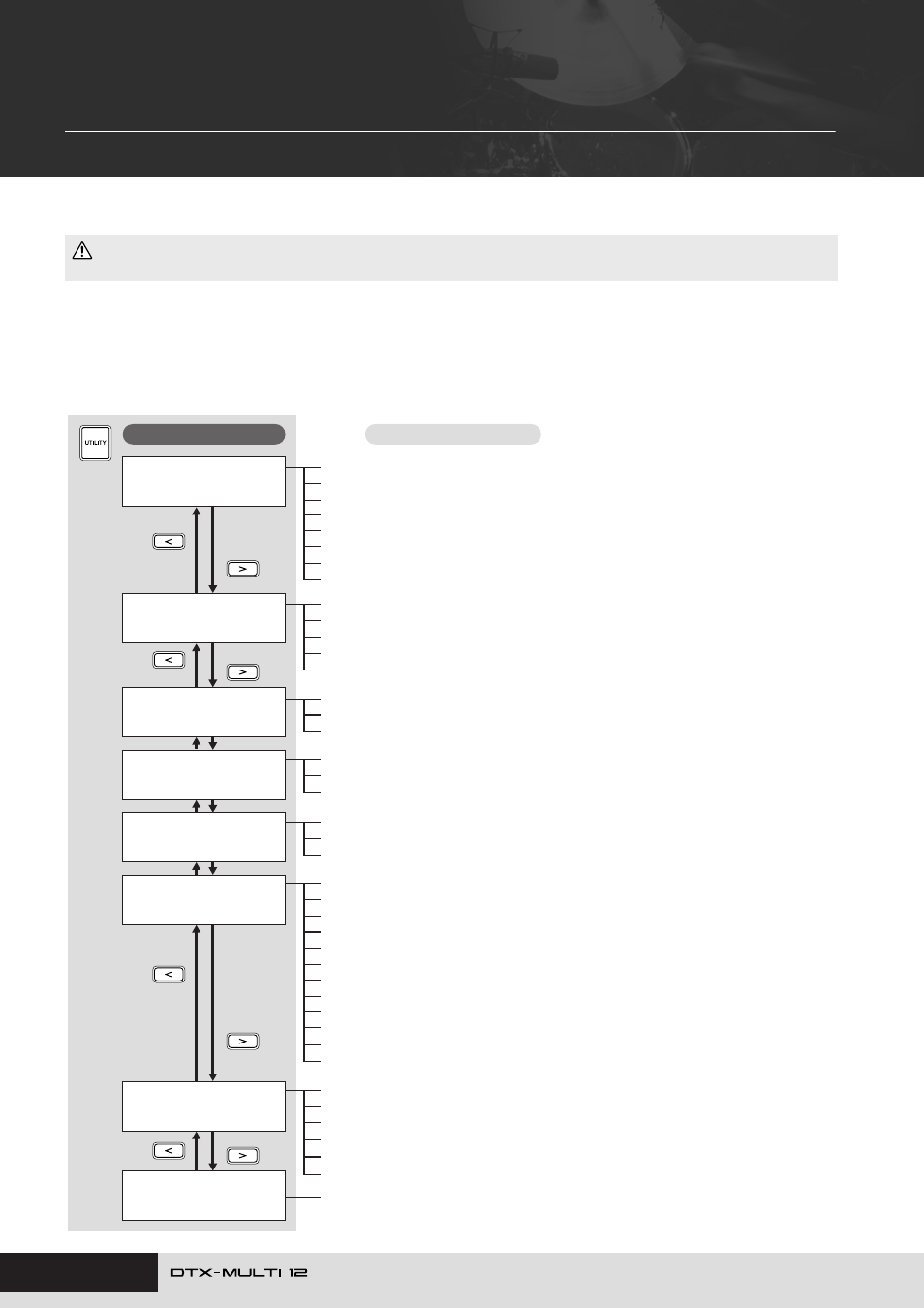
Makeup of UTILITY Setting Area
The UTILITY setting area is subdivided into three different sections (UTIL1 to UTIL3). Use the [
B
]/[
C
] buttons to navigate between
these sections. If a section contains parameter-setting pages, the [ENTER] button will light up. Press the [ENTER] button to access these
pages. In certain cases, a number of additional pages may be accessed from a parameter setting page, also using the lit [ENTER] button.
Furthermore, you can press the [EXIT] button to move back towards the top of the setting area.
• Be sure to store any settings that you have edited before turning off the instrument. (See page 45.)
CAUTION
UTIL1
≥≥≥≥GENERAL
UTIL2
≥≥≥≥≥CLICK
UTIL3
≥≥≥MASTER≥EQ
UTIL4
≥≥≥≥≥≥PAD
UTIL5
≥≥≥≥≥HI-HAT
UTIL6
≥≥≥≥≥≥MIDI
UTIL7
≥≥≥≥≥≥FILE
UTIL8
≥≥FACTORY≥SET
Sections
Parameter-setting pages
UTIL1-1 Master Volume page ......................................................................... Page 83
UTIL1-2 Master Tune page.............................................................................. Page 83
UTIL1-3 Startup Kit page ................................................................................ Page 83
UTIL1-4 Startup Pattern page ......................................................................... Page 83
UTIL1-5 Startup Trigger page.......................................................................... Page 83
UTIL1-6 Effect Bypass page ........................................................................... Page 83
UTIL1-7 Pan Depth page ................................................................................ Page 84
UTIL1-8 Auxiliary Output page........................................................................ Page 84
UTIL4-1 Pad Function page ............................................................................ Page 88
UTIL4-2 Foot Switch Input page ..................................................................... Page 89
UTIL4-3 Pad 10-12 Switch page ..................................................................... Page 89
UTIL2-1 Click-track Voice page ....................................................................... Page 84
UTIL2-2 Click-track Master Volume page........................................................ Page 84
UTIL2-3 Click-track Beat Volume page ........................................................... Page 84
UTIL2-4 Click-track Output page..................................................................... Page 84
UTIL2-5 Click-track MIDI page ........................................................................ Page 85
UTIL3-1 Gain, Frequency & Bandwidth page ................................................. Page 87
UTIL3-2 EQ Shape page................................................................................. Page 87
UTIL3-3 Master EQ Bypass page ................................................................... Page 87
UTIL5-1 Close Position page .......................................................................... Page 89
UTIL5-2 Splash Sensitivity page ..................................................................... Page 89
UTIL5-3 Send Hi-hat Controller page.............................................................. Page 89
UTIL6-1 Channel-10 Receive page................................................................. Page 90
UTIL6-2 Program Change Receive page ........................................................ Page 90
UTIL6-3 Channel-10 Program Change Receive page .................................... Page 90
UTIL6-4 Polyphonic Aftertouch Status page ................................................... Page 90
UTIL6-5 Local Control page ............................................................................ Page 90
UTIL6-6 MIDI Sync page................................................................................. Page 91
UTIL6-7 Clock Out page ................................................................................. Page 91
UTIL6-8 Sequencer Control page ................................................................... Page 91
UTIL6-9 MIDI In/Out page............................................................................... Page 91
UTIL6-10 MIDI Thru Port page........................................................................ Page 91
UTIL6-11 MIDI Merge page ............................................................................ Page 92
UTIL6-12 Device Number page ...................................................................... Page 92
UTIL7-1 Save File page .................................................................................. Page 93
UTIL7-2 Load File page .................................................................................. Page 94
UTIL7-3 Rename File page............................................................................. Page 96
UTIL7-4 Delete File page ................................................................................ Page 97
UTIL7-5 Format page...................................................................................... Page 97
UTIL7-6 Memory Info page ............................................................................. Page 98
Instrument Reset............................................................................................. Page 98