System settings, Util1 system settings, Master volume page – Yamaha DTX-Multi12 Multi-Pad Electronic Percussion Instrument User Manual
Page 83: Master tune page, Startup kit page, Startup pattern page, Startup trigger page, Effect bypass page, Util1-5<general> ≥startuptrg=p01, Util1-6≥≥fxbyps= ≥≥var/cho/rev
TRIGGER
Ref
erence
KIT
MIDI
V
OICE
UTILITY
WA
V
E
PA
TTERN
UTILITY Setting Area (UTIL)
Owner’s Manual
83
System Settings
In the GENERAL section, you can set parameters affecting the
entire system. With the GENERAL page (UTIL1) displayed,
press the [ENTER] button to access its eight parameter-setting
pages (UTIL1-1 to UTIL1-8). You can use the [
B
]/[
C
] buttons
to navigate between these pages.
1
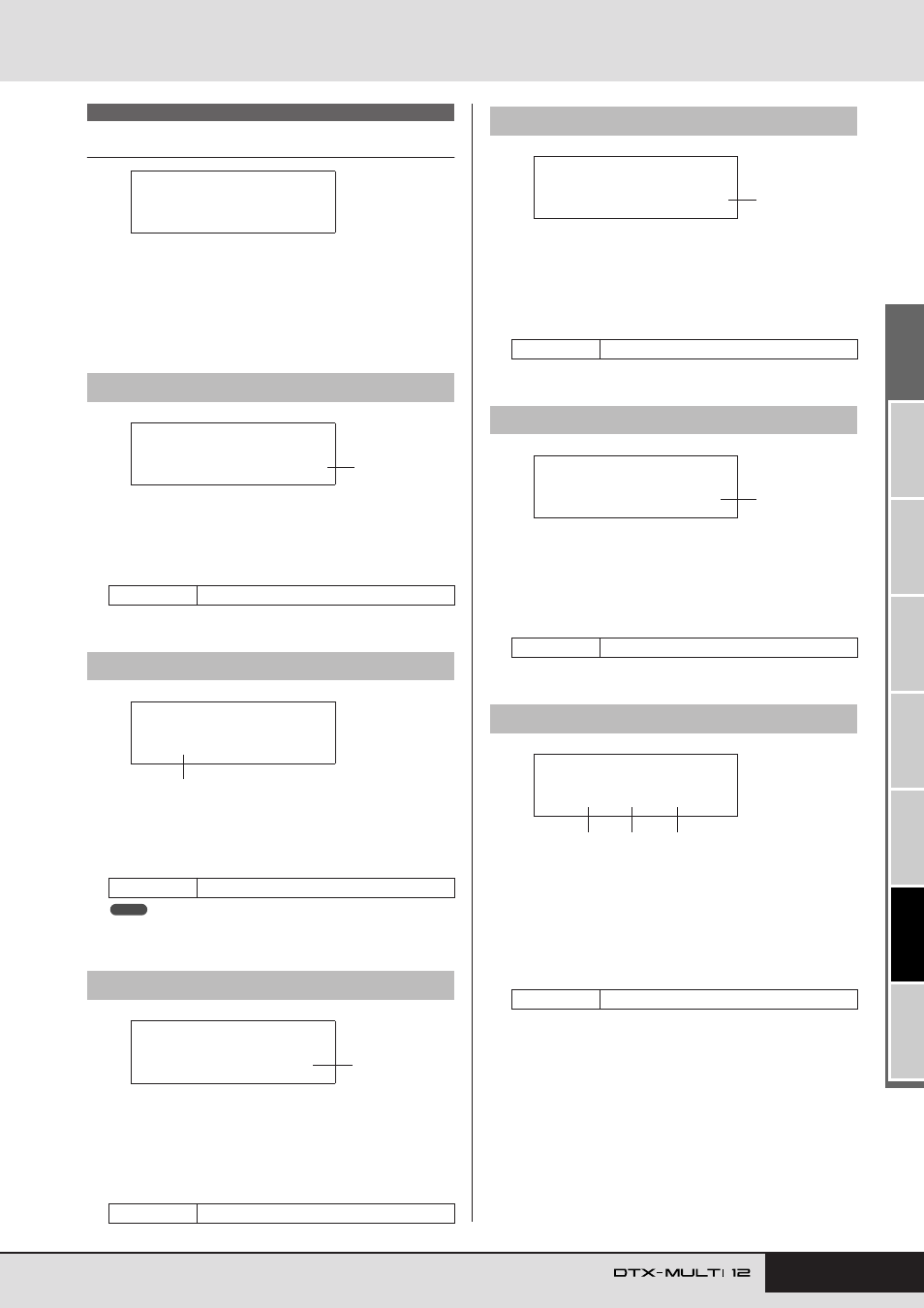
Master volume
Use this parameter to set the master volume of the instru-
ment’s internal tone generator. If a small value is set here, the
VOLUME dial on the front panel will have very little effect in
increasing the output volume.
1
Master tune (M.Tune)
Use this parameter to tune (i.e., adjust the basic pitch of) the
internal tone generator. The value in parentheses shows the
corresponding tuning (of A above middle C) in Hertz.
• The term “cent” refers to one hundredth of a semitone (i.e., 100 cents
= 1 semitone).
1
StartupKit
Use this parameter to specify the kit to be automatically
selected when the DTX-MULTI 12 is turned on. Kits are
identified using a category (P for Preset, U for User) and a
number, and you can move the cursor using the [
B
]/[
C
]
buttons to set these individually.
1
Startup pattern (StartupPtn)
Use this parameter to select the pattern that will be automati-
cally set when the DTX-MULTI 12 is turned on. Patterns are
identified using a category (
e
P for Preset,
e
U for User) and a
number, and you can move the cursor using the [
B
]/[
C
]
buttons to set these individually.
1
Startup trigger (StartupTrg)
Use this parameter to select the trigger setup that will be auto-
matically selected when the DTX-MULTI 12 is turned on.
Trigger setups are identified using a category (P for Preset, U
for User) and a number, and you can move the cursor using
the [
B
]/[
C
] buttons to set these individually.
1
Variation effect (var)
B
Chorus effect (cho)
C
Reverb effect (rev)
Use these parameters to specify which effects will be
bypassed when Effect Bypass is activated from the front panel
(using the [SHIFT] and [KIT] buttons). When “---” is selected
for an effect type, it will not be bypassed.
UTIL1 GENERAL
UTIL1-1
Master Volume page
Settings
0 to 127
UTIL1-2
Master Tune page
Settings
-102.4 to +0.0 to +102.3
UTIL1-3
Startup Kit page
Settings
P001 to P050 or U001 to U200
UTIL1
≥≥≥≥GENERAL
UTIL1-1<GENERAL>
MasterVolume=127
1
UTIL1-2≥≥M.Tune=
+≥≥0.0(440.0Hz)
1
NOTE
UTIL1-3<GENERAL>
StartupKit=P001
1
UTIL1-4
Startup Pattern page
Settings
e
P001 to
e
P128 or
e
U001 to
e
U050
UTIL1-5
Startup Trigger page
Settings
P01 to P05 or U01 to U10
UTIL1-6
Effect Bypass page
Settings
---/var, ---/cho, or ---/rev
UTIL1-4<GENERAL>
StartupPtn=©P001
1
UTIL1-5<GENERAL>
≥StartupTrg=P01
1
UTIL1-6≥≥FXByps=
≥≥var/cho/rev
1
2
3