Click track settings, Util2 click track settings, Pan depth page – Yamaha DTX-Multi12 Multi-Pad Electronic Percussion Instrument User Manual
Page 84: Auxiliary output page, Click-track voice page, Click-track master volume page, Click-track beat volume page, Click-track output page, Util1-7<general> ≥≥pandepth=≥64, Util1-8<general> auxoutsel=l&r+ph
84
Owner’s Manual
UTILITY Setting Area (UTIL)
1
Pan depth
Use this parameter to adjust the width of the instrument’s
overall stereo-panning field while maintaining the individual
pan settings for drum and musical instrument sounds.
1
Auxiliary output selection (AuxOutSel)
Use this parameter to indicate where audio input via the AUX
IN jack will be output.
• L&R+ph ............. Auxiliary-input audio will be output via
both the OUTPUT (L/MONO and R) and
PHONES jacks.
• phones ................ Auxiliary-input audio will be output via
the PHONES jack only.
Click Track Settings
In the CLICK section, you can set parameters related to the click
track. For example, you can set the type of sound to be used, the
volume, and where the click track will be output. MIDI parame-
ters related to the click track can also be set here. With the CLICK
page (UTIL2) displayed, press the [ENTER] button to access its
five parameter-setting pages (UTIL2-1 to UTIL2-5). You can use
the [
B
]/[
C
] buttons to navigate between these pages.
1
Click-track voice
Use this parameter to select from a range of different sounds
for use with the click track.
1
Click-track master volume
Use this parameter to set the master volume for click-track
sounds.
1
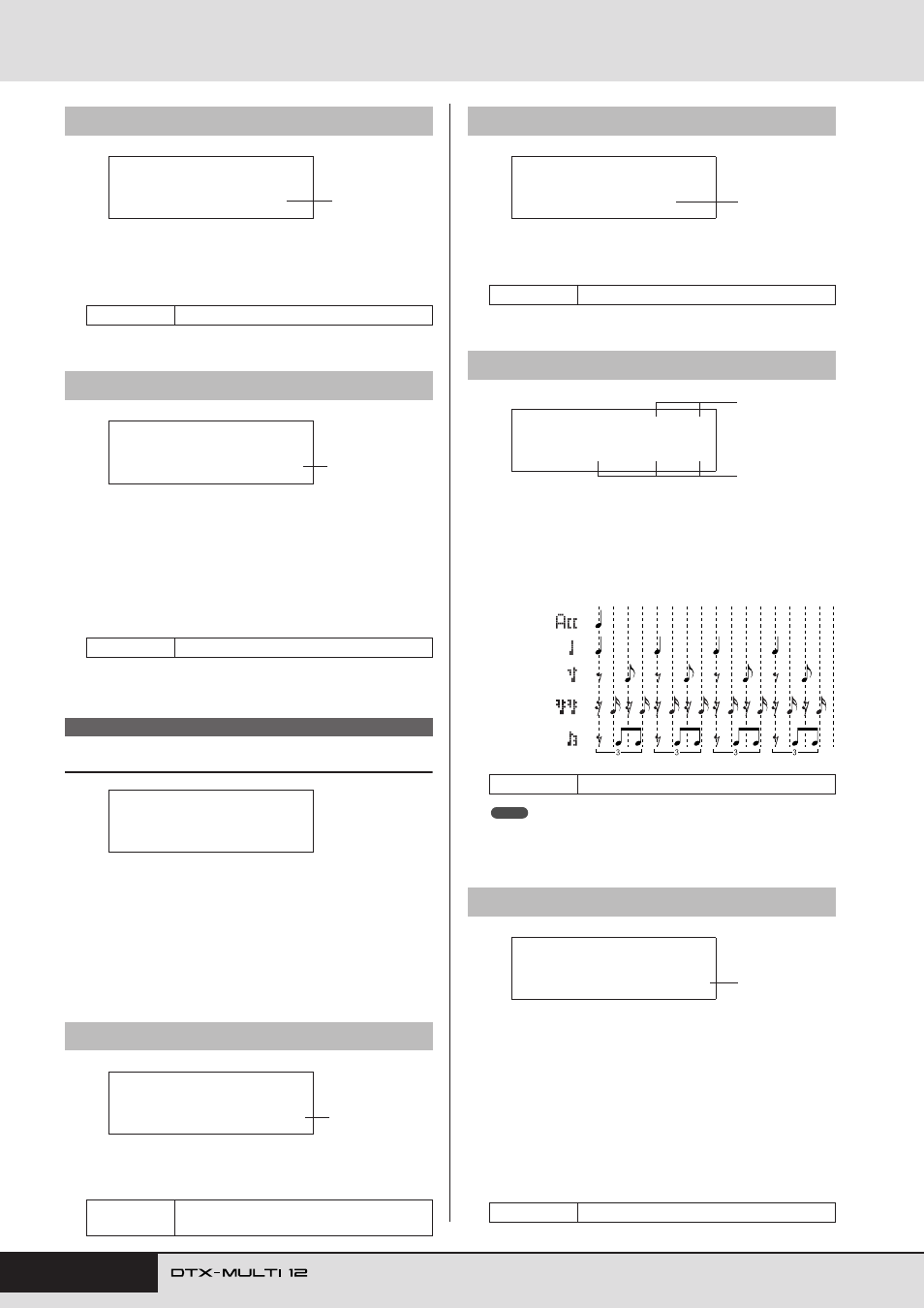
Click-track beat volumes
Use these parameters to set volumes for different beat timings
within the click track. The meanings of the symbols used on
this page are shown below.
Example: Beat timings for four beats per bar
• If the time signature from the PATTERN setting area or for pattern
recording is 3/8, 6/8, 9/8, 12/8, or 15/8, this page will display ACC, dot-
ted quarter notes, eighth notes, and sixteenth notes.
1
Click-track output selection (ClkOutSel)
Use this parameter to specify where the click track will be
output when activated. In a live-performance setting, for
example, you would normally want the click track to be out-
put to headphones only, and in such a case, “phones” should
be selected here.
• L&R+ph ............. The click-track will be output via both the
OUTPUT (L/MONO and R) and
PHONES jacks.
• phones ................ The click-track will be output via the
PHONES jack only.
UTIL1-7
Pan Depth page
Settings
1 to 127
UTIL1-8
Auxiliary Output page
Settings
L&R+ph or phones
UTIL2 CLICK
UTIL2-1
Click-track Voice page
Settings
Metronome1, Metronome2, Cowbell, Stick,
Human
UTIL1-7<GENERAL>
≥≥PanDepth=≥64
1
UTIL1-8<GENERAL>
AuxOutSel=L&R+ph
1
UTIL2
≥≥≥≥≥CLICK
UTIL2-1≥≥<CLICK>
Voice=Metronome1
1
UTIL2-2
Click-track Master Volume page
Settings
0 to 127
UTIL2-3
Click-track Beat Volume page
Settings
0 to 9
UTIL2-4
Click-track Output page
Settings
L&R+ph, phones
UTIL2-2≥≥<CLICK>
≥≥≥Volume=127
1
UTIL2-3≥A…=9≥ƒ=9
≥≥≥≥∫=0≥жж=0≥ш=0
1
1
Accents
4
notes
th
8
notes
th
16
notes
th
8
note triplets
th
NOTE
UTIL2-4≥≥<CLICK>
ClkOutSel=phones
1