Master equalization, Util3 master equalization, Tap tempo – Yamaha DTX-Multi12 Multi-Pad Electronic Percussion Instrument User Manual
Page 86: Util3 ≥≥≥master≥eq
86
Owner’s Manual
UTILITY Setting Area (UTIL)
Master Equalization
In the MASTER EQ section, you can adjust the master equaliza-
tion parameters that control the tone of all preset voices, patterns,
and waves. With the MASTER EQ page (UTIL3) displayed, press
the [ENTER] button to access its three parameter-setting pages
(UTIL3-1 to UTIL3-3). You can use the [
B
]/[
C
] buttons to nav-
igate between these pages.
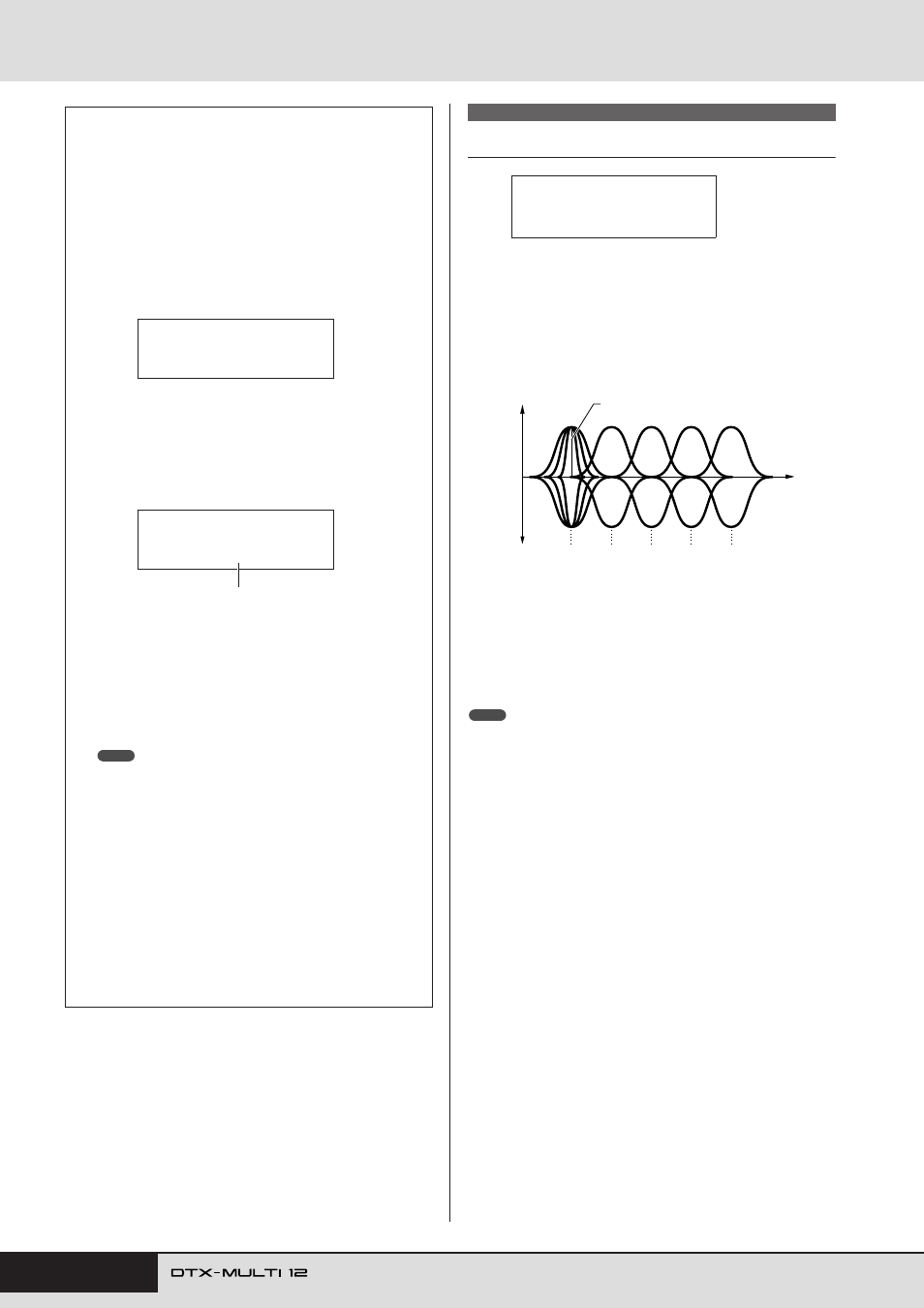
The DTX-MULTI 12 features a five-band master equalizer that
allows the signal level to be freely boosted or cut around a center
frequency specified for each of the bands. In addition, the “low”
and “high” frequency bands can be set to either shelving or peak-
ing equalization.
• Master equalization has no effect on signals from the AUX IN connector.
• Master equalization has no effect on signals output via the PHONES jack.
Tap Tempo
Using the Tap Tempo function, you can set the tempo for pat-
terns and the click track by simply striking pads. In this way,
you can conveniently and intuitively set the tempo that you
need.
1
Hold down the [SHIFT] button and press the
[
E
E
E
E
] (click) button.
The Tap Tempo page will open displaying the current
tempo setting.
2
Strike one or more of the pads several times at
the required tempo.
The DTX-MULTI 12 will automatically determine the
tempo based on the speed at which you strike the pads, and
this tempo will be displayed on-screen.
3
To check the tempo, press the [
E
E
E
E
] (click) but-
ton to start the click track.
The click track will be played at the tempo set using the
Tap Tempo function. Whenever you change the tempo
using this function, the new setting will be immediately
applied to the click track and any patterns being played.
• The [-/DEC] and [+/INC] buttons can also be used to adjust the
tempo on the Tap Tempo page.
• If Func has been set to “tap tempo” for any of the pads on the
UTILITY area’s Pad Function page (UTIL4-1), that pad can be
used at any time to tap the tempo without having to open the Tap
Tempo page (see page 88).
• If “ext” has been selected on the UTILITY area’s MIDI Sync page
(UTIL 6-6) or if “auto” has been selected on that page and MIDI
Clock messages are being received from an external source, the
tempo value will be displayed as “ext” and playback on your DTX-
MULTI 12 will be synchronized with the connected MIDI devices or
DAW application.
• If “int” has been selected on the UTILITY area’s MIDI Sync page
(UTIL 6-6) or if “auto” has been selected on that page and MIDI
Clock messages are not being received from an external source,
playback will occur at the DTX-MULTI 12’s current tempo setting
(see page 91).
TAP≥TEMPO
≥≥≥≥≥ƒ=120
TAP≥TEMPO
≥≥≥≥≥ƒ=158
Tempo: 30 to 300
NOTE
UTIL3 MASTER EQ
UTIL3
≥≥≥MASTER≥EQ
low
high
highMid
mid
lowMid
–
+
0
Q (Bandwidth)
Five EQ bands
Gain (G)
F (Frequency)
NOTE