Gain, frequency & bandwidth page, Eq shape page, Master eq bypass page – Yamaha DTX-Multi12 Multi-Pad Electronic Percussion Instrument User Manual
Page 87: Util3-2≥≥≥≥≥≥low ≥shape=shelving, Util3-3 ≥meq≥bypass=off
TRIGGER
Ref
erence
KIT
MIDI
V
OICE
UTILITY
WA
V
E
PA
TTERN
UTILITY Setting Area (UTIL)
Owner’s Manual
87
1
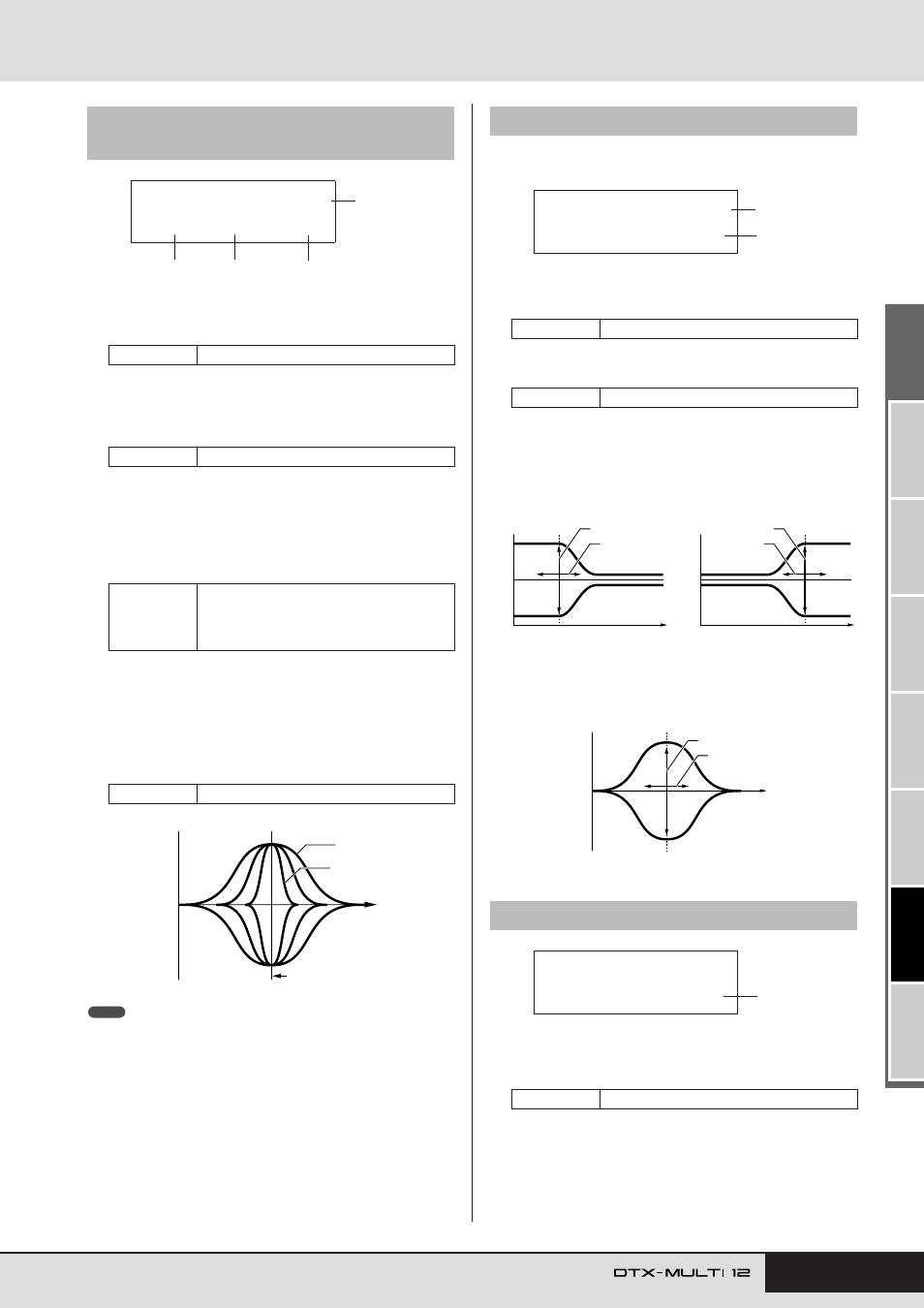
Frequency band
Use this parameter to select the master-EQ frequency band to
be set.
B
Gain (G)
Use this parameter to specify the amount by which the signal
level in the frequency band indicated by
1
will be boosted or
cut.
C
Frequency (F)
Use this parameter to specify the frequency within the band
indicated by
1
around which the signal level will be cut or
boosted. If the “low” band has been selected, the range of
available frequencies will depend on the EQ type set using the
Shape parameter on the EQ Shape page (UTIL3-2).
D
Bandwidth (Q)
Use this parameter to specify a width for the band of frequen-
cies to be boosted or cut. If you set a large value, a narrower
band of frequencies will be affected and the tone will change
markedly around the center frequency. If you set a smaller
value, a wider band of frequencies will be affected and the
tone will change gradually around the center frequency.
• When “low” or “high” is indicated by
1
and “shelving” has been set using
the Shape parameter on the EQ Shape page (UTIL3-2), the setting for
Bandwidth (Q) will be displayed as “---” and modification will not be possi-
ble.
On the EQ Shape page, you can set an EQ type for each of the
“low” and “high” bands.
1
Frequency band
Use this parameter to select the master-EQ frequency band to
be set.
B
Shape
Use this parameter to set an EQ type.
●
shelving:
Signals at all frequencies either above or below the specified
frequency will be boosted or cut.
●
peaking:
Signals within a band of frequencies around the specified fre-
quency will be boosted or cut.
1
Master EQ bypass (MEQBypass)
Use this parameter to specify whether the master EQ will be
bypassed (“on”) or applied (“off”).
UTIL3-1
Gain, Frequency & Bandwidth
page
Settings
low, lowMid, mid, highMid, or high
Settings
-12 to +0 to +12
Settings
low:
32 to 2.0k for “shelving”
63 to 2.0k for “peaking”
lowMid, mid, and highMid: 100 to 10k
high: 500 to 16k
Settings
0.1 to 12.0
UTIL3-1≥≥≥≥≥≥mid
G+12/F2.0k/Q≥0.1
1
2
4
3
–
+
0
Q = 0.1
Q = 12.0
F (Frequency)
Frequency
NOTE
UTIL3-2
EQ Shape page
Settings
low or high
Settings
shelving or peaking
UTIL3-3
Master EQ Bypass page
Settings
off or on
UTIL3-2≥≥≥≥≥≥low
≥Shape=shelving
1
2
–
+
0
–
+
0
EQ low
EQ high
G (Gain)
F (Frequency)
G (Gain)
F
(Frequency)
Frequency
Frequency
–
+
0
G (Gain)
F (Frequency)
Frequency
UTIL3-3
≥MEQ≥Bypass=off
1