Trigger setting area (trg), Makeup of trigger setting area, Trigger setting area – Yamaha DTX-Multi12 Multi-Pad Electronic Percussion Instrument User Manual
Page 99: Trg)
TRIGGER
Ref
erence
KIT
MIDI
V
OICE
UTILITY
W
A
VE
PA
TTERN
Owner’s Manual
99
TRIGGER Setting Area
(TRG)
This section describes the TRIGGER setting area, which can be accessed by pressing the [SHIFT] and [UTILITY] but-
tons simultaneously. The characteristics of the trigger signals output from pads when they are played depend on a
range of different factors, such as whether sticks or hands are used, and in the case of external pads, the design of the
pads themselves. The TRIGGER setting area allows you to optimize each pad’s trigger signals for processing by the
DTX-MULTI 12 and to save these settings as trigger setup data.
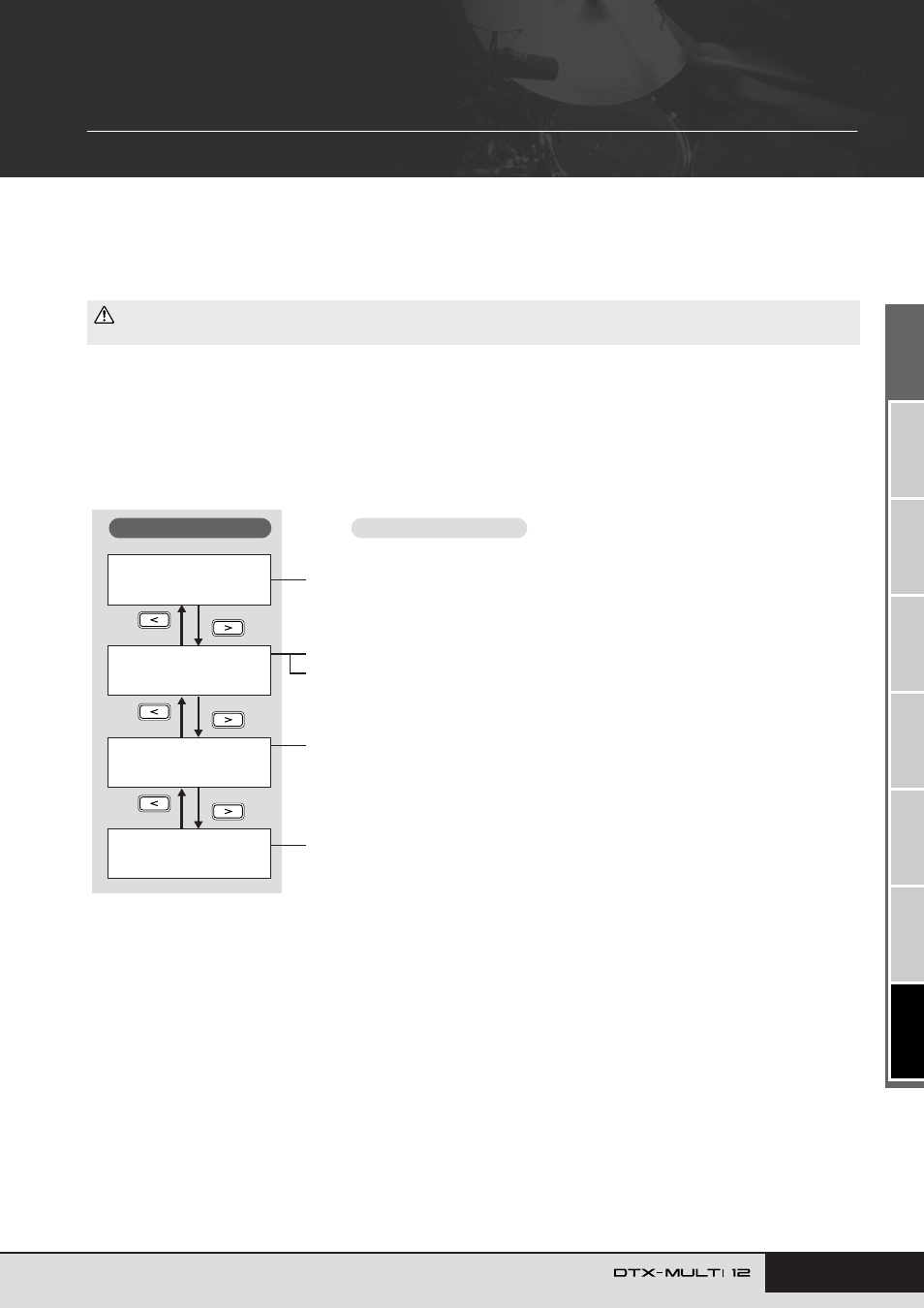
Makeup of TRIGGER Setting Area
The TRIGGER setting area is subdivided into four different sections (TRG1 to TRG4). Use the [
B
]/[
C
] buttons to navigate between
these sections. If a section contains parameter-setting pages, the [ENTER] button will light up. Press the [ENTER] button to access these
pages. In certain cases, a number of additional pages may be accessed from a parameter setting page, also using the lit [ENTER] button.
Furthermore, you can press the [EXIT] button to move back towards the top of the setting area.
• Be sure to store any settings that you have edited before turning off the instrument or selecting a new trigger setup. (See page 45.)
CAUTION
TRG1≥≥≥≥≥≥≥≥≥≥˛¸
P1:Stick≥Wide
TRG2≥≥≥≥≥≥≥≥≥≥˛¸
≥≥≥≥≥≥PAD
TRG3
≥≥≥≥≥≥NAME
TRG4
≥≥≥≥COPY≥PAD
TRG1 Select Trigger Setup ........................................................................... Page 100
TRG4-1 Trigger Setup Copy page................................................................. Page 104
TRG2-1 Pad Type page................................................................................. Page 100
TRG2-2 Crosstalk Prevention page .............................................................. Page 102
TRG3-1 Trigger Setup Name page ............................................................... Page 104
Sections
Parameter-setting pages