Olympus LS-P5 Linear PCM Recorder User Manual
Page 106
106
EN
4
Menu
Extracting the speaking portions of files of spoken-word content [Voice Detect]
TIP
•
The [
Voice Playback
] option
in [
Play Menu
] toggles to
[
On
] when voice detection is
complete. To hear the original,
pre-voice-detection audio
for files created using voice
detection, select [
Off
] for [
Voice
Playback
] (
☞
P.94).
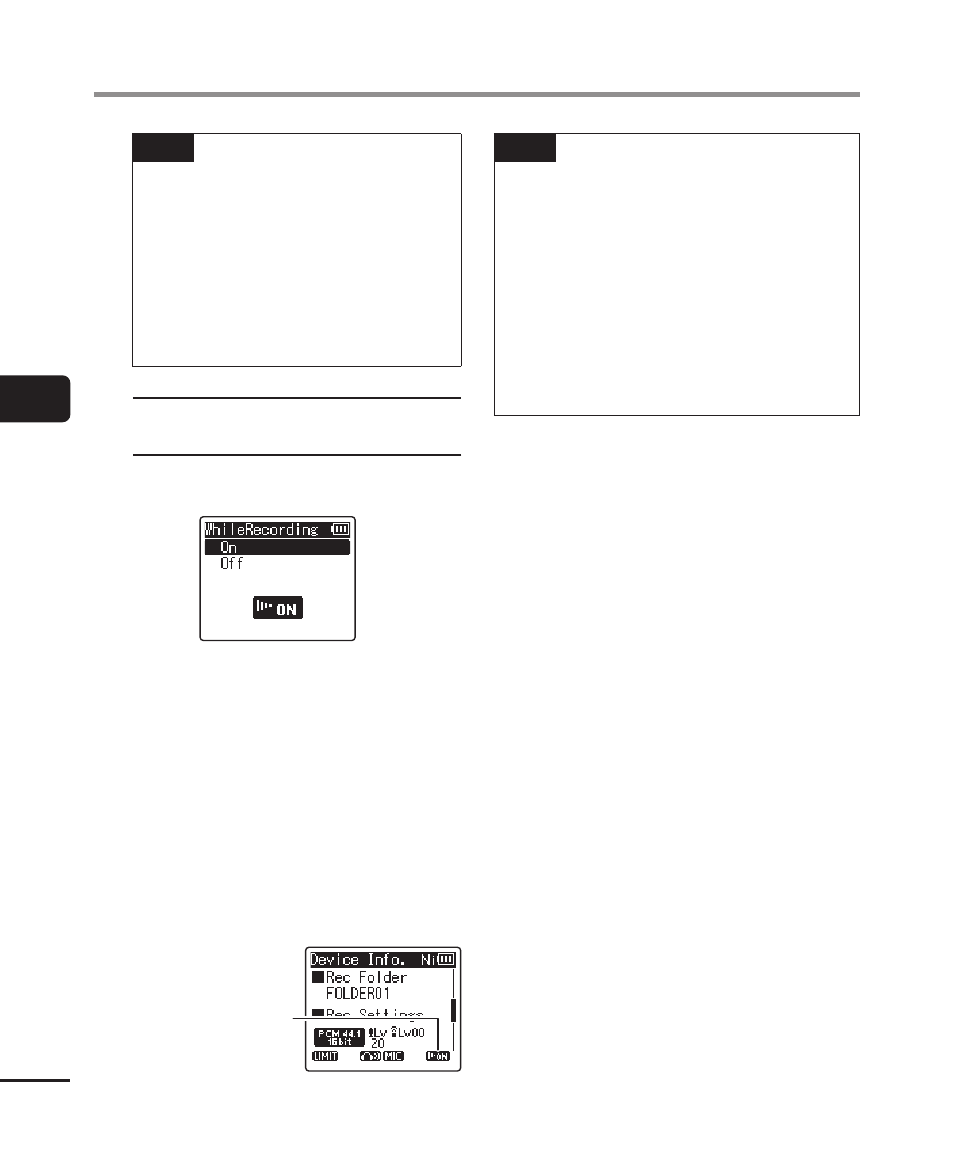
When [While recording] is
selected
1
Press the
+
or
−
button to select
[
On
] or [
Off
].
• Only the voice portions of files
recorded with [
On
] selected for
[
While recording
] will be saved.
2
Press the
`
OK
button.
• [
Setting fixed
] appears when the
process has finished.
• To check for an icon showing
whether voice detection is active,
press the
STOP
(
4
) button while
the recorder is stopped and then
cycle the display by pressing the
+
or
−
button.
Voice Detect
TIP
•
To resume normal recording and
include non-voice audio, select [
Off
]
for [
While recording
].
•
To play only the voice portion of
audio recorded with [
On
] selected
for [
While recording
], select [
On
]
for [
Voice Playback
] in [
Play Menu
].
To hear the original audio, including
the non-voice portion, select [
Off
] for
[
Voice Playback
] (
☞