Moving/copying files [move/copy, For the procedure – Olympus LS-P5 Linear PCM Recorder User Manual
Page 108
108
EN
4
Menu
Files saved in the internal memory or on a microSD card can be moved or copied within
memory.
1
Before performing the move/
copy operation, first select
the folder containing the file
you want to move or copy
(
2
Press the
MENU/SCENE
button while the voice recorder
is in stop mode.
3
Press the
`
OK
button to
move the cursor into the list of
setting items.
4
Press the
+
or
−
button to
select [Move/Copy].
5
Press the
`
OK
button.
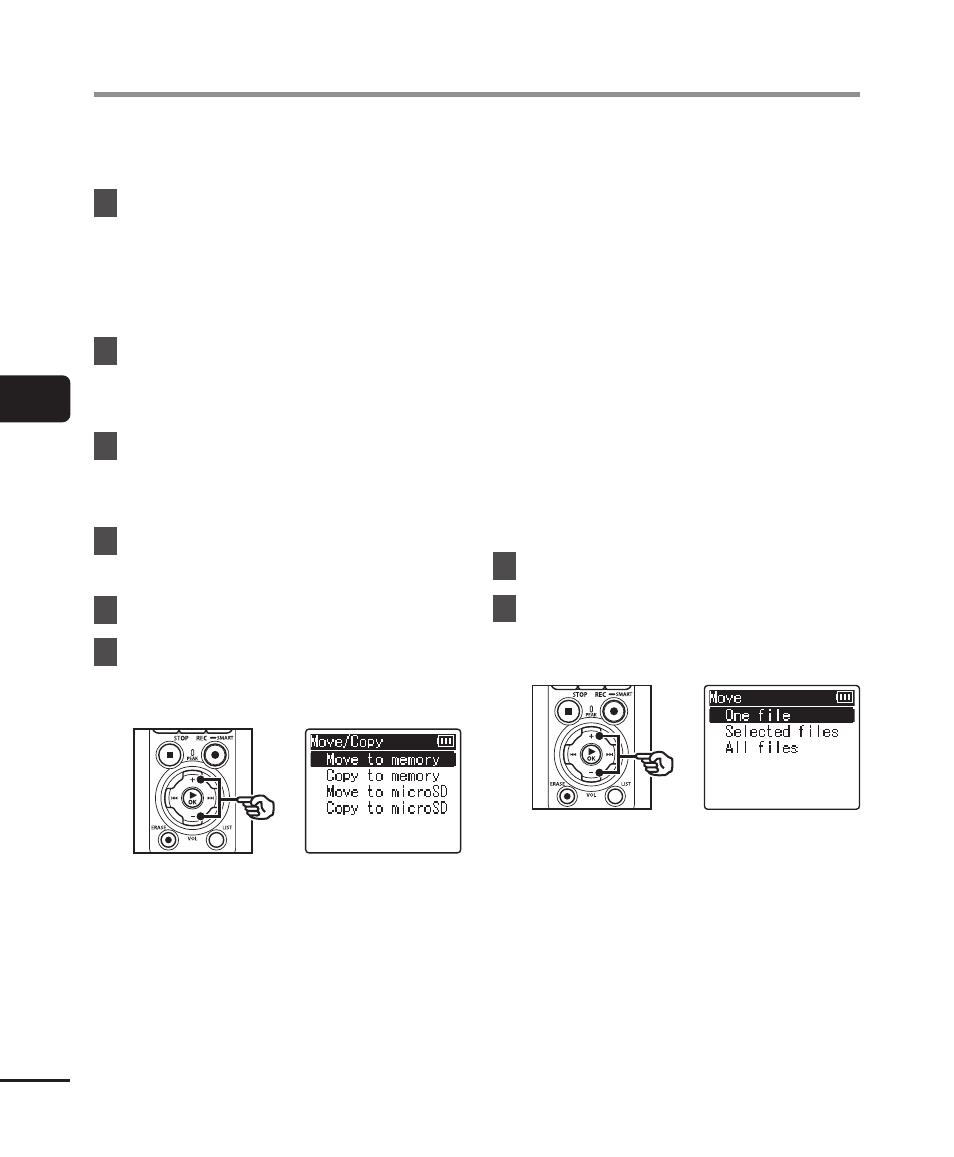
6
Press the
+
or
−
button
to select the desired file
movement/copying method.
[
Move to memory
]:
Moves one or more files saved in
the internal memory or inserted
microSD card to a different folder in
the internal memory.
[
Copy to memory
]:
Copies one or more files saved in
the internal memory or inserted
microSD card to a different folder in
the internal memory.
[
Move to microSD
]:
Moves one or more files saved in
the internal memory or inserted
microSD card to a different folder in
the microSD card.
[
Copy to microSD
]:
Copies one or more files saved in
the internal memory or inserted
microSD card to a different folder in
the microSD card.
7
Press the
`
OK
button.
8
Press the
+
or
−
button to
select the number of files to
move or copy.
[
One file
]:
Selects only the specified file.
[
Selected files
]:
Selects multiple files.
[
All files
]:
Selects all the files in the folder.
Moving/copying files [Move/Copy]