Partially erasing files [partial erase – Olympus LS-P5 Linear PCM Recorder User Manual
Page 114
114
EN
4
Menu
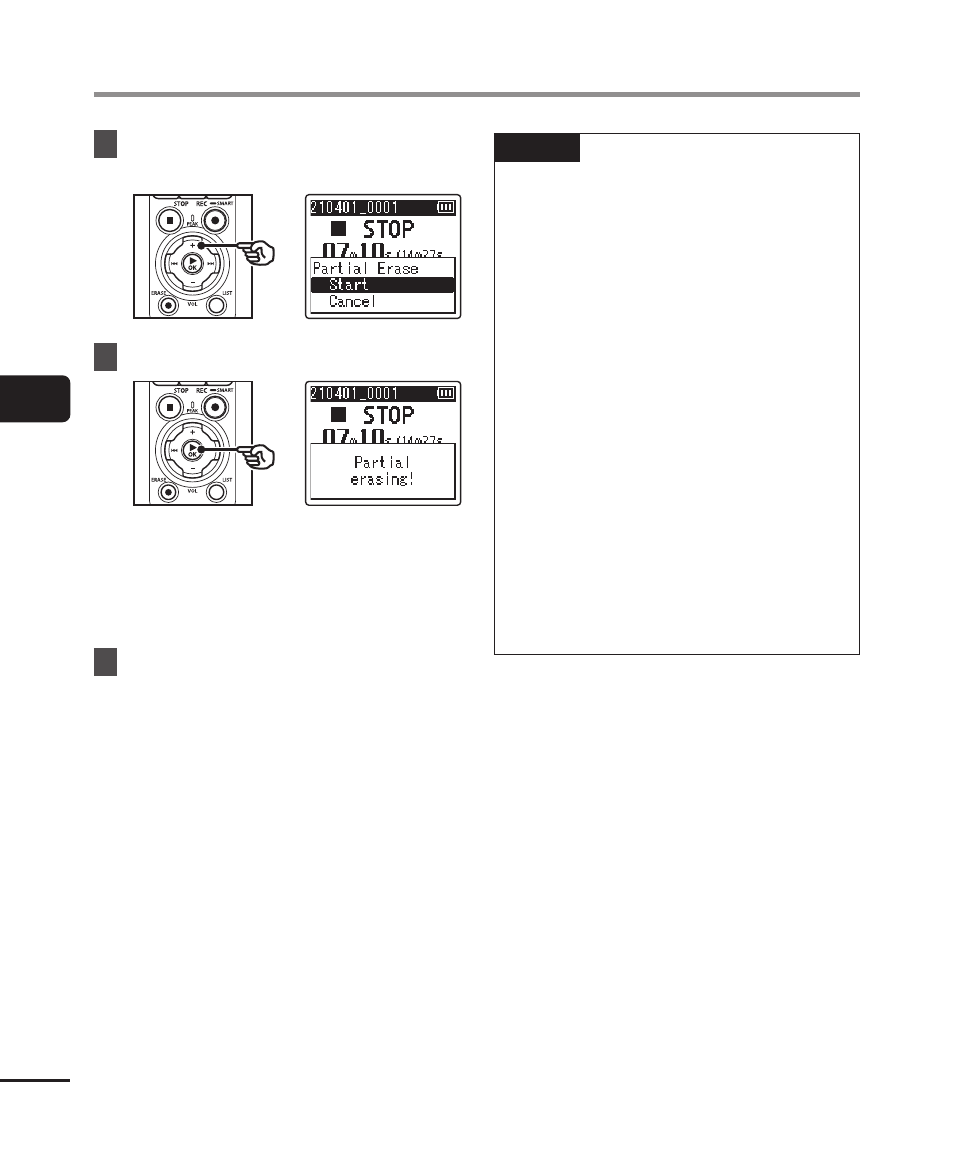
Partially erasing files [Partial Erase]
9
Press the
+
button to select
[Start].
10
Press the
`
OK
button.
•
[
Partial erasing!
] appears in the
display, and the file erasing process
starts.
[
Partial erase completed
] appears
when the process has finished.
11
Press the
STOP
(
4
) button to
exit the menu screen.
NOTE
•
Files cannot be restored after being
erased, so please check carefully
before erasing a file.
•
Locked files and read-only files
cannot be erased (
☞
).
•
Before erasing a file or folder,
charge or replace the batteries to
ensure they will not run out before
the process has finished. Erasing
processes can take over 10 seconds
to complete. To prevent the risk
of damage to data, never attempt
to perform any of the following
processes before an erasing process
has finished:
•
Disconnecting the AC adapter
•
Removing the batteries
•
Removing the microSD card (if the
recording media has been set to
[
microSD card
]).