Olympus LS-P5 Linear PCM Recorder User Manual
Page 119
119
EN
4
Menu
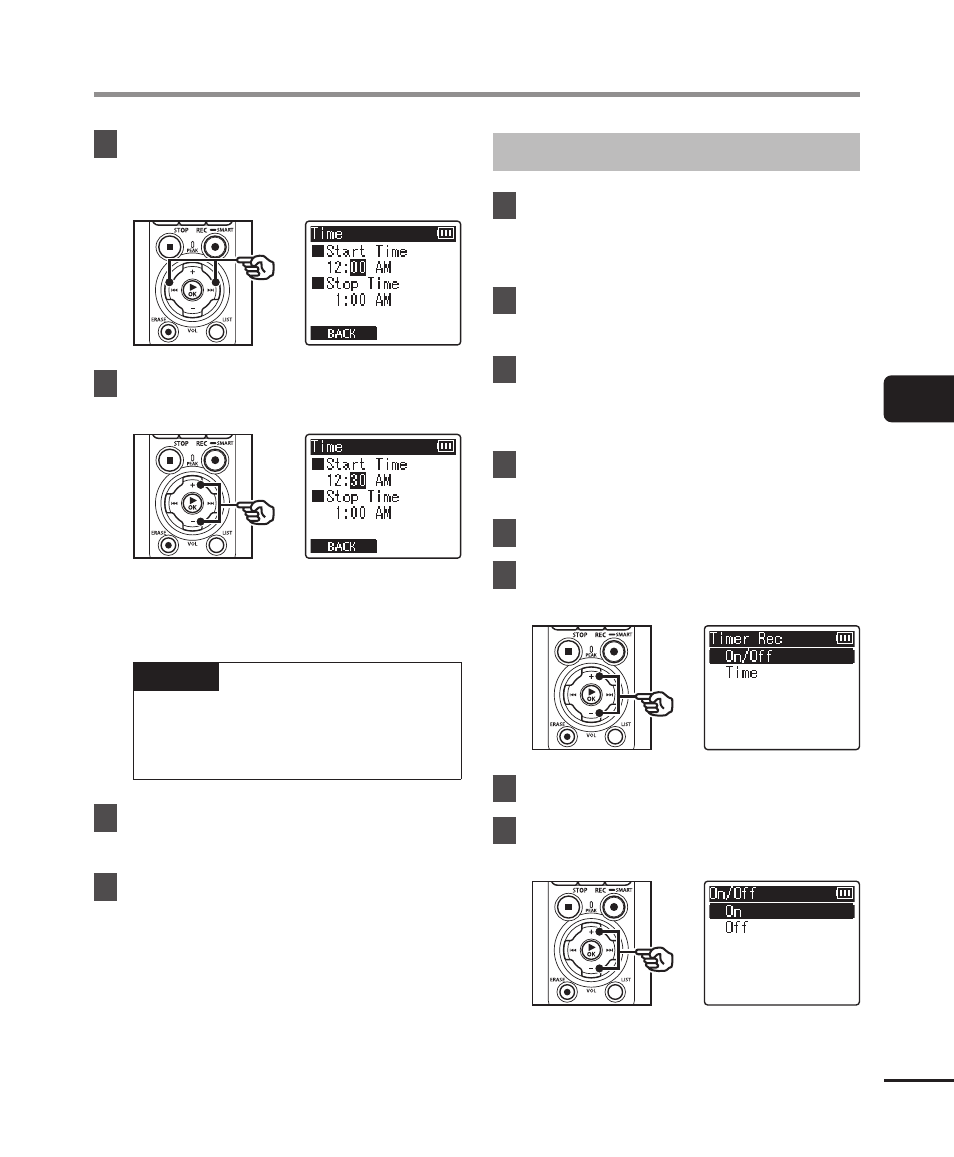
Starting Recording at a Set Time [Timer Rec]
8
Press the
9
or
0
button
to select the desired setting
item.
9
Edit the selected item using
the
+
or
−
button.
•
Use the
9
or
0
button to
highlight additional items and press
the
+
or
−
button to edit.
NOTE
•
Timed recording may start a
few seconds after the selected
starting time.
10
Press the
`
OK
button to save
the start and end times.
11
Press the
STOP
(
4
) button to
exit the menu screen.
Starting Timed Recording
1
Press the
MENU/SCENE
button while the voice recorder
is in stop mode.
2
Press the
+
or
−
button to
select the [Rec Menu] tab.
3
Press the
`
OK
button to
move the cursor into the list of
setting items.
4
Press the
+
or
−
button to
select [Timer Rec].
5
Press the
`
OK
button.
6
Press the
+
or
−
button to
select [On/Off].
7
Press the
`
OK
button.
8
Press the
+
or
−
button to
select [On].