Recording a reference tone for use when, Synchronizing audio and video [slate tone, P.126) – Olympus LS-P5 Linear PCM Recorder User Manual
Page 126: Recording a reference tone for, Use when synchronizing audio and, Video [slate tone, P.126) for the
126
EN
4
Menu
Recording a Reference Tone for Use When
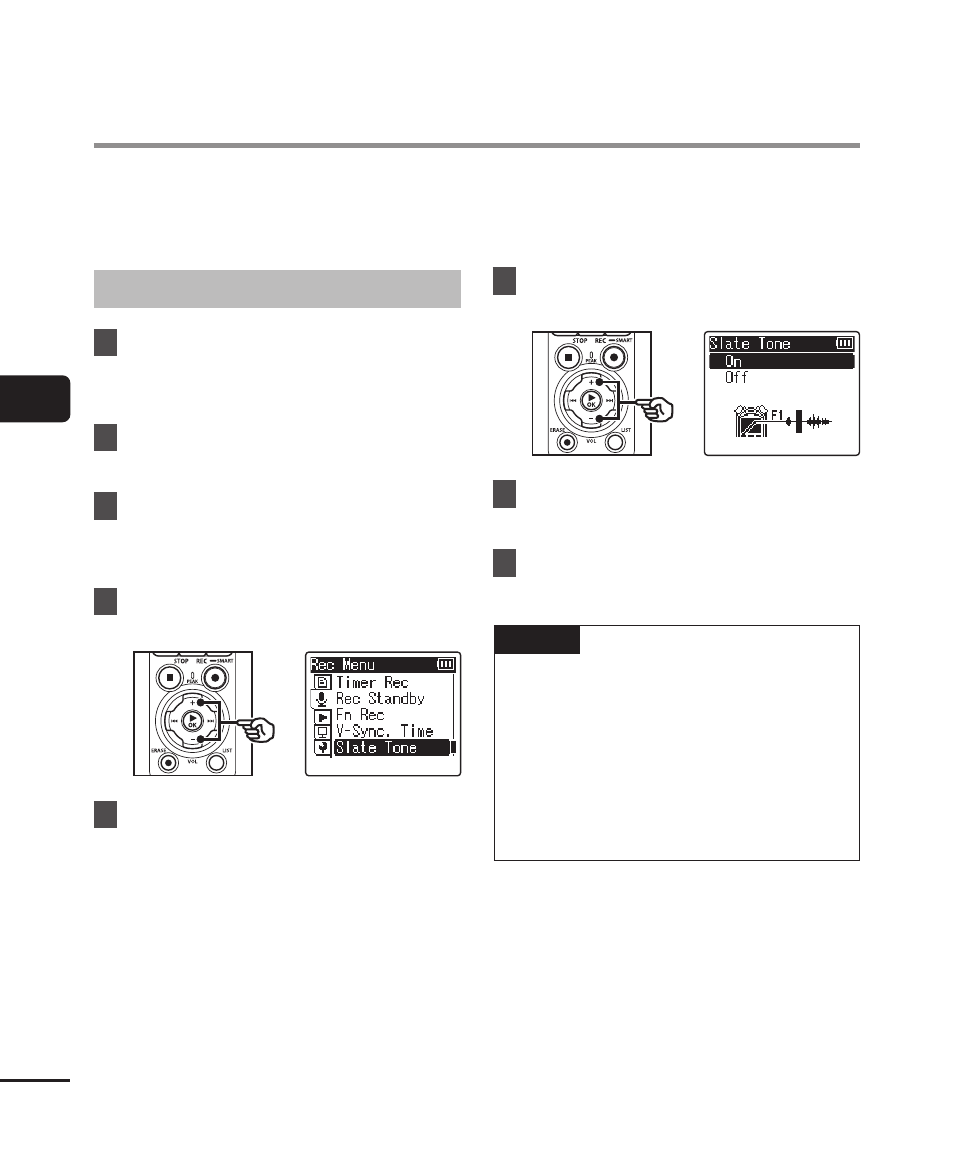
Synchronizing Audio and Video [Slate Tone]
Reference tones, otherwise known as “slate tones”, can be recorded for use during
editing to help synchronize audio and video when audio from the voice recorder is
substituted for sound recorded by the camera (
☞
Selecting [On] for [Slate Tone]
1
Press the
MENU/SCENE
button while the voice recorder
is in stop mode.
2
Press the
+
or
−
button to
select the [Rec Menu] tab.
3
Press the
`
OK
button to
move the cursor into the list of
setting items.
4
Press the
+
or
−
button to
select [Slate Tone].
5
Press the
`
OK
button.
6
Press the
+
or
−
button to
select [On].
7
Press the
`
OK
button to
finalize the setting.
8
Press the
STOP
(
4
) button to
exit the menu screen.
NOTE
•
Selecting [
On
] for [
Slate Tone
]
selects [
Off
] for [
Fn Rec
].
•
Sound will not be output to
Bluetooth
®
earphones if a 24-bit
[
PCM
] or [
FLAC
] option is selected
for [
Rec Menu
] > [
Rec Mode
].
Choose a non-24-bit option
(
☞