Adjusting sound level for output to the camera, Test tone, P.129) – Olympus LS-P5 Linear PCM Recorder User Manual
Page 129: Adjusting sound level for output, To the camera [test tone
Advertising
129
EN
4
Menu
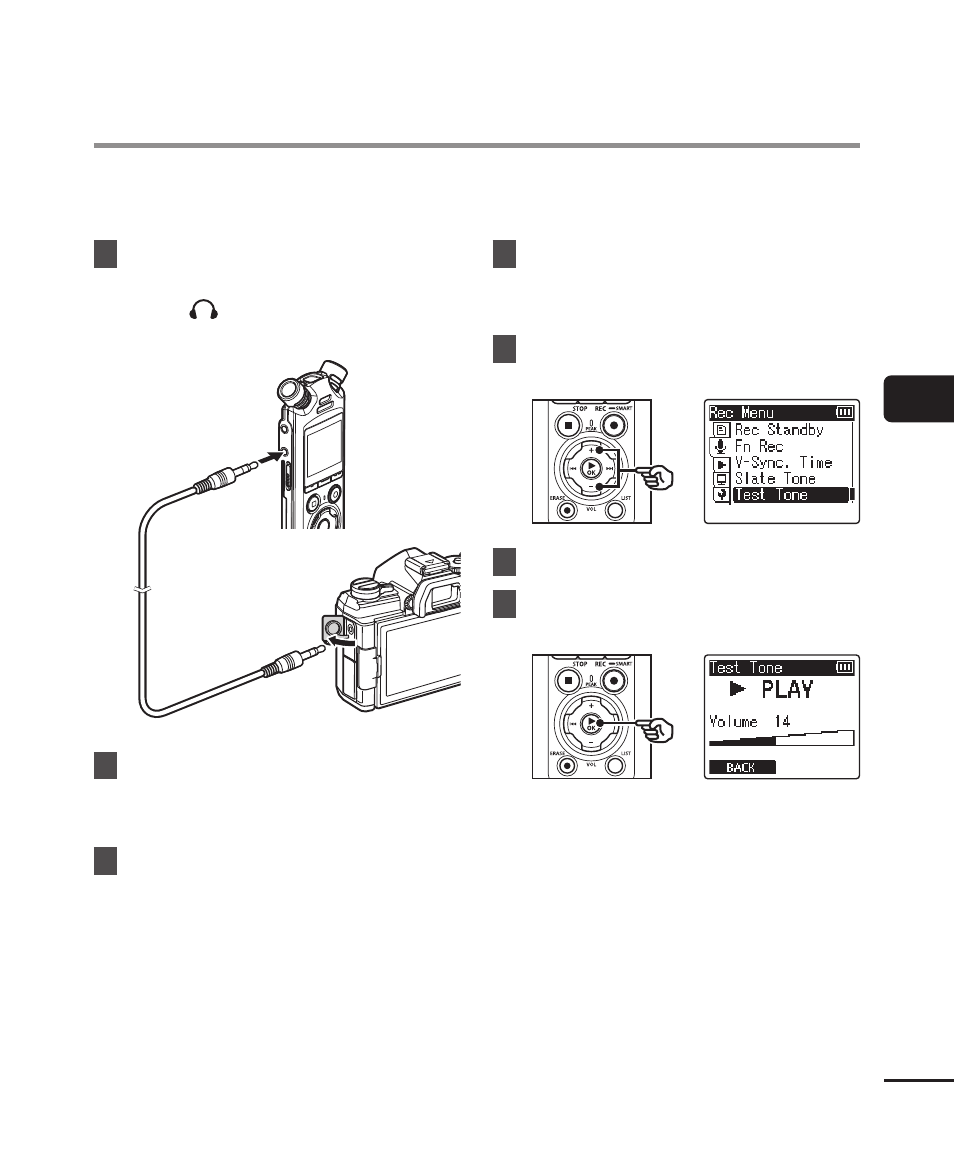
Using a test tone to match output volume to the optimal camera recording level before
beginning recording helps prevent crackling and distortion.
1
Connect the camera audio
input jack to the earphone
jack ( ) on the voice recorder
(
☞
To earphone
jack
To camera
audio input jack
2
Press the
MENU/SCENE
button while the voice recorder
is in stop mode.
3
Press the
+
or
−
button to
select the [Rec Menu] tab.
4
Press the
`
OK
button to
move the cursor into the list of
setting items.
5
Press the
+
or
−
button to
select [Test Tone].
6
Press the
`
OK
button.
7
Press the
`
OK
button again to
sound a test tone.
Adjusting Sound Level for Output to the
Camera [Test Tone]
Advertising