Setting the usb connection [usb settings, Usb connection settings, P.131) – Olympus LS-P5 Linear PCM Recorder User Manual
Page 131
131
EN
4
Menu
Choose USB settings for tasks such as downloading files or charging the batteries.
USB Connection Settings
Choose whether the recorder uses a pre-selected download or charging option or instead
prompts you to choose USB settings whenever a device is connected.
1
Press the
MENU/SCENE
button while the voice recorder
is in stop mode.
2
Press the
+
or
−
button to
select the [Device Menu] tab.
3
Press the
`
OK
button to
move the cursor into the list of
setting items.
4
Press the
+
or
−
button to
select [USB Settings].
5
Press the
`
OK
button.
6
Press the
+
or
−
button to
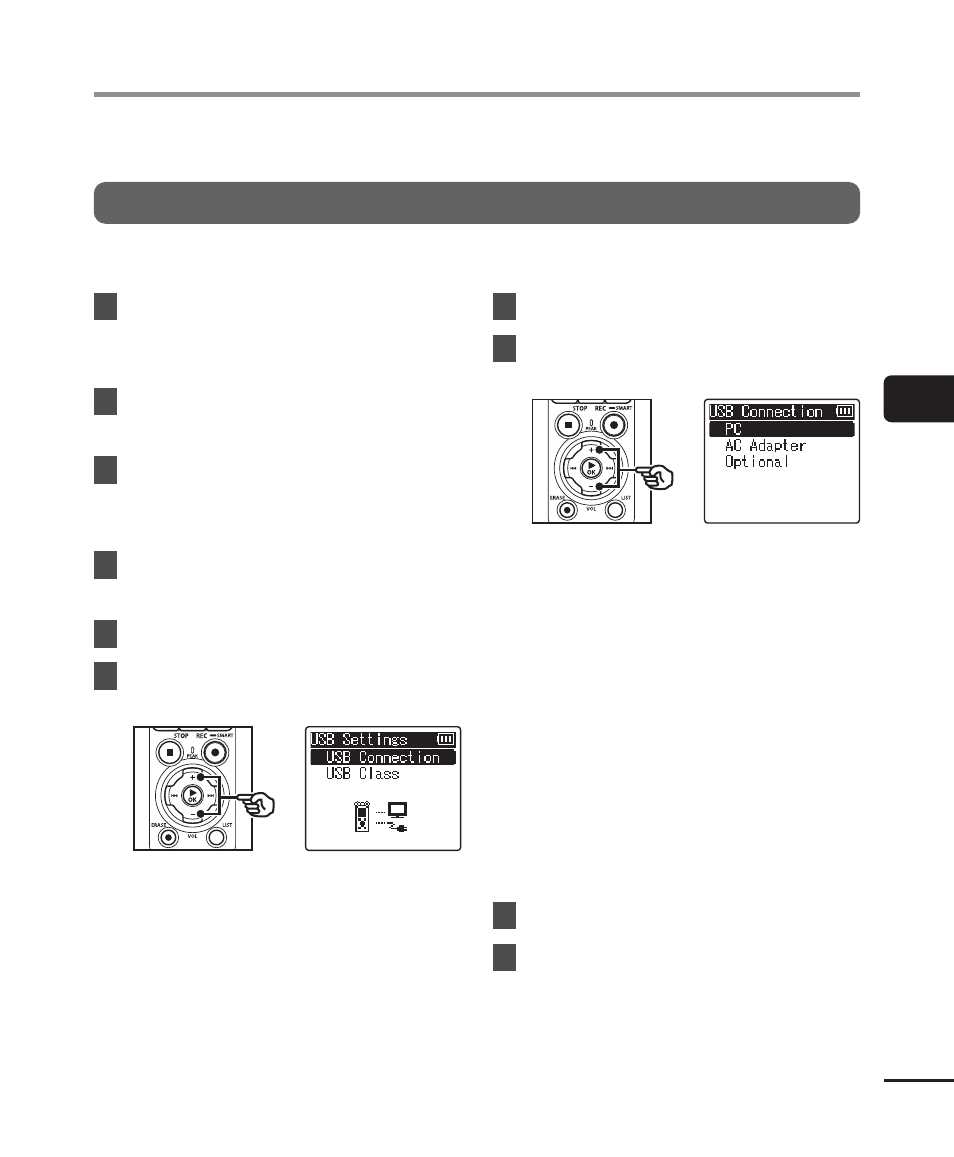
select [USB Connection].
7
Press the
`
OK
button.
8
Press the
+
or
−
button to
select a setting.
[
PC
]:
Choose this option when connecting
the recorder to a computer via a
USB cable. The voice recorder
will be connected as a storage or
composite device.
[
AC Adapter
]:
Choose this option when charging
the batteries using a computer or
optional F-5AC AC adapter. Files
cannot be transferred.
[
Optional
]:
Select to confirm the connection
method whenever making a USB
connection.
9
Press the
`
OK
button.
10
Press the
STOP
(
4
) button to
exit the menu screen.
Setting the USB connection [USB Settings]