Formatting recording media [format, P.133), Formatting recording media – Olympus LS-P5 Linear PCM Recorder User Manual
Page 133: Format, P.133) for the procedure
133
EN
4
Menu
Formatting a recording media erases all existing files saved on it. Be sure to transfer all
important files to a computer before formatting.
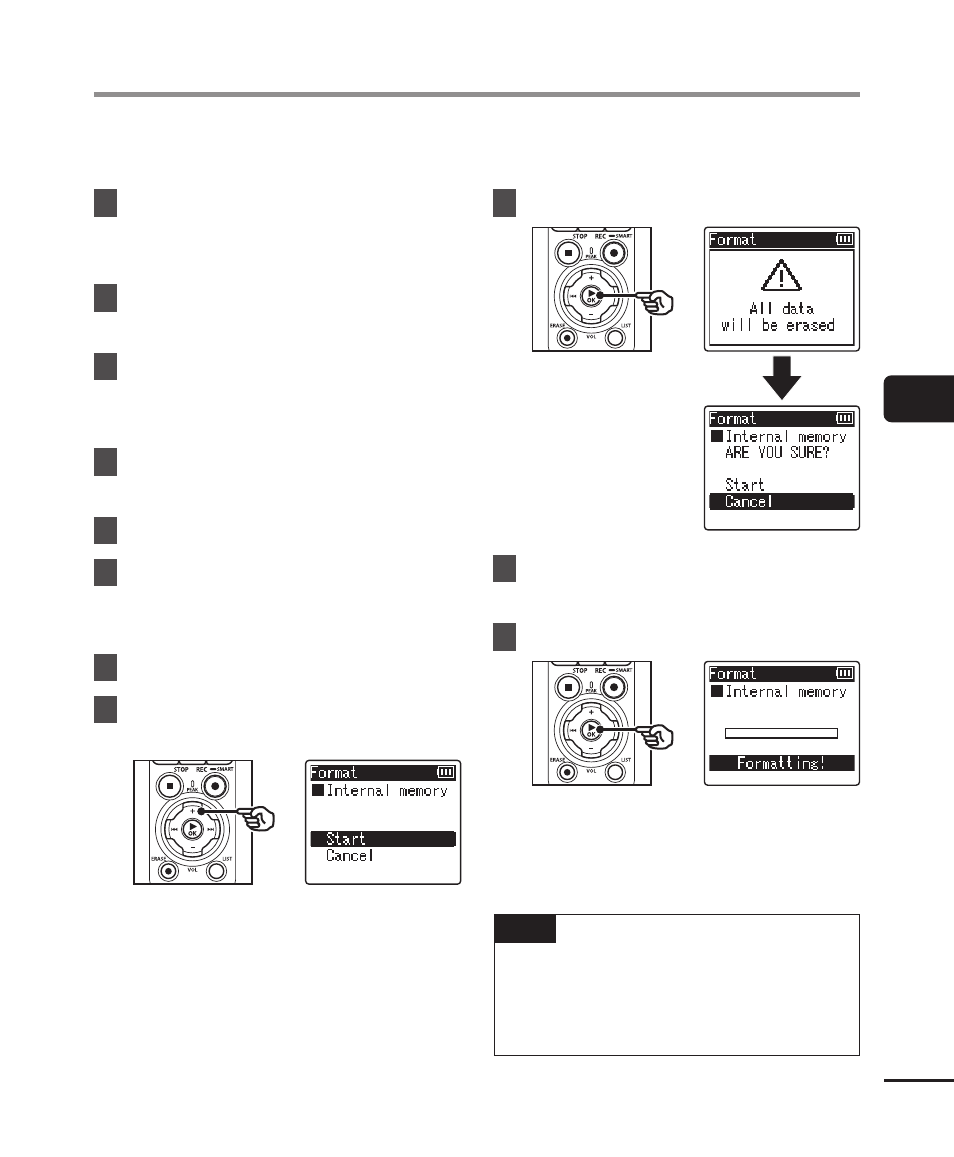
1
Press the
MENU/SCENE
button while the voice recorder
is in stop mode.
2
Press the
+
or
−
button to
select the [Device Menu] tab.
3
Press the
`
OK
button to
move the cursor into the list of
setting items.
4
Press the
+
or
−
button to
select [Format].
5
Press the
`
OK
button.
6
Press the
+
or
−
button to
select the recording media to
be formatted.
7
Press the
`
OK
button.
8
Press the
+
button to select
[Start].
9
Press the
`
OK
button.
10
Press the
+
button to select
[Start] again.
11
Press the
`
OK
button.
•
[
Formatting!
] appears, and
formatting starts.
•
[
Format done
] appears when the
process has finished.
TIP
•
To reset all the voice recorder’s
settings to their default values, use
the [
Reset Settings
] operation
(
☞
P.102).
Formatting recording media [Format]