Disconnecting the connection with a bluetooth, Device – Olympus LS-P5 Linear PCM Recorder User Manual
Page 141
Advertising
141
EN
5
Bluetooth
®
function
Connecting/disconnecting a Bluetooth
®
device
Disconnecting the connection with a Bluetooth
®
device
Disconnecting the connection using
[Disconnection]
1
Press the
MENU/SCENE
button while the voice recorder
is in stop mode.
2
Press the
+
or
−
button to
select [Device Menu] tab.
3
Press the
`
OK
button to
move the cursor into the list of
setting items.
4
Press the
`
OK
button.
5
Press the
+
or
−
button to
select [Audio Device].
6
Press the
`
OK
button.
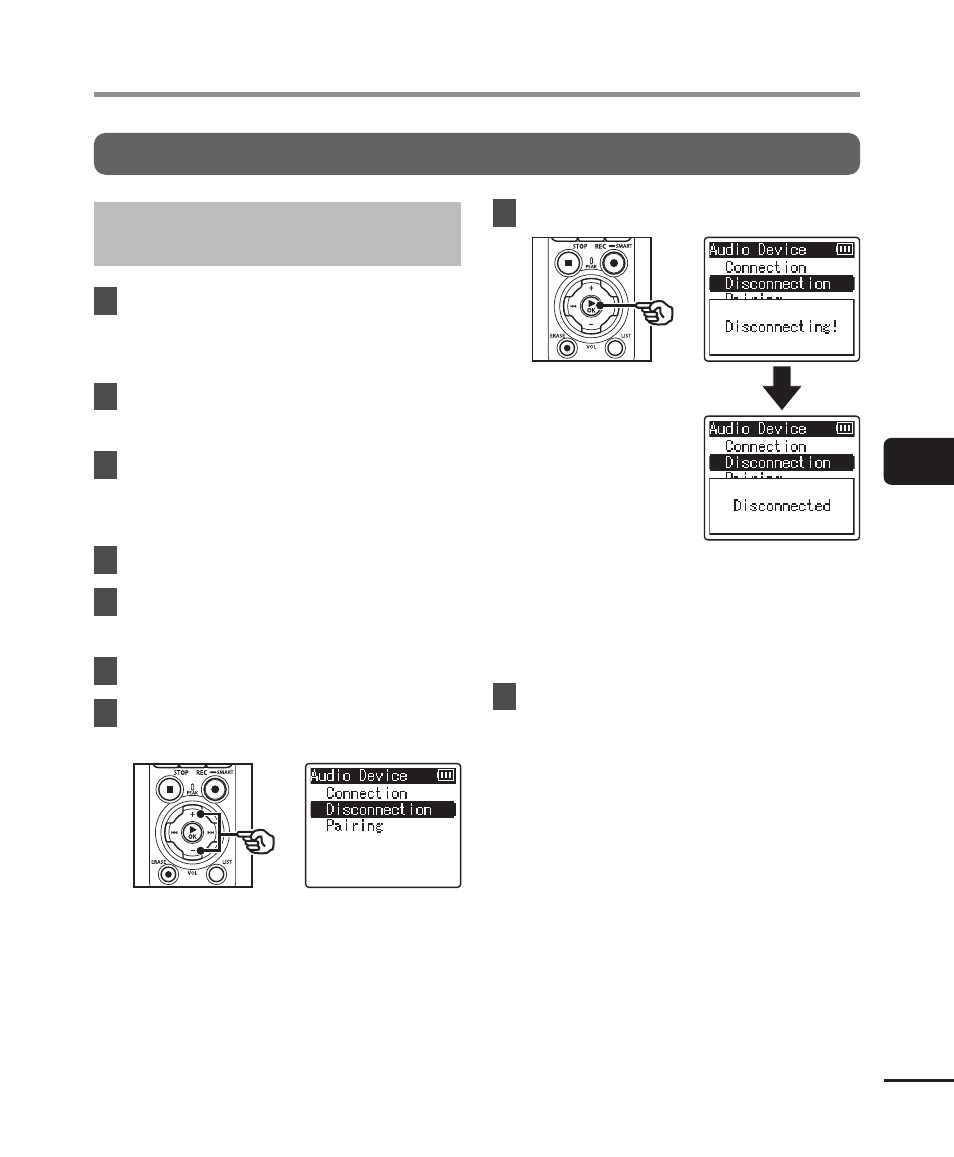
7
Press the
+
or
−
button to
select [Disconnection].
8
Press the
`
OK
button.
•
[
Disconnecting!
] appears in the
display, and the disconnecting
process starts. [
Disconnected
]
appears when the process has
finished.
9
Press the
STOP
(
4
) button to
exit the menu screen.
Advertising