Connecting to smartphones via bluetooth – Olympus LS-P5 Linear PCM Recorder User Manual
Page 143
143
EN
5
Bluetooth
®
function
Connecting to Smartphones via Bluetooth
®
6
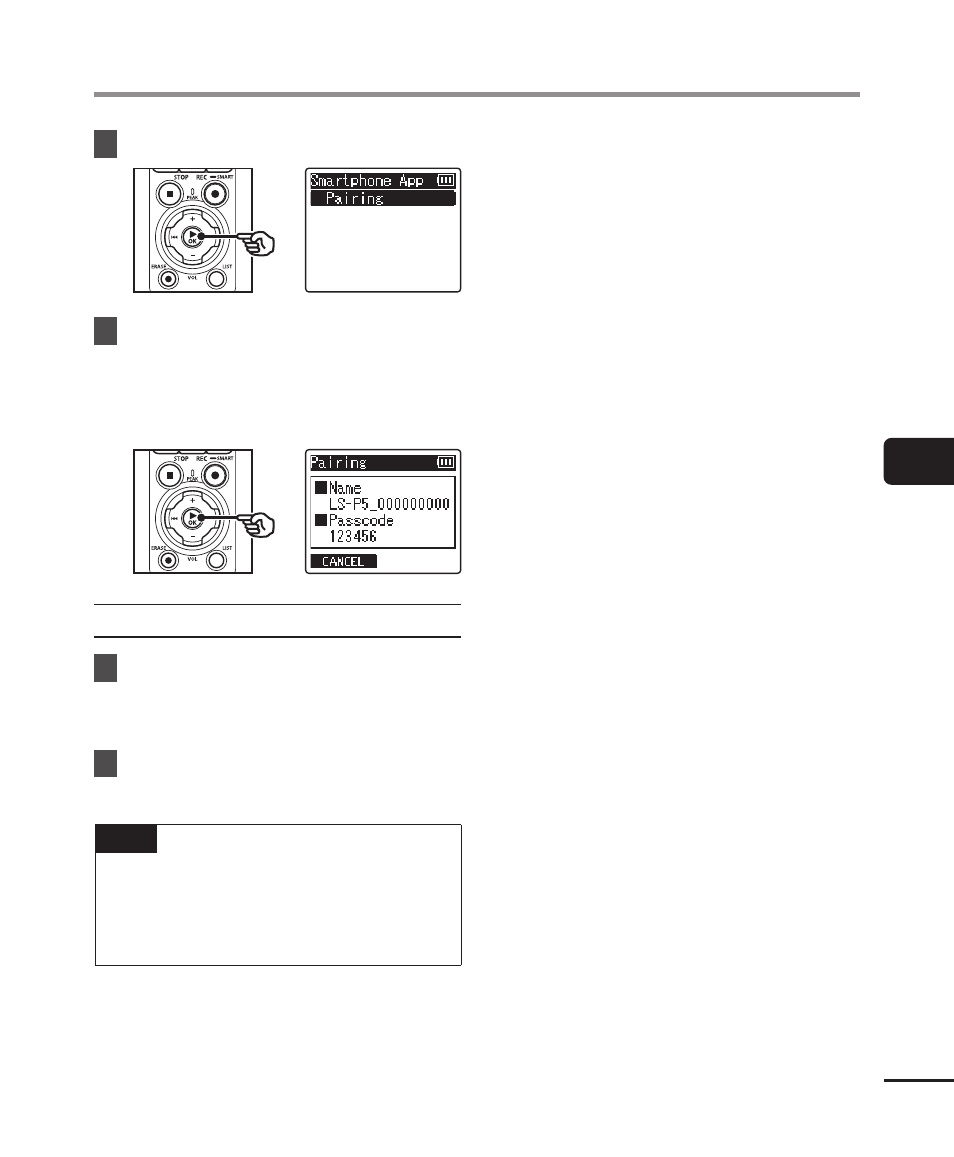
Press the
`
OK
button.
7
Press the
`
OK
button.
•
The recorder will display the
network name and passcode
the smartphone app will need to
establish the connection.
Configuring the Smartphone
8
Search for devices and select
the network name displayed by
the recorder in Step
‘
.
9
Enter the passcode.
•
The devices will be paired.
TIP
•
For information on searching for
networks and entering the passcode,
see the user manual for your
smartphone.
4
About pairing
Paring will need to be performed again in
the following cases.
•
When the information for pairing with the
voice recorder has been deleted on the
smartphone to be connected.
•
When the paring information was deleted
by a means other than the above.