Removing a microsd card, Inserting/removing a microsd card – Olympus LS-P5 Linear PCM Recorder User Manual
Page 24
24
EN
1
Getting started
Inserting/removing a microSD card
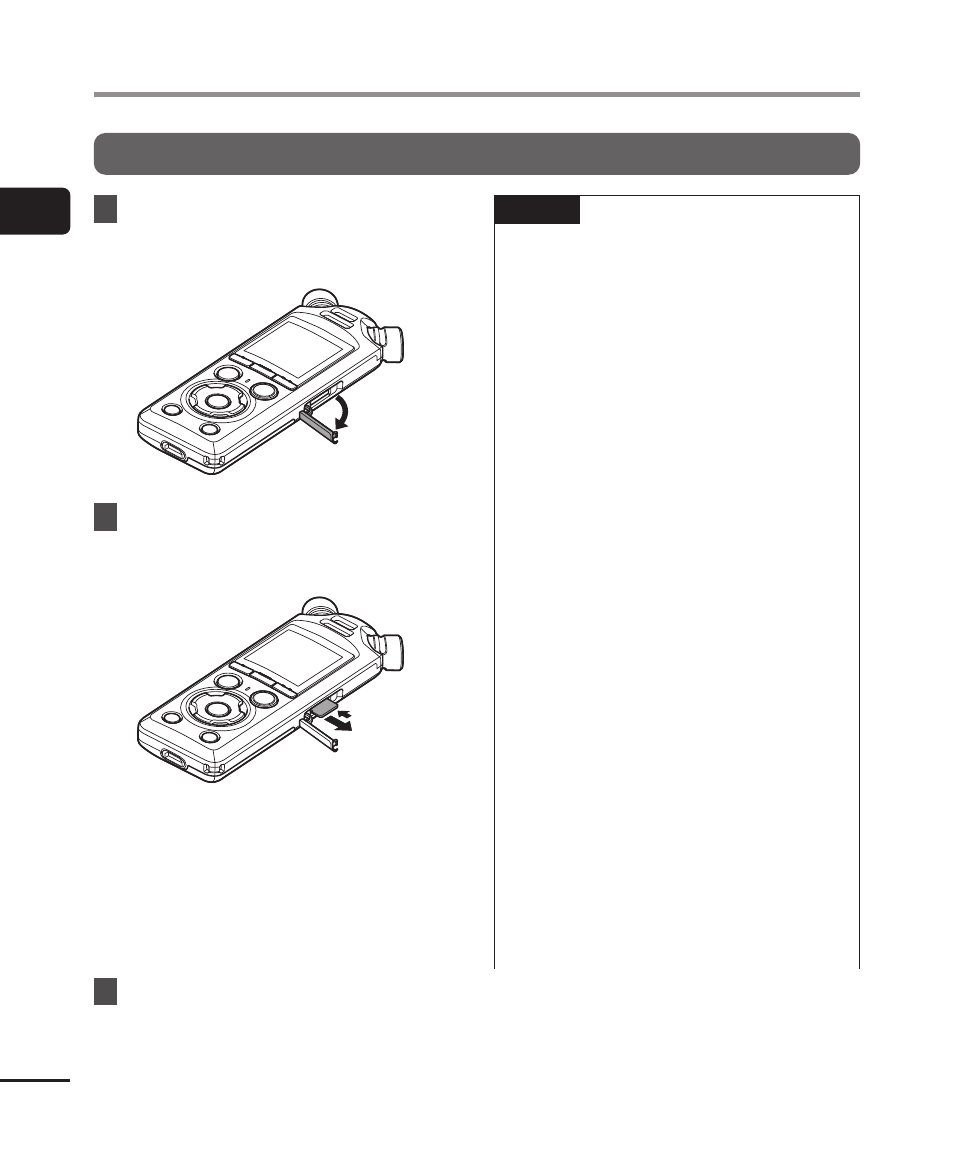
Removing a microSD card
1
While the voice recorder is in
stop mode, open the microSD
card slot cover.
2
Release the microSD card by
pressing it inward, then letting
it slowly return.
•
The microSD card moves outward
and stops. Pull the microSD card
out with your fingertips.
•
[
Internal memory selected
] is
displayed after removing a microSD
card if [
Memory Select
] was set to
[
microSD card
].
3
Close the microSD card slot
cover.
NOTE
•
MicroSD cards may pop out
forcefully on removal if you flick or
release your finger too quickly after
pressing the card in.
•
Depending on the card’s
manufacturer and type, some
microSD, microSDHC and
microSDXC cards may not be fully
compatible with the voice recorder
and not be recognized properly.
•
For microSD card compatibility,
please visit our website’s customer
support page.
Note that our customer support will
provide information on microSD card
manufacturers and card types for
which we have verified operation, but
will not guarantee their performance.
Also note that some cards may
no longer be recognized correctly
by the voice recorder in case
card manufacturer changes card
specifications.
•
Read the operating instructions
provided with the card when using a
microSD card.
•
If a microSD card is not recognized
by the voice recorder, try removing
and reinserting the card to have the
voice recorder attempt recognition
again.