Selecting folders and files – Olympus LS-P5 Linear PCM Recorder User Manual
Page 33
33
EN
1
Getting started
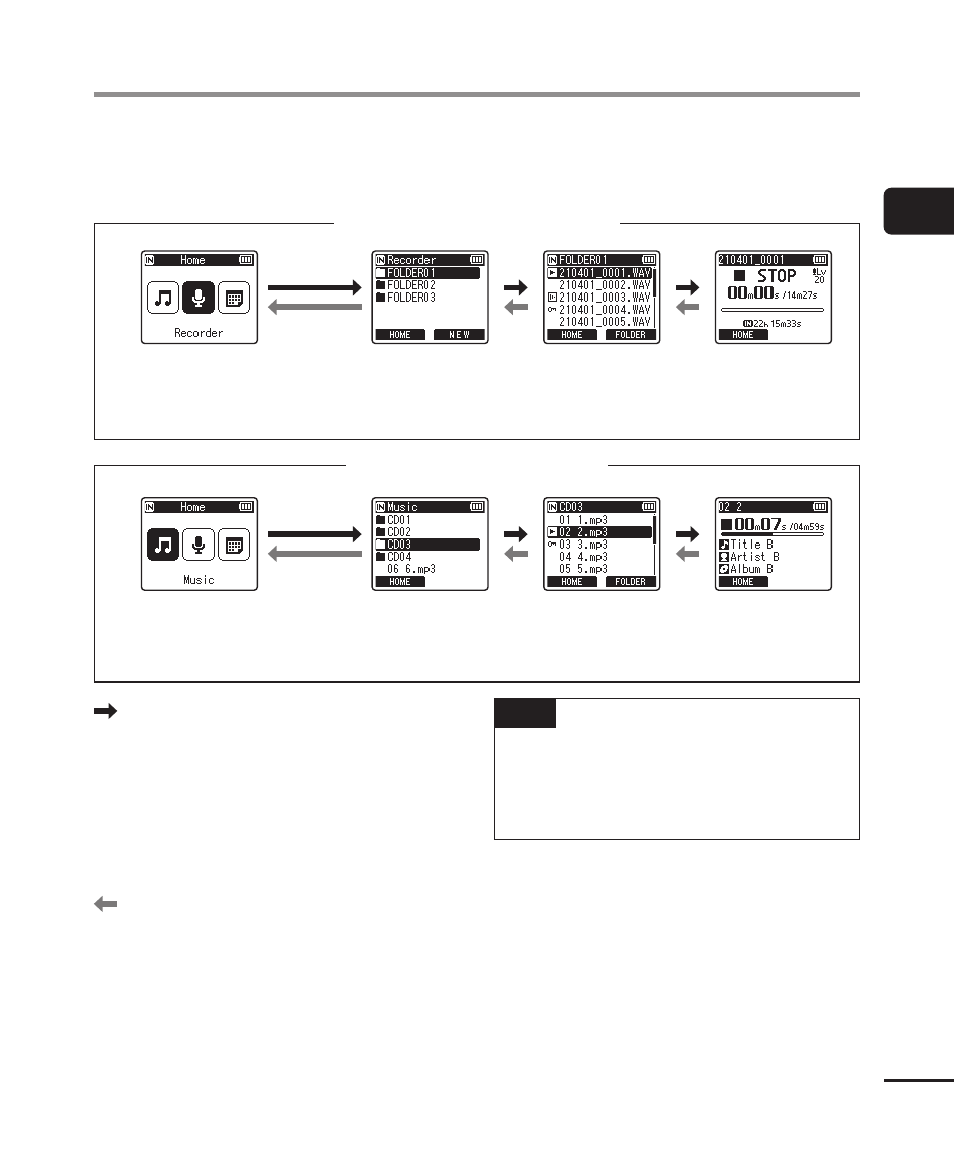
You can select a different folder while the voice recorder is in stopped or playing a file.
See “
☞
P.29) for a description of the voice recorder’s hierarchical folder
structure.
When [Recorder] mode is selected
* Each folder can store up to 200 files.
File display
File list display
Folder list display*
[
Home
] screen
When [Music] mode is selected
File display
File list display
Folder list display*
* Each folder can store up to 200 files.
[
Home
] screen
Forward:
`
OK
button
Each press on the
`
OK
button opens
the currently selected folder or file in
the list, moving forward to the next
(lower) level in the folder hierarchy.
When a list is displayed, you can
perform the same function by pressing
the
9
button.
Back:
LIST
button
Each press on the
LIST
button moves
back to the previous (higher) level
in the folder hierarchy. When a list is
displayed, you can perform the same
function by pressing the
0
button.
TIP
•
When navigating through a folder
hierarchy, you can press and hold
the
LIST
button to return to the file
display.
+
or
−
button
Used to select a folder or file.
Selecting folders and files