Recording – Olympus LS-P5 Linear PCM Recorder User Manual
Page 42
42
EN
2
Recording
Recording
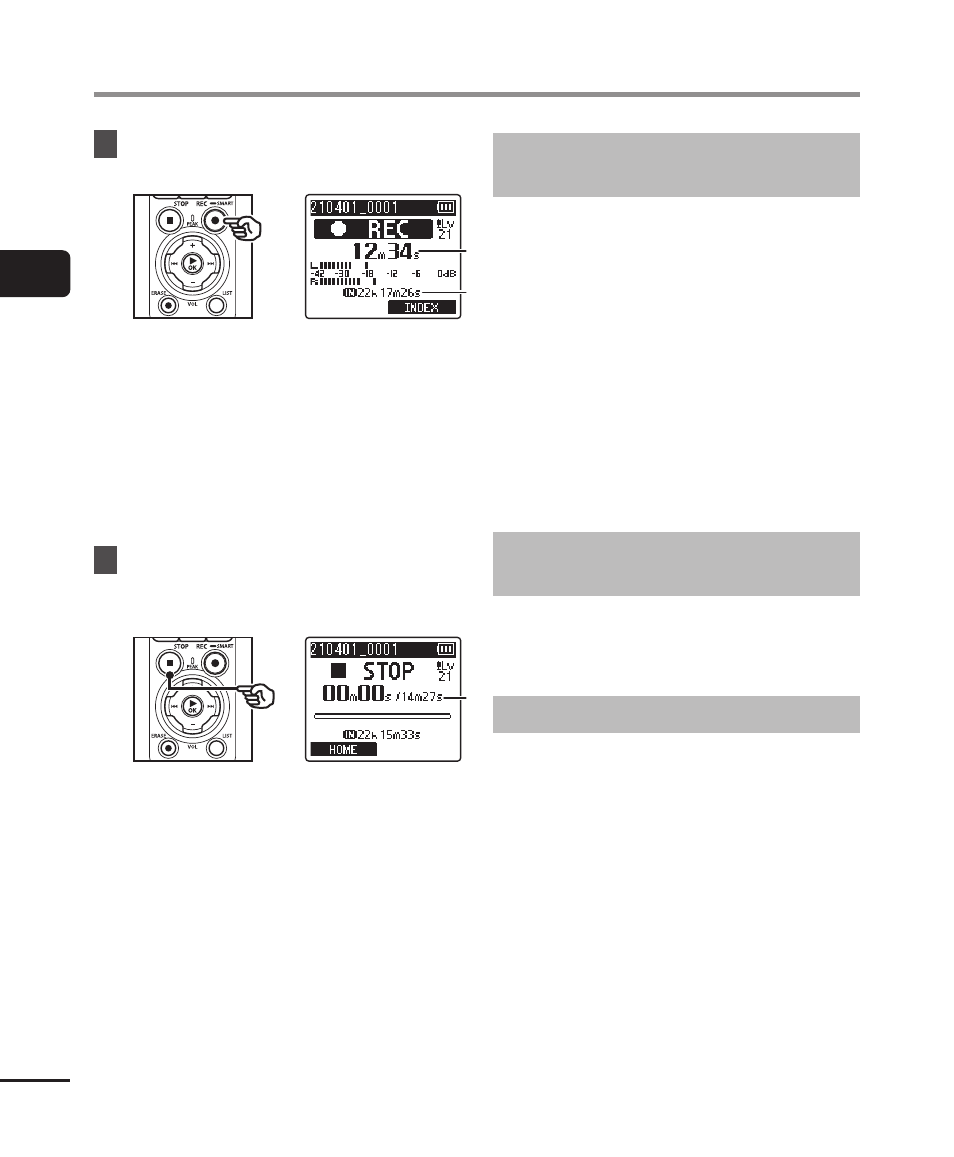
8
Press the
REC
(
s
) button to
start recording.
c
c
d
d
c
Elapsed recording time
d
Remaining possible recording time
•
The recording indicator light will
turn on.
•
If you record simple recording
content at the beginning, it will be
convenient for searching later using
the [
Intro Play
] function (
☞
P.99).
9
Press the
STOP
(
4
) button
when you want to stop
recording.
e
e
e
File length
Recording linear PCM format files of
over 2 GB
When recording a linear PCM format file,
recording will continue even after the file
size exceeds 2 GB.
• The data is divided and saved in
separate files of up to 2 GB. The files
are processed as multiple files during
playback.
• If the 200th file exceeds 2 GB, a new
folder will be created to store the
files containing the remainder of the
recording. If the limit of 99 folders has
already been reached, recording will end
without a new folder being created.
Recording FLAC or MP3 Files with
Sizes over 4 GB
Recording in FLAC and MP3 formats will
end automatically once the file reaches the
maximum size (roughly 4 GB).
Recording FLAC format files
FLAC format adopts “variable bit rate”
that changes the bitrate of a file, so the
remaining recordable time indication
may differ from the actual recordable
time. Confirm that the remaining memory
capacity is sufficient before recording.