Monitoring while recording, Using earphones connected to the earphone, Jack to monitor sound during recording – Olympus LS-P5 Linear PCM Recorder User Manual
Page 45
45
EN
2
Recording
Sound can be monitored during recording using either earphones or other audio
equipment connected via the earphone jack (
) or
Bluetooth
®
devices connected via
Bluetooth
®
.
Using Earphones Connected to the Earphone Jack to Monitor Sound
During Recording
You can monitor the recording as you are making it by listening on the earphones
plugged into the voice recorder’s earphone jack (
). Use the
+
or
−
button to adjust the
recording monitor volume.
•
The earphones are optional.
•
Speakers and other devices that can be connected via the earphone jack can be used
instead of earphones.
NOTE
•
Confirm that [
On
] is selected for [
Rec
Monitor
] (
☞
). Sound will not
be output to earphones when [
Off
]
is selected.
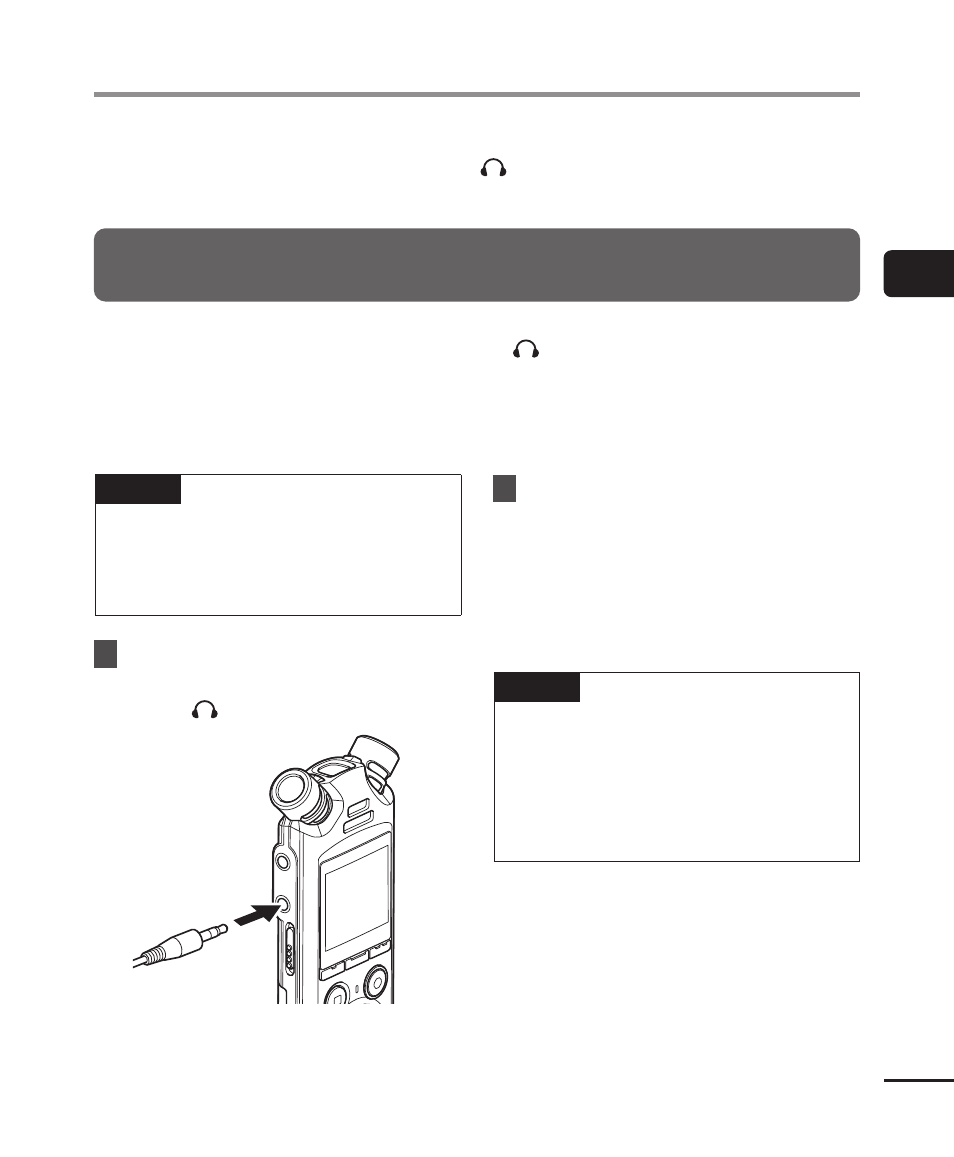
1
Connect the earphones to the
voice recorder’s earphone
jack ( ).
To earphone
jack
2
Adjust the volume using the
+
or
−
button.
•
Adjust volume while listening to the
sound currently being recorded.
•
Changing the volume will not affect
the recording level.
NOTE
•
To avoid unpleasantly loud sound,
set the volume to [
00
] before
plugging in the earphone.
•
To prevent feedback, do not place
the earphone near the microphone
while recording.
Monitoring while recording