Recording using external mics or other input, Devices connected to the recorder, External input – Olympus LS-P5 Linear PCM Recorder User Manual
Page 53: Choosing an input device, P.53), P.53) settings to custom recording
53
EN
2
Recording
Record sound from an external microphone or audio device connected via the voice
recorder’s microphone/line jack ( ).
Choosing an Input Device
Select [
Microphone
] for input devices with microphone connectors, [
Line In
] for audio
devices or other equipment with line-in connectors.
NOTE
•
If the microphone/line-in setting does
not match the type of plug used to
the connect the device, sound may
recorded at a volume that is too high
or too low.
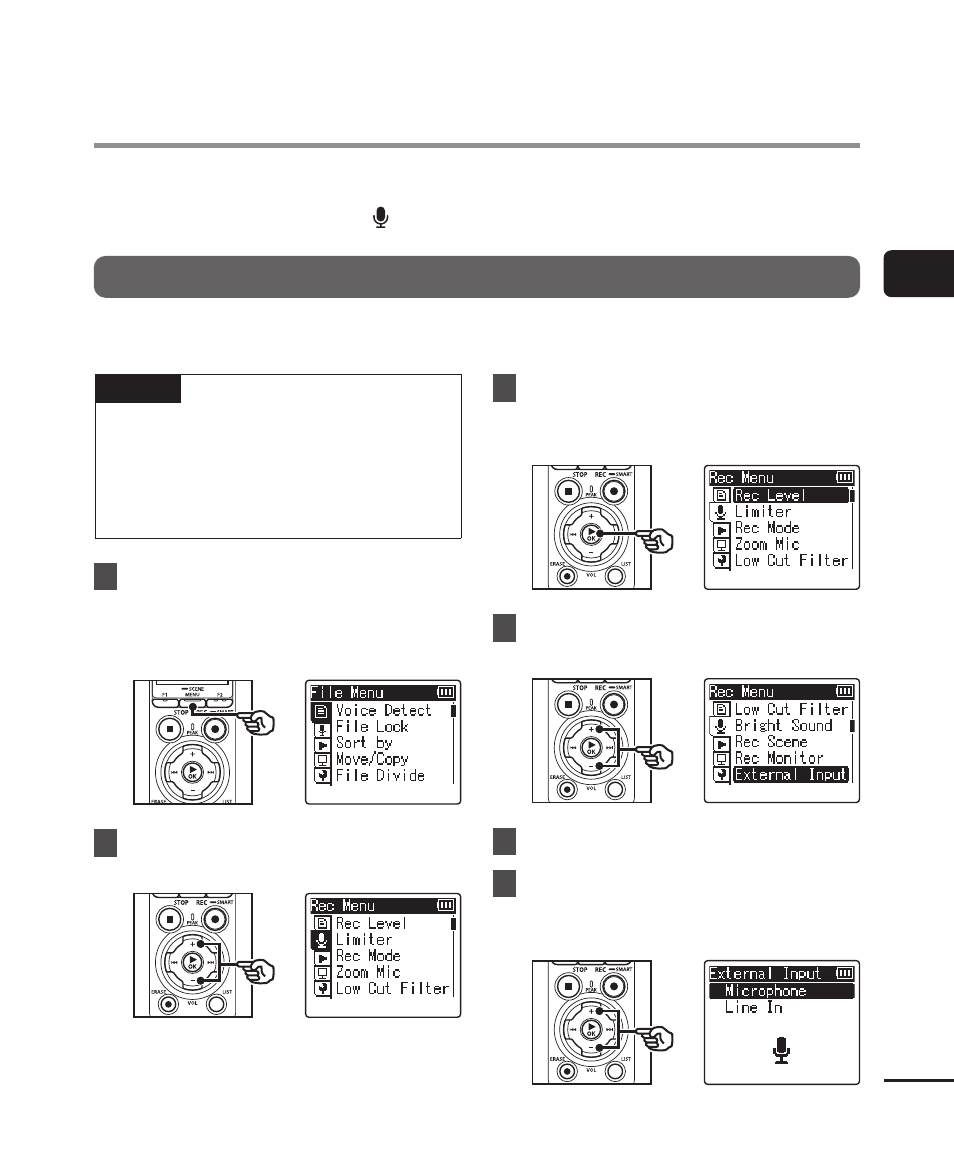
1
During recording or while the
voice recorder is in stop mode,
press the
MENU/SCENE
button.
2
Press the
+
or
−
button to
select the [Rec Menu] tab.
3
Press the
`
OK
button to
move the cursor into the list of
setting items.
4
Press the
+
or
−
button to
select [External Input].
5
Press the
`
OK
button.
6
Press the
+
or
−
button to
select [Microphone] or [Line
In].
Recording Using External Mics or Other Input
Devices Connected to the Recorder [External Input]