Fast-forwarding, Rewinding, Playback – Olympus LS-P5 Linear PCM Recorder User Manual
Page 60
60
EN
3
Playback
Playback
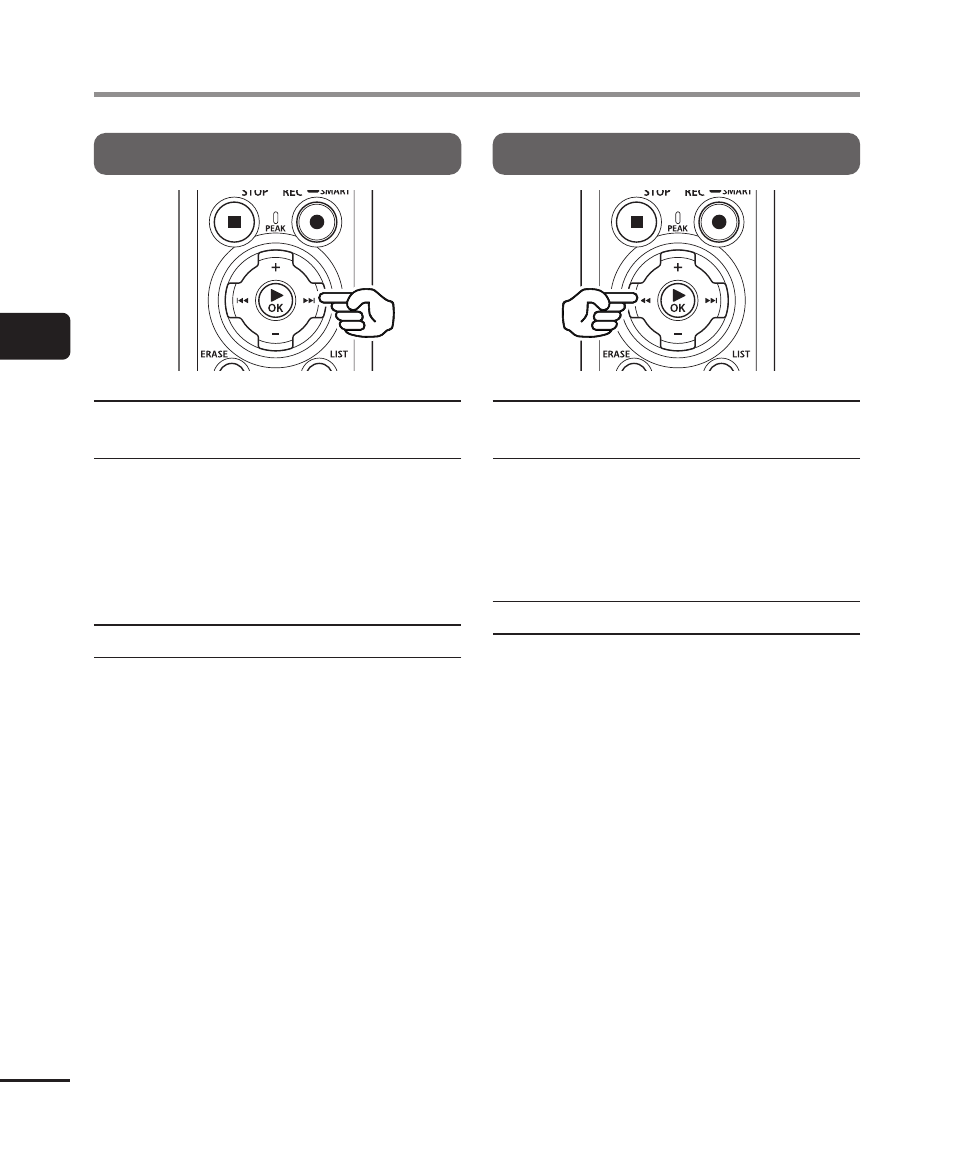
Fast-forwarding
Fast-forwarding while the voice
recorder is in stop mode
With the voice recorder stopped, press
and hold the
9
button.
•
Fast-forwarding stops when you release
the
9
button. Press the
`
OK
button
to start playback from the current
position.
Fast-forwarding during playback
Press and hold the
9
button during
playback.
•
Playback starts from the current position
when you release the
9
button.
•
If an index mark or temp mark in the file
is reached, fast-forwarding stops at the
mark (
☞
•
Fast-forwarding stops when the end of
the file is reached. Press and hold the
9
button again to fast-forward from
the beginning of the next file.
Rewinding
Rewinding while the voice
recorder is in stop mode
With the voice recorder stopped, press
and hold the
0
button.
•
Rewinding stops when you release the
0
button. Press the
`
OK
button to
start playback from the current position.
Rewinding during playback
Press and hold the
0
button during
playback.
•
Playback starts from the current position
when you release the
0
button.
•
If an index mark or temp mark in the file
is reached, rewinding stops at the mark
(
☞
•
Rewinding stops when the beginning of
the file is reached. Press and hold the
0
button again to rewind from the end
of the previous file.