Abc repeat playback – Olympus LS-P5 Linear PCM Recorder User Manual
Page 68
68
EN
3
Playback
ABC repeat playback
3
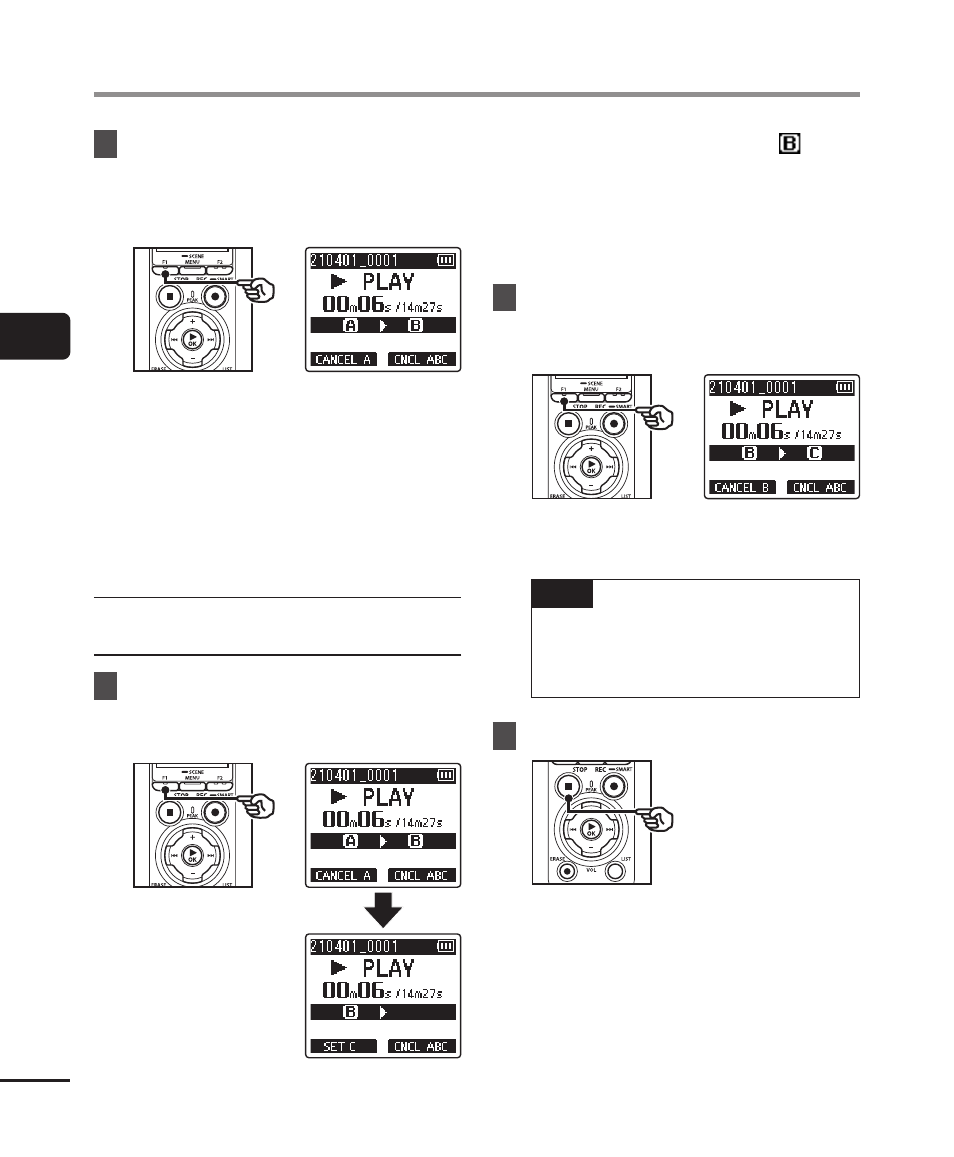
Press the
F1
(SET B) button
again when playback reaches
the desired end position for
ABC repeat playback.
•
Segment A-B is set, and ABC repeat
playback starts.
Stopping ABC repeat playback
:
☞
Go to Step
]
Specifying new starting/ending
points
:
☞
Go to Step
[
Specifying new starting/ending
points
4
Press the
F1
(CANCEL A)
button during ABC repeat
playback.
•
Segment A-B is canceled. [ ]
becomes the new start position, and
playback continues.
•
You can change the playback speed
(
☞
P.66), and fast-forward/rewind
(
☞
5
Press the
F1
(SET C) button
at the desired end position for
ABC repeat playback.
•
Segment B-C is set, and ABC
repeat playback starts.
TIP
•
You can repeat Steps
[
and
“
as needed to change the repeat
segment as desired.
6
Press the
STOP
(
4
) button.
•
Playback stops. The playback
segment specified for this function
is retained.