Recording menu [rec menu, Selecting the recording level [rec level, P.84) – Olympus LS-P5 Linear PCM Recorder User Manual
Page 84
84
EN
4
Menu
Selecting the recording level
[Rec Level]
You can change the recording level
(sensitivity) as needed for your recording
application.
[
High
]:
The highest recording sensitivity.
Suited to recording lectures, large
conferences and other applications
with distant or quiet sound sources.
[
Middle
]:
Suited to recording discussions and
small-group meetings.
[
Low
]:
The lowest recording sensitivity. Suited
to recording dictation.
[
Manual
]:
Lets you set the recording sensitivity
manually, to any of 40 levels.
[
Auto
]:
The recording level always
automatically changes according to the
volume of the input sound. Suited to
recording all sounds.
TIP
•
To record the speaker’s voice clearly,
set [
Rec Level
] to [
Middle
], and
place the voice recorder’s built-in
microphone near the speaker’s mouth
(5 to10 cm away).
NOTE
•
When [
Rec Level
] is set to other
than [
Manual
], the recording level is
adjusted automatically but noise may
be generated if an excessively loud
sound is input.
•
The [
Rec Scene
] setting
automatically changes to [
Off
] when
[
Rec Level
] is set.
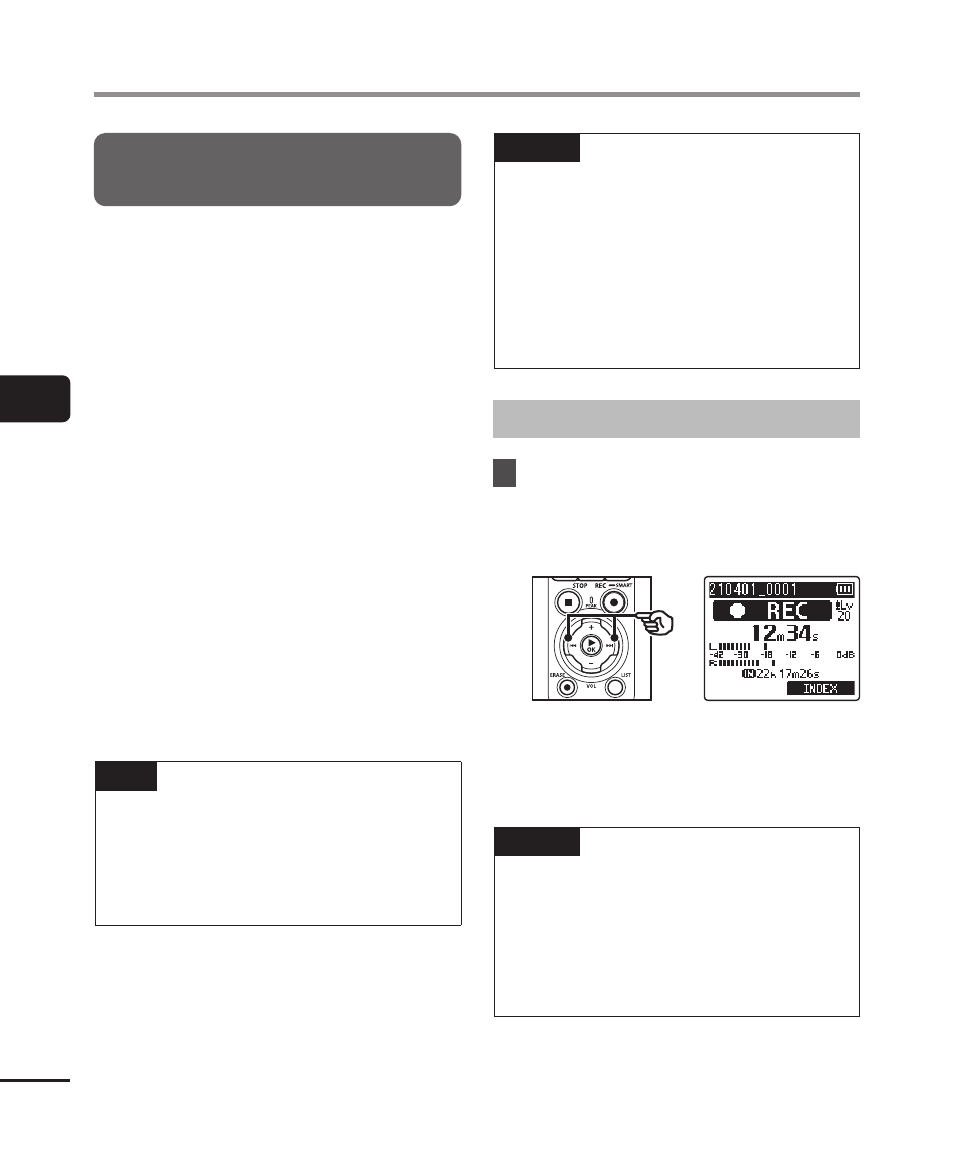
Adjusting the recording level
1
Adjust the recording level
by pressing the
9
or
0
button during recording or
when recording is paused.
•
Increasing the [
Rec Level
] number
increases the recording level and
extends the level meter indicator
position.
NOTE
•
If [
OV
] is displayed, the recorded
audio will be distorted. Adjust the
recording level so that [
OV
] is not
displayed.
•
[
Rec Level
] cannot be set during
recording when [
Rec Scene
] is set.
Recording menu [Rec Menu]