Basic functions, Playing a disc, Using the disc menu / title menu / popup menu – Samsung AH68-02279R User Manual
Page 47: Playback, Disc structure, Using the disc menu
English
47
04
Basic Functions
Playing a Disc
Playback
Press the OPEN/CLOSE ( ) button to open
the disc tray.
Place a disc gently into the tray with the
disc’s label facing up.
Press the PLAY (►) button or OPEN/
CLOSE ( ) button to close the disc tray.
Playback related buttons
PLAY (
►
)
Starts playback.
STOP (
)
Stops playback.
If you press the button once:
The stop position will be
memorized.
If you press the button
twice: The stop position will
be not memorized.
With some Blu-ray discs (BD-J),
this function may not work.
•
•
PAUSE (
)
Pauses playback.
NOTE
"Not Available" will appear when an invalid
button is pressed.
1.
2.
3.
✎
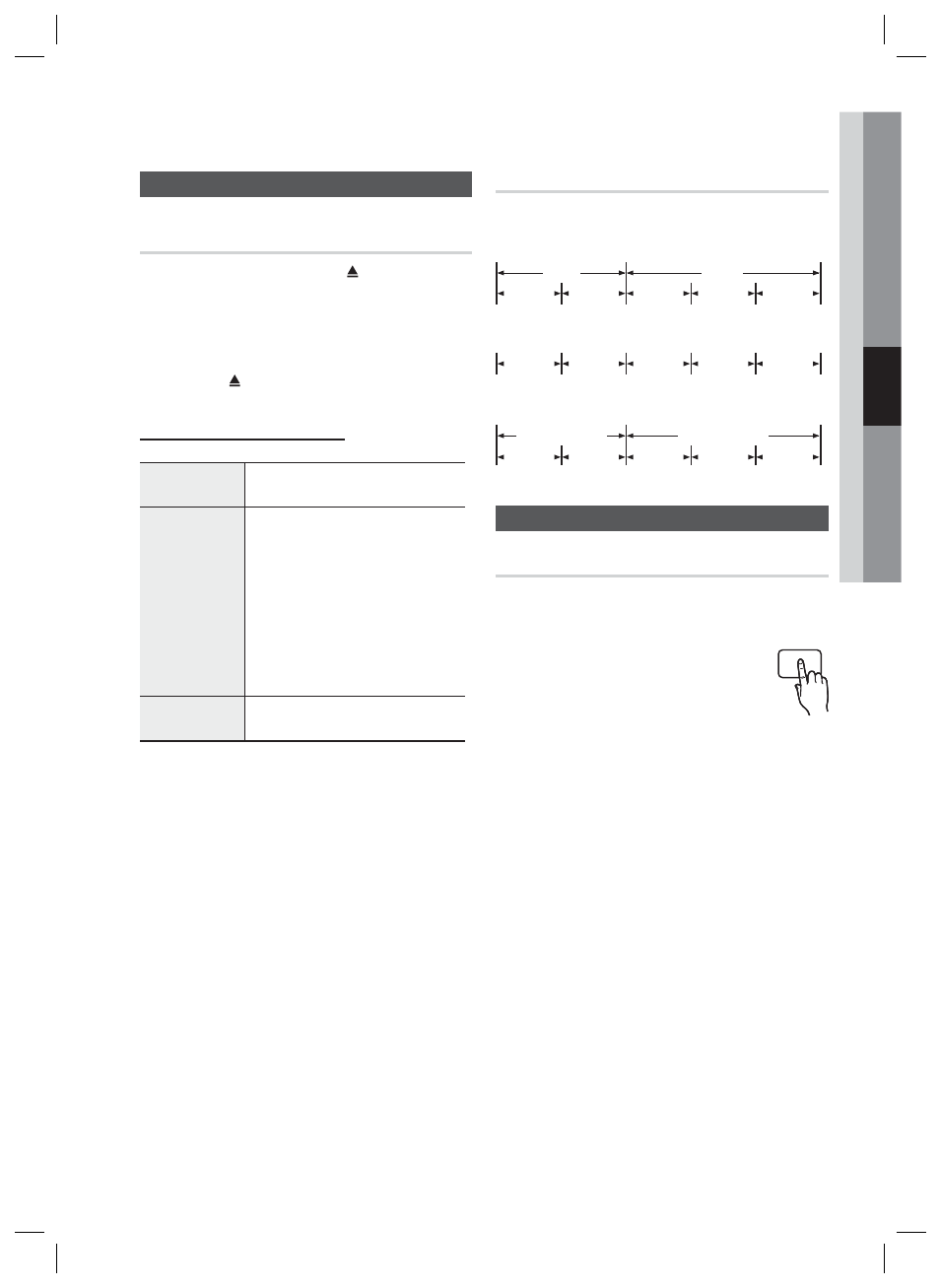
Disc Structure
The contents of disc are usually divided as below.
Blu-ray Disc, DVD-VIDEO
title 1
title 2
chapter 1
chapter 2
chapter 1
chapter 2
chapter 3
Audio CD (CD-DA)
track 1
track 2
track 3
track 4
track 5
MP3, WMA, DivX, MKV and MP4
folder (group) 1
folder (group) 2
fi le 1
fi le 2
fi le 1
fi le 2
fi le 3
Using the Disc menu / Title menu / Popup menu
Using the Disc Menu
hZ
During playback, press the DISC
MENU button on the remote
control.
Press the ▲▼◄ ► buttons to make
the desired selection, then press the
ENTER button.
NOTE
Depending on the disc, the menu items may
differ and this menu may not be available.
•
•
•
1.
2.
✎
DISC MENU
Basic Functions
HT-C6900W_XAA_0914.indd 47
HT-C6900W_XAA_0914.indd 47
2010-09-14 2:28:19
2010-09-14 2:28:19