Rough Country 1080 User Manual
Page 11
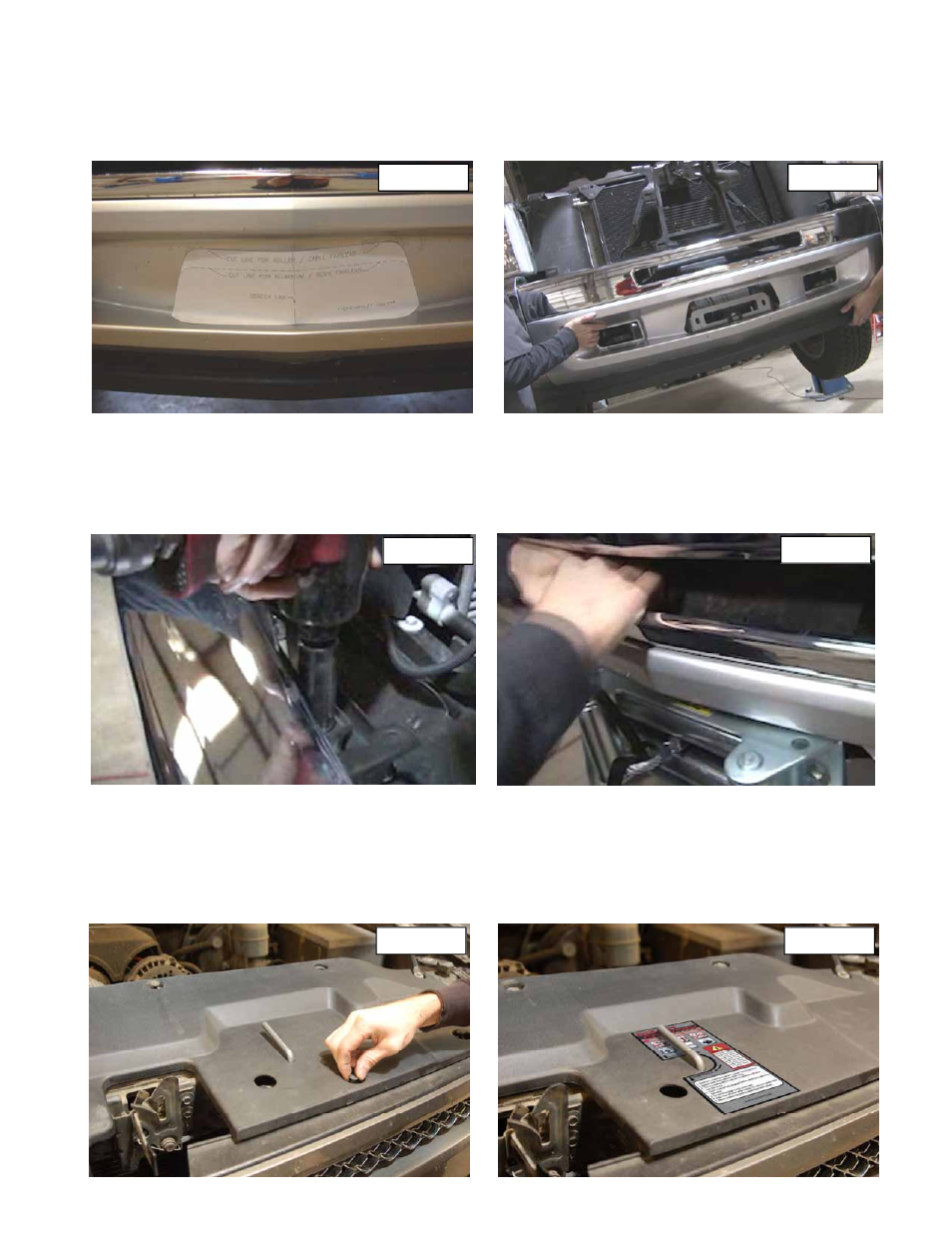
19. Use the supplied template to cut out the lower valance for the roller fairlead. **Note** there are two templates one
for Chevrolet trucks and one for GMC trucks. Make sure you are using the Chevrolet template.
20. Remove the license plate mount on the factory bumper by cutting or grinding the aluminum rivets. Next secure tem-
plate with tape. Use a body saw or die grinder to cut out the pattern. See Photo 13.
21. After you have cut out the lower valance, test fit the valance over the winch plate. See Photo 14.
22. Before installing the bumper run the wire to the winch from the battery using the supplied instruction and hardware
that was included with your winch. Attach the wire to the winch motor and tighten.
23. Install the bumper and top bumper bolts using a 21mm socket. See Photo 15.
24. Bolt the roller fair lead and license plate bracket (if state required) to the winch mount using the supplied hardware
that was included with the winch.
25. Next attach the rubber splash guard to the bumper. See Photo 16.
26. Install the grill shell back into the truck and tighten the two upper factory bolts with a 10mm socket.
27. Tilt the rod back toward the motor of the truck and slide the plastic radiator shield over the rod through the new 3/8”
hole you drilled. See Photo 17.
28. Align the holes in the plastic radiator shield and install the factory push pins. Push the center of the pin down to lock
them in place. See Photo 17. Place the supplied engage / disengage sticker on the radiator shield. See Photo 18.
29. Install the winch wire and factory battery connectors to battery.
30. Test winch to make sure everything is working properly.
PHOTO 18
PHOTO 17
PHOTO 16
PHOTO 15
PHOTO 14
PHOTO 13