3 monitor introduction, 1 front view, Monitor.introduction -2 1.3.1 – Asus PA249Q User Manual
Page 8: Front view -2, Front.view
Advertising
1-2
Chapter 1: Product introduction
1.3
Monitor introduction
1.3.1.
Front.view
6
2
7
1
4
5
3
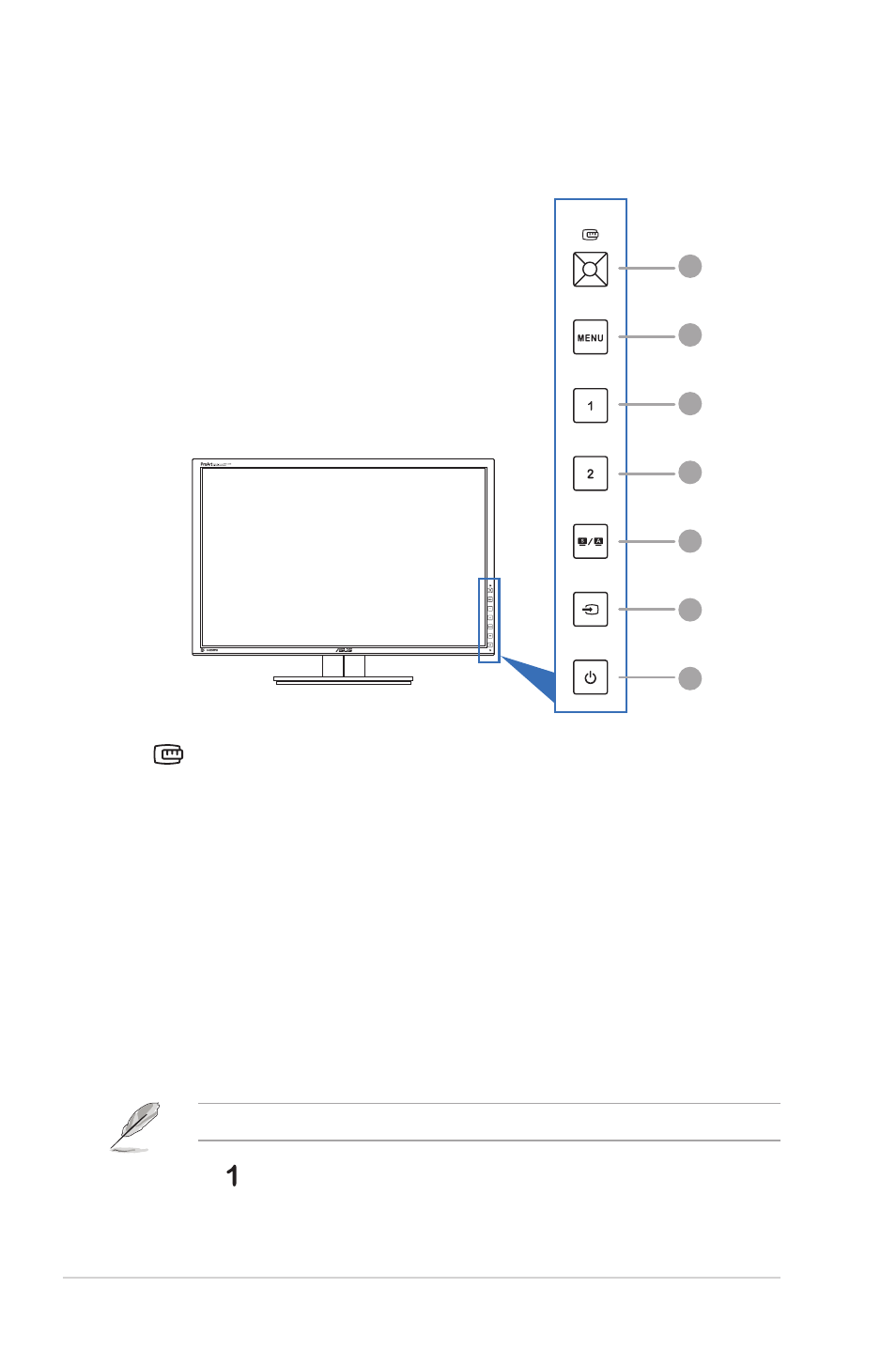
1.
QuickFit button:
•
Activates the QuickFit function designed for alignment.
•
The QuickFit function contains 7 pages of common grid patterns and paper
and photo sizes. (Please refer to 1.3.3 QuickFit Function).
•
Enacts the selected OSD menu item.
•
Increases/Decreases values or moves your selection up/down/left/right.
2. MENU button:
•
Turns on the OSD menu.
•
Exits the OSD menu or goes back to the previous menu when the OSD
menu is active.
•
Exits the QuickFit patterns.
The OSD menu is not available when the QuickFit function is in use.
3. Shortcut
•
Default: Brightness hotkey
Advertising