English - 75 e diting, Press the enter button at the starting point, Edit title list screen elements – Samsung DVD-R130-XAA User Manual
Page 75: Press the enter button at the end point
English
- 75
E
diting
4
Press the
ENTER
button at the starting point.
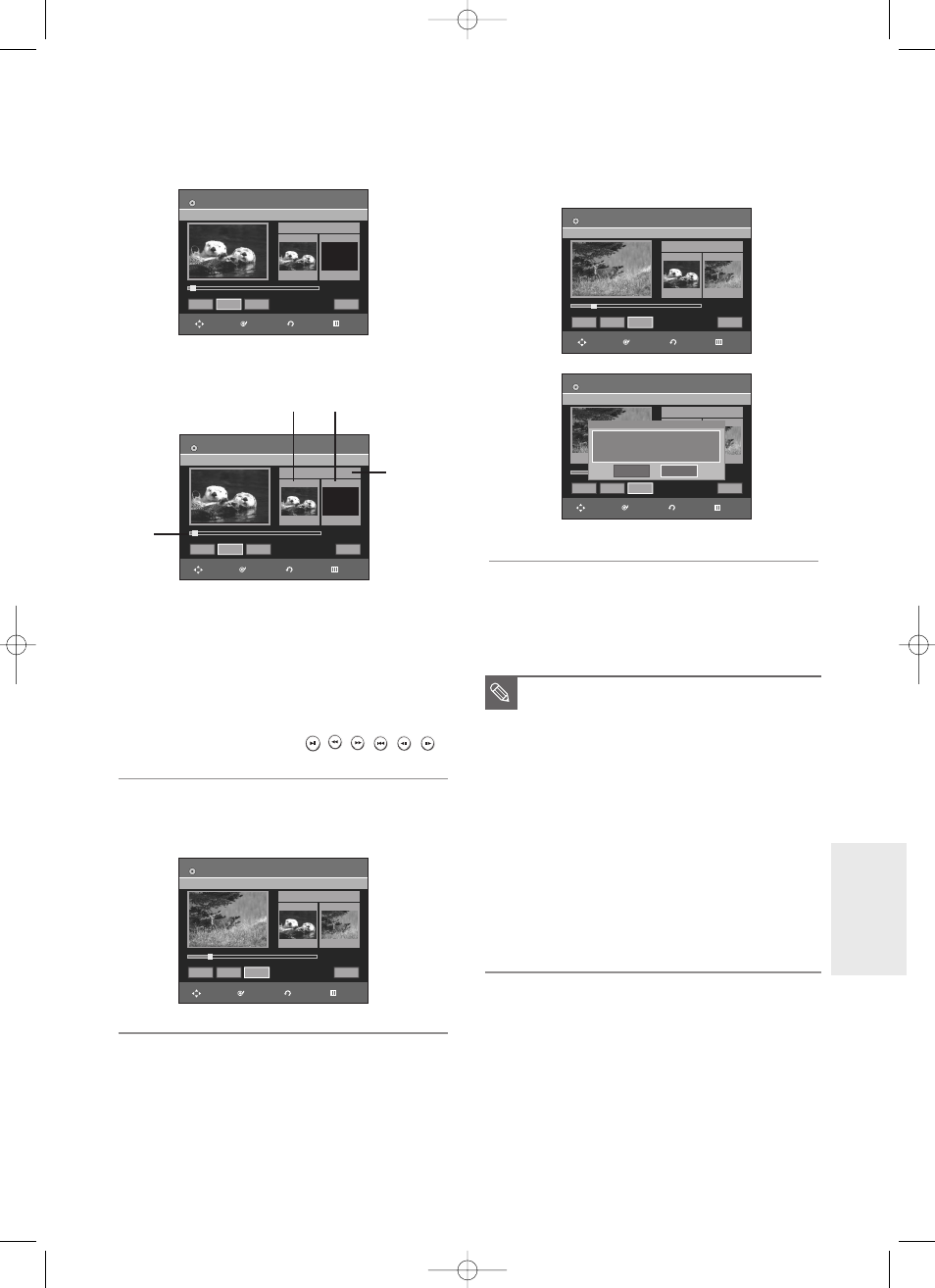
The image and starting point time are displayed on the
section deletion starting point window.
Edit Title List Screen Elements
1 Playback bar
2 Title List No.
3 Section deletion starting point window and time
4 Section deletion end point window and time
• Select the start and end points of the section
you want to delete using the playback related
buttons.
• Playback related buttons (
,
,
,
,
,
)
5
Press the
ENTER
button at the end point.
The image and end point time are displayed in the
Section deletion ending point window.
6
Press the
œ √
buttons to select
Delete
, and then press
the
ENTER
button.
The message “Do you want to delete?(Deleted part will
not be restored)” is displayed.
7
Press
œ √
buttons to select
Yes,
and then press the
ENTER
button.
The selected section is deleted.
To return to the Title List screen, press the
œ √
buttons
to select Return.
■
The length of the section to be deleted must
be at least 5 seconds long.
■
If the length of the section to be deleted is
less than 5 seconds, you will be prompted
with the message “The range is too short.”.
■
If the end time precedes the starting point,
you will be prompted with the message “End
point cannot be marked earlier than start
point”.
■
The section cannot be deleted when it
includes a still picture.
■
Press the
MENU
button after the operation
has finished.
The Edit Title List screen will disappear.
NOTE
Edit Title List
DVD-RW(VR)
Title List No. 05
Start
End
00:00:05
00:00:05
00:00:00
Start
End
Delete
Return
①
②
➂
$
Edit Title List
DVD-RW(VR)
Title List No. 05
»
»
Start
End
00:00:05
00:10:15
00:10:15
Start
End
Delete
Return
Edit Title List
DVD-RW(VR)
Title List No. 05
Start
End
00:00:05
00:00:05
00:00:00
Start
End
Delete
Return
√
√
√
√
Edit Title List
DVD-RW(VR)
Title List No. 05
Start
End
00:00:20
00:00:20
Start
End
Delete
Return
Do you want to delete?
(Deleted part will not be restored.)
Yes
No
Edit Title List
DVD-RW(VR)
Title List No. 05
»
»
Start
End
00:00:05
00:10:15
00:10:15
Start
End
Delete
Return
RETURN
ENTER
MOVE
EXIT
RETURN
ENTER
MOVE
EXIT
RETURN
ENTER
MOVE
EXIT
RETURN
ENTER
MOVE
EXIT
RETURN
ENTER
MOVE
EXIT
01002A-R130-XAA-ENG-71-88 2006.1.23 6:6 PM Page 75