Operation – Ryobi SPC18 User Manual
Page 9
Advertising
9
OPERATION
Fig. 5
Fig. 6
R
3
0
1 5
0
1 5
3 0
4
5
31.62
22.5
22
.5
2
3
4
5
R
6
1
R
WING
SCREW
EXTENSION
RAILS
OPENED
CLOSED
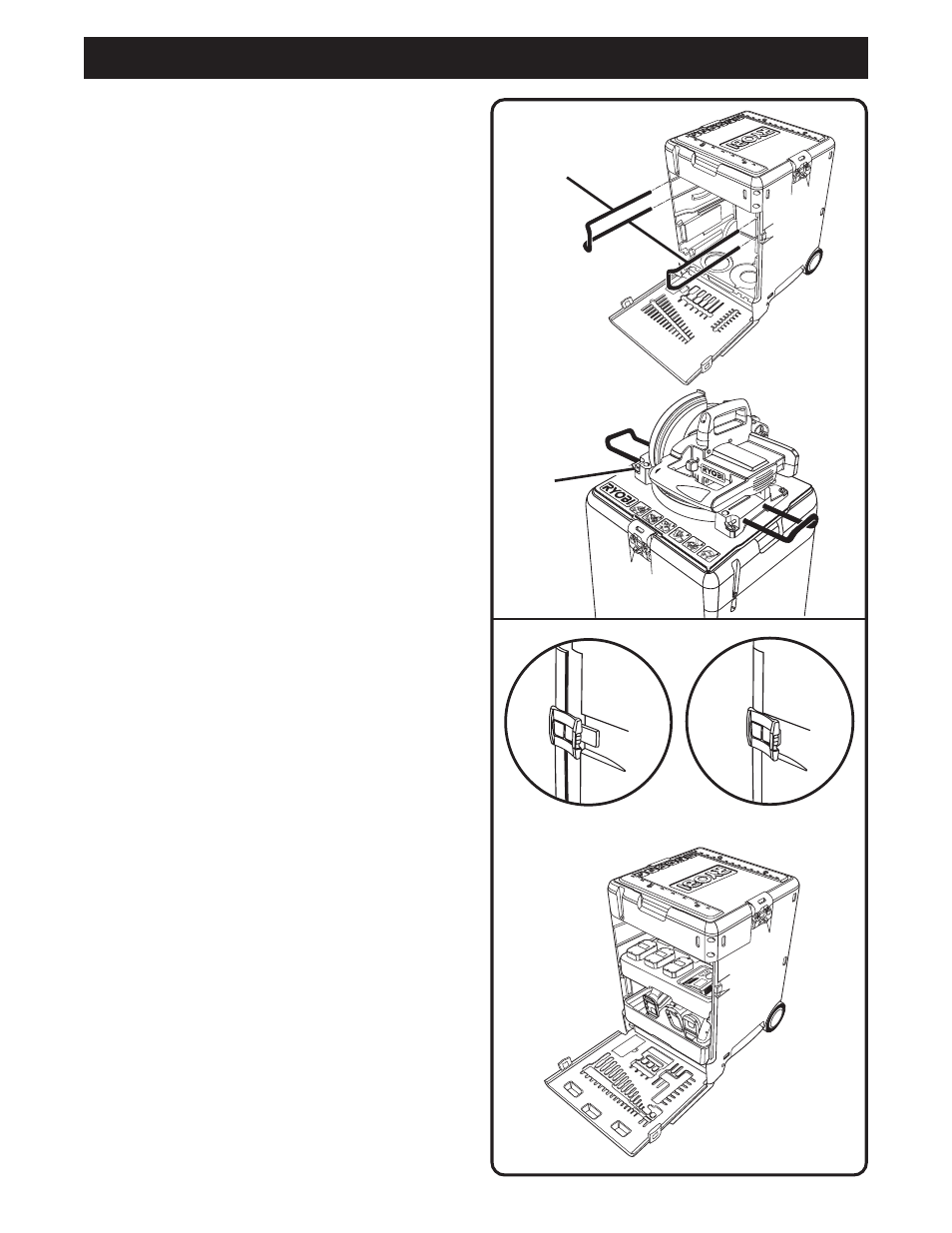
ATTACHING THE MITER SAW EXTENSION
RAILS
See Figure 5.
Follow these directions to attach the miter saw extension
rails.
■
Remove the extension rails from the side storage
area.
■
Slide the extension rails into the correct locations on
the miter saw.
■
Secure the extension rails using the wing screws pro-
vided.
OPENING THE FRONT PANEL
See Figure 6.
Follow these directions to open the front panel.
■
Pull the front panel latches out.
■
Lower the front panel.
Advertising
This manual is related to the following products: