02 instruments and controls – Volvo 2009 S60 User Manual
Page 69
02 Instruments and controls
Cruise control
02
``
69
G027177
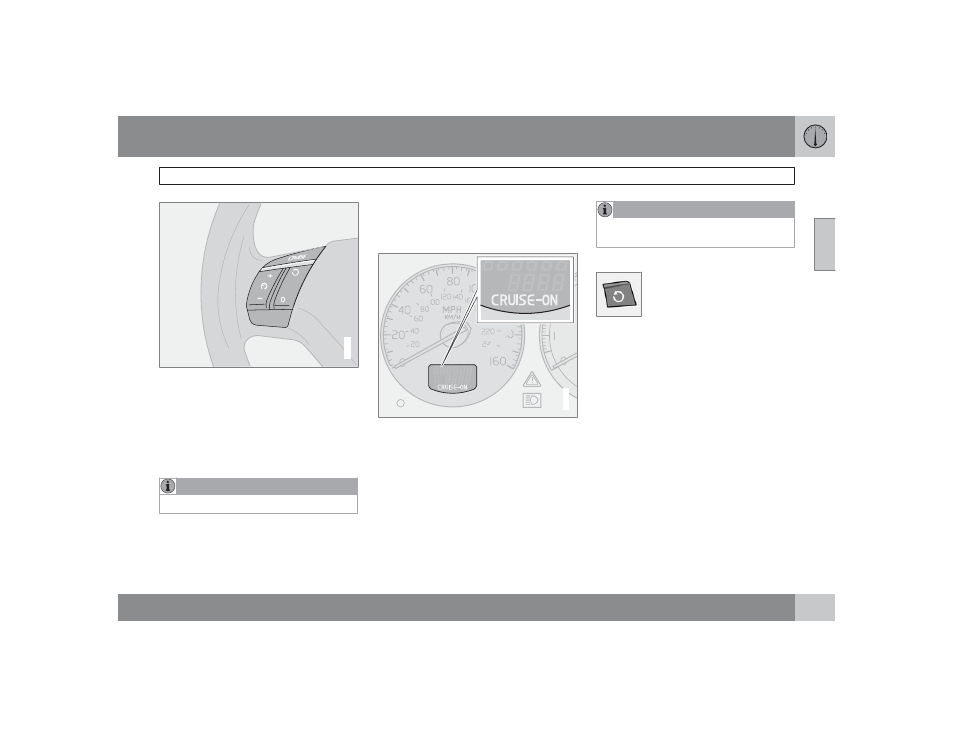
The cruise control panel is located on the left
side of the steering wheel hub and may differ
in appearance, depending on the model.
Engaging cruise control
±
Press the CRUISE button.
> CRUISE will be displayed in the infor-
mation window in the instrument panel.
NOTE
This does not set the vehicle's speed.
Setting speed
±
Press + or – to set the current speed.
>
CRUISE-ON
will be displayed in the
information window in the instrument
panel.
G027139
Increasing or decreasing speed
Use + or – in the following ways to increase or
decrease the vehicle's speed
•
Press and hold down + or – until the vehicle
reaches the desired speed.
•
Press + or – for approximately a half sec-
ond and release the button to increase or
decrease vehicle speed by approximately
1 mph (1.6 km/h).
NOTE
Cruise control will not function at speeds
below approximately 20 mph (30 km/h).
Braking
•
Cruise control is automatically disengaged
when the brake pedal is depressed. The
currently set speed is stored in memory.
•
Pressing resume (see illustration) will
return the vehicle to the previously set
speed.
Acceleration
Momentary acceleration, such as when pass-
ing another vehicle, does not affect cruise con-
trol operation. The vehicle will automatically
return to the previously set speed when you
release the accelerator pedal.
Disengaging cruise control
To disengage cruise control:
±
Press the CRUISE button.
>
CRUISE
or
CRUISE-ON
will no longer
be displayed in the information window
in the instrument panel.