Getting started – Bem Wireless Boom Box User Manual
Page 3
4
5
We know you’re excited to experience your new be
¯m wireless Boom
Box. These two easy steps will get you up and running quickly.
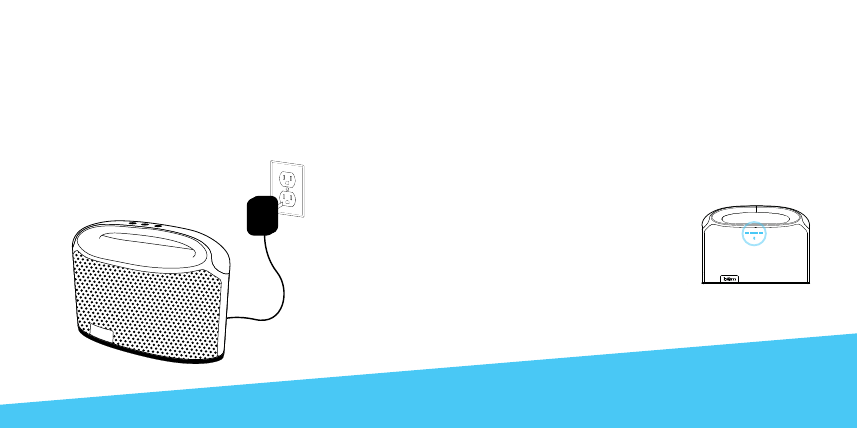
Step 1: Charge It
Connect your Boom Box to an outlet using the included power
adapter. The red LED light will slowly flash during charging and turn
green when it has reached a complete charge (Approx. 10 hours).
Getting Started
Step 2: Connect It
There are two options for connecting to your Boom Box - wirelessly
by Bluetooth©
or wired using the included aux cable.
•
Connect Wirelessly
Once the Boom Box is powered on the Bluetooth© indicator
will light and tone confirming that the unit is currently in
Bluetooth©
pairing mode will sound. Go to the Bluetooth©
settings on your mobile phone, tablet or computer to find the
device named
"Boom Box". A tone will sound to confirm the
device has paired successfully. Next
time the Boom Box and connected
device will pair automatically.
•
Direct Connection
The Boom Box can also be
connected to any device that has a
headphone jack or line out using the
included aux cable.
Please note the play/
pause button only operates when connected via
Bluetooth©.