6 recommended papers, 7 paper jam, 6 recommended papers 1-7 paper jam – BIXOLON SRP-350IIOBE User Manual
Page 14: Srp-350iiobei
Rev. 1.03
- 14 -
SRP-350IIOBEi
1-6 Recommended Papers
- TF50KS-
E (Paper Thickness: 65μm): Nippon Paper Industries Co., Ltd.
- PD
160R (Paper Thickness: 75μm): New Oji Paper Mfg. Co., Ltd.
-
P350 (Paper Thickness: 62μm): Kansaki Specialty Paper, Inc. (USA)
※ CAUTIONS
Use of papers other than those recommended above may damage TPH or degrade the
printing quality and our company is not responsible for the damage caused by non-
recommended papers. If you have to use other products, we recommend that you use
papers with a similar level of quality to the recommended ones.
1-7 Paper Jam
If the paper jam occurs, the Buzzer will beep. If the cover-open can be opened, open the
Cover-open and remove the paper.
If the Cover-open cannot be opened, Follow the below.
1-7-1 Turn the printer off/on to make the cutter initialized, and then open the cover-open.
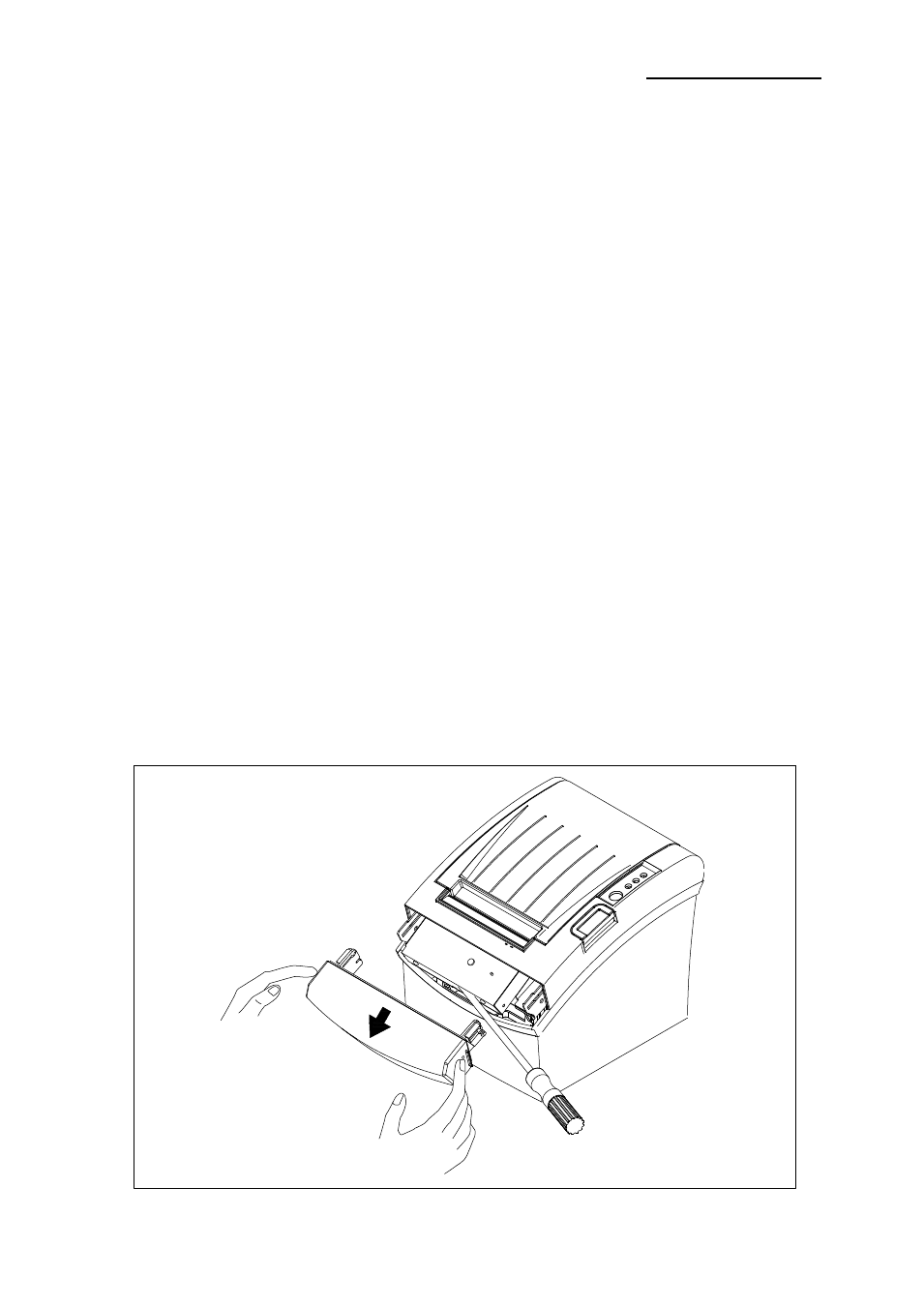
1-7-2 In case that the cutter is not initialized, remove the cover-cutter then remove the
paper jam with turning the knob to the arrow direction as shown below picture. You
may use a cross screwdriver to remove the paper jam.
1-7-3 After the cutter placed back, and then press the push button to open the cover.
1-7-4 Assemble the cover-cutter.